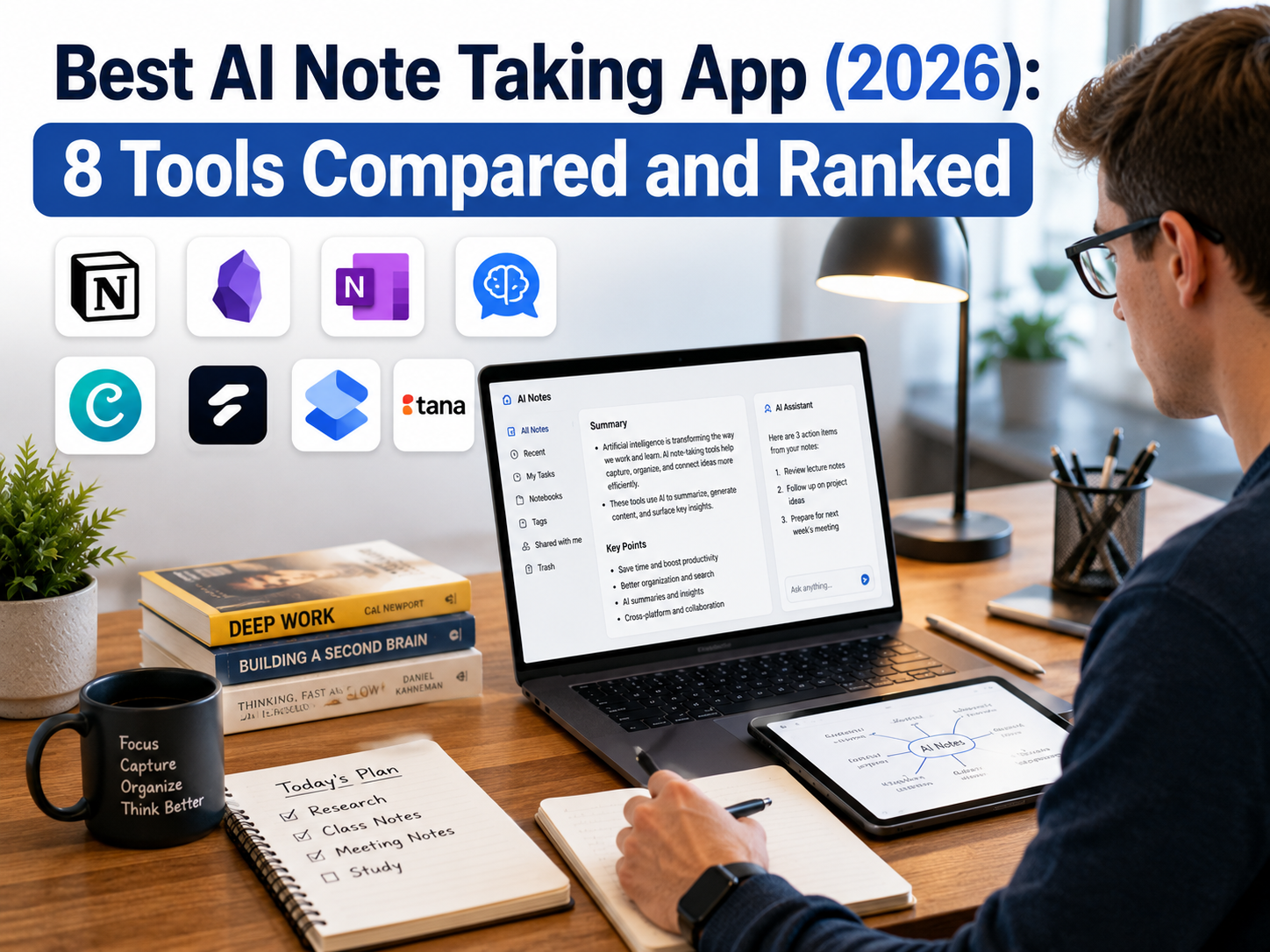
Best AI Note Taking App (2026): 8 Tools Compared and Ranked
Fathom, Granola, Otter, Fireflies, and more — what each one actually does well, what it costs, and which one fits how you actually work.
Drop in a screenshot from at least one tool you’ve actually used — a real meeting summary or action-item list (redact anything sensitive first). If you’ve personally used Fathom, Granola, or any tool on this list for your own work, add one or two sentences saying what surprised you, good or bad. This article is already well-sourced; a firsthand example is the one layer research alone can’t add.
If you just want a free, no-fuss AI note taker, start with Fathom — its free tier is the most generous in the category for raw recording (unlimited recording, transcription, and storage, no credit card required), though AI-generated summaries on the free plan are capped at a handful per month. If a visible meeting bot is a problem for you (client calls, sensitive conversations, in-person meetings), use Granola instead, since it captures audio directly from your device rather than joining as a bot. Sales and revenue teams should look at Fireflies.ai for its CRM integrations, and anyone who wants real-time captions during the call itself should stick with Otter.ai. If you’re already paying for Zoom, Google Workspace, or Microsoft 365, check whether your plan already includes a built-in AI notetaker before you pay for a separate app.
01Best AI Note-Taking Apps at a Glance
| App | Best for | Bot or bot-free | Free tier | Entry price |
|---|---|---|---|---|
| Fathom | Best free option, action items | Bot | Unlimited recording; AI summaries capped (~5/mo) | Free (paid tier for unlimited summaries + premium features) |
| Granola | Privacy, bot-free capture | Bot-free (device audio) | Limited history (~14–30 days) | From ~$14/user/month |
| Otter.ai | Live captions, shared team archive | Bot | ~300 minutes/month | From ~$14–17/user/month |
| Fireflies.ai | Sales teams, CRM sync | Bot | ~800 minutes storage | From ~$10–18/user/month (varies by billing cycle/region) |
| Notion AI | Teams already living in Notion | N/A (cleans up your own notes) | Included with some Notion plans | Varies by Notion plan |
| NotebookLM | Research and study synthesis | N/A (not a meeting notetaker) | Yes, free | Free |
| Zoom AI Companion | Zoom-native meetings | Built-in | Included on paid Zoom plans | Bundled with Zoom plan |
| Microsoft Copilot (Teams) | Microsoft 365 shops | Built-in | Included on eligible plans | Bundled with Microsoft 365 |
Pricing and free-tier limits shift often in this category — several vendors changed their free plans in the first half of 2026 alone. Confirm current terms on each vendor’s pricing page before you commit.
02Myth vs. Reality: What the Marketing Gets Wrong
Every vendor page in this category makes similar-sounding claims. Here’s where those claims hold up, and where they quietly don’t.
| Myth | Reality |
|---|---|
| “99% accurate” numbers are comparable across vendors | Each is self-reported on a different test set — there’s no independent, standardized benchmark anyone can point to. One transcription vendor’s own comparative research on real-world business audio (noise, multiple speakers, accents) put the industry average closer to 62% — a useful directional number, though worth remembering it comes from a company that competes in this category, not a neutral third party |
| “Unlimited free” means the whole product is unlimited | Read the fine print on which feature is unlimited. Fathom’s free plan gives unlimited recording and transcription, but AI-generated summaries are capped at roughly 5/month — the recording is free, the AI layer that makes it useful isn’t unlimited |
| Bot-free means more private | It only means no visible bot joins the call. Audio still typically uploads to the vendor’s cloud unless the tool explicitly states on-device processing |
| More integrations always mean more value | Integration sprawl creates duplicate, conflicting records across CRM, Slack, and Drive with no clear source of truth |
| Today’s generous free tier is permanent | It’s a 2026 land-grab ahead of Zoom, Teams, and Workspace commoditizing the category — expect tightening once the market settles |
| The top-ranked tool in any roundup is the “best” one | Rankings reflect the reviewer’s own meeting mix. The right tool depends entirely on your meeting type, not a universal score |
03What Changed in 2026 (Why This List Looks Different Now)
The biggest shift in AI note-taking this year wasn’t a new startup — it was Zoom, Google Workspace, and Microsoft Teams all shipping free AI notetakers built directly into their paid plans. That changed the core question from “which app should I use” to “do I even need a separate app.” For most people who only take notes inside one platform, the built-in option now covers the basics. Standalone apps earn their keep when you meet across multiple platforms, need cross-meeting search, want CRM automation, or care enough about privacy to avoid a bot joining the call.
88% of organizations now use AI regularly in at least one business function, up from 78% a year earlier (McKinsey, “The State of AI in 2025,” published November 5, 2025). The AI meeting-transcription market specifically is projected to grow from $3.86 billion to $29.45 billion by 2034, a 25.62% annual growth rate, according to transcription vendor Sonix’s 2026 market research. Note-taking isn’t a side feature anymore — it’s riding one of the fastest-growing corners of workplace AI.
04What to Look For in an AI Note-Taking App
- Bot or bot-free capture: Bot-based tools (Otter, Fireflies) join the call as a visible participant and are easiest to set up. Bot-free tools (Granola) record from your device’s audio instead — better for client calls or meetings where a visible recorder isn’t welcome.
- Summary quality, not just transcription: Accurate transcription is now table stakes across the category. The real differentiator is whether the summary and action items are actually usable afterward, or whether you still have to read the full transcript.
- Where the notes go after the meeting: Some tools stop at a transcript. Others push action items into your CRM, task manager, or follow-up emails automatically — decide how much of that “after the meeting” work you actually want automated.
- Multilingual support: If you work with international teams or clients, check the specific language list and per-plan limits — several tools cap the number of languages on lower tiers.
- Where your data is stored and for how long: Meeting content is sensitive by default. Check retention policies and whether transcripts are used to train models before you record confidential conversations.
05The 8 Best AI Note-Taking Apps, Reviewed
1. Fathom — Best Free AI Note Taker
Bot-based · Free tierFathom’s free plan is the most generous in this category for raw capture: unlimited recording, unlimited storage, and no credit card required. The AI-generated summaries that turn a transcript into something actually useful are capped at roughly 5 per month on the free plan — plenty if you only need summaries for your important meetings, a real constraint if you run more than a handful of meetings a week and want AI notes on all of them. It processes calls quickly after they end and consistently earns strong user ratings for reliability. For most individuals and small teams who want to try solid meeting summaries without a subscription, Fathom is the sensible starting point — you can always add a paid tool later for specific gaps like CRM sync or unlimited summaries.
2. Granola — Best Bot-Free / Privacy-Focused
Bot-free · PaidGranola takes a different approach: instead of a bot joining your call, it captures audio directly from your device and blends it with your own typed notes. That makes it the natural choice for client-facing calls, in-person meetings, or any situation where a visible recording bot would be awkward or against policy. Its free Basic plan works but limits how far back your meeting history goes (commonly cited around 14–30 days), with unlimited history and team features starting around $14/user/month. It’s available on both Mac and Windows and is generally regarded as the calmest, most minimalist option in the category.
3. Otter.ai — Best for Live Captions and Team Archives
Bot-based · Free + paid tiersOtter was one of the first mainstream AI notetakers and still does live, real-time captioning better than most competitors. It’s a solid fit for teams that want a shared, searchable archive of past meetings. Its free tier caps you at roughly 300 minutes a month, and paid tiers have their own monthly minute ceilings that can run out mid-month on heavy usage — check the current plan details against your actual usage before committing, since language support and deeper CRM integrations are also gated to higher tiers.
4. Fireflies.ai — Best for Sales Teams
Bot-based · CRM integrationsFireflies is built for revenue teams: it syncs meeting intelligence directly into common CRMs, supports multilingual transcription, and makes it easy to search across a large archive of past calls. Its free tier caps total storage at roughly 800 minutes, and some of its most useful AI features draw down a separate credit allowance on paid plans — worth checking before assuming a plan covers your actual usage. If the value you need is meeting data flowing into your sales pipeline — not just a readable transcript — Fireflies is the strongest fit on this list.
5. Notion AI — Best If You Already Live in Notion
Note cleanup · Workspace-nativeNotion AI isn’t a dedicated meeting notetaker in the way Otter or Fireflies are — it’s better understood as an AI layer that cleans up and organizes notes you already have inside Notion. For teams whose documentation already lives there, it removes a step rather than adding a new tool to the stack.
6. NotebookLM — Best for Research and Study
Free · Research synthesisNotebookLM isn’t built for live meetings — it’s built for synthesizing notes, readings, and source material after the fact. That makes it a strong pick for students and researchers who need to pull themes and connections out of a pile of notes, rather than someone who needs a bot on a Zoom call.
7. Zoom AI Companion — Best If You’re Already on Zoom
Built-in · Included with paid plansIf your team already pays for a Zoom plan that includes AI Companion, it covers meeting summaries and action items without adding another subscription. It won’t follow you onto other platforms the way a standalone app does, so it makes the most sense for teams that meet almost exclusively inside Zoom.
8. Microsoft Copilot (Teams) — Best for Microsoft 365 Shops
Built-in · Included with eligible plansSame logic as Zoom AI Companion, but for organizations standardized on Microsoft Teams and Microsoft 365. If you’re already paying for an eligible license, this is worth checking before adding a third-party app to the budget.
06Where Transcription Accuracy Actually Breaks Down
Every vendor quotes an accuracy number. Almost none of those numbers come from the kind of meeting you actually run. The benchmark audio is nearly always a clean recording — one speaker, no cross-talk, native English — because that’s the easiest possible test to pass, not because it reflects real usage.
Vendors commonly cite up to 99% accuracy under clean, optimal conditions. Transcription vendor Sonix’s own comparative research on real-world business audio — background noise, multiple speakers, varied accents — put the industry-average accuracy across AI transcription platforms at 61.92%, versus 69.36% for Sonix’s own product on the same test. Take the industry-average number as directionally useful rather than neutral: it comes from a company with a stake in looking better than that average, not an independent lab. Either way, the gap between a lab demo and your actual weekly stand-up is real.
Automated transcription runs roughly $0.10–$0.30 a minute versus $1.50–$4.00 a minute for human transcription, and Sonix’s 2026 research reports 62% of professionals saving more than four hours a week using it. The cost and time case is real — the accuracy story just needs more nuance than the marketing gives it.
| Condition | Benchmark performance | Real-world degradation | Workaround |
|---|---|---|---|
| Overlapping speech / cross-talk | Rarely tested | Accuracy drops noticeably, no vendor publishes a number for this | Encourage one-speaker-at-a-time on calls you’ll rely on for action items |
| Non-native accents | Usually excluded from marketing tests | Degrades unevenly — no consistent “best for accents” winner across tools | Test your own team’s actual voices before rollout, not the vendor demo |
| Jargon, acronyms, proper nouns | Not tested | Client names, product codenames, and internal shorthand get mangled | Check whether the tool supports a custom vocabulary or glossary feature |
| 6+ participants or shared speakerphones | Not tested | Speaker diarization quietly misattributes lines, corrupting action-item ownership | Spot-check attribution on large calls; don’t trust it blindly |
The practical takeaway: test any tool on your single worst, noisiest, most jargon-heavy recurring meeting — not a quiet one-on-one — before you decide it’s “accurate enough” to roll out to a team.
07The Multi-Bot Meeting Problem
Every review evaluates these tools for one person, in isolation. Almost none address what happens the moment a team adopts different tools independently — which is exactly what happens once more than one person on a call has their own favorite AI notetaker.
- Visual clutter and platform caps: two to four bots joining the same call is jarring for attendees, and some platforms cap how many third-party bots can join a single meeting.
- IT policies increasingly block unrecognized bots: more companies now maintain an approved-vendor allowlist and eject unrecognized notetaker bots automatically — a real 2026 governance trend, not a hypothetical.
- The “whose transcript is correct” problem: four bots on one call often produce four slightly different summaries, each with its own errors, and nobody is designated to reconcile them.
- Emerging etiquette: teams are converging on a single-designated-notetaker rule for internal meetings, and bot-free-by-default for any call with external participants.
- What actually works: a one-sentence policy (“use [tool] for internal meetings, no bots on client calls without asking”) gets followed. A three-page AI usage policy usually doesn’t.
08Privacy and Recording Consent
AI note takers record and transcribe conversations, which puts you in the middle of consent laws that vary by location. Under US federal law — the Wiretap Act, 18 U.S.C. §2511 (Cornell Legal Information Institute) — you generally only need your own consent to record a call you’re part of. But roughly a dozen states override that with all-party (“two-party”) consent rules, including California (Penal Code §632), Florida (Statute §934.03), Connecticut, Delaware, Illinois, Maryland, Massachusetts, Montana, New Hampshire, Oregon, Pennsylvania, and Washington — every participant has to agree before you record. A few states are genuine edge cases depending on the source you check — Nevada, for instance, applies all-party consent to phone calls specifically but one-party to in-person conversations — so if you operate in a borderline state, verify its current statute rather than relying on any single list, including this one. Outside the US, regulations like the EU’s GDPR add further requirements around processing and storing personal data. Most reputable tools now prompt an in-meeting notice or announcement when they join, but the legal responsibility for getting consent sits with you, not the app.
California’s all-party consent law can apply even if you’re not physically in California — as long as one participant on the call is (Justia). Recording someone across state lines doesn’t automatically put you in the clear.
Practical rule of thumb: if you’re recording client calls, interviews, or any conversation with someone outside your own company, say so explicitly at the start of the call — regardless of what your state or country technically requires. It’s a low-cost habit that avoids a real problem later.
09Legal and Discovery Risk (What Happens to Transcripts in a Dispute)
This is the part almost no consumer-facing review touches, because it requires actual legal exposure to notice, not just product research. Once a meeting is transcribed, it stops being a fleeting conversation and becomes a document — and documents can be discoverable.
- Retention settings extend your exposure window: most tools default to “keep forever,” which most users never revisit or align with their actual records policy.
- Cross-border processing matters in enterprise contracts: where the vendor’s servers sit versus where participants are located can raise data-residency questions that procurement and legal teams care about.
- Mark sensitive meeting types as do-not-record by default: HR conversations, legal discussions, and M&A calls are the categories most likely to cause regret later.
- Align retention settings with your actual records policy instead of leaving the vendor default in place — this is a five-minute fix most teams never make.
10Pros and Cons of the Top Picks
Fathom — Pros
- Most generous free tier in the category for raw recording
- Fast post-call processing
- No credit card required to start
- Consistently strong user reviews
Fathom — Cons
- Joins as a visible bot, not bot-free
- Free-plan AI summaries capped at roughly 5/month
- Deeper CRM features sit behind paid tiers
- Less minimalist than Granola for solo use
Granola — Pros
- No visible bot joins your meetings
- Works for in-person conversations too
- Clean, minimalist interface
- Available on Mac and Windows
Granola — Cons
- Free plan limits how far back your history goes
- Weaker on CRM automation than Fireflies
- Requires the desktop app to be running
11Common Mistakes People Make
- Paying for a standalone app before checking your existing plan. If your team is already on a paid Zoom, Google Workspace, or Microsoft 365 tier, the built-in notetaker may already cover your basic needs.
- Choosing a tool based on transcription accuracy alone. Accurate transcription is now common across the category — the real gap between tools is what happens to the notes afterward.
- Assuming a “free” plan is unlimited everywhere. Read which specific feature the free tier actually caps — on Fathom, for instance, it’s AI summaries, not raw recording.
- Ignoring recording consent requirements. This is a legal issue, not just an app setting, and it’s easy to overlook when a tool makes recording effortless.
- Assuming one tool has to cover every meeting type. Bot-free and bot-based tools solve different problems — pairing two tools is common practice, not overkill.
12
Advanced
Building a Meeting-Intelligence Stack
Everything above this section is written for one person choosing one app. This section is for teams past that question — where the real challenge is running AI note-taking reliably across dozens of meetings a week without the data turning into a mess.
- Assign tools by meeting type, not by personal preference.Bot-free for client calls, bot-based-plus-CRM for sales, the built-in platform tool for routine internal syncs. One tool for everything is usually the wrong answer at team scale.
- Check export fidelity before you commit.Speaker labels and timestamps often don’t survive export to other systems. Months of meeting history can become a real switching cost you only discover after you’re already locked in.
- Centralize transcripts into one searchable layer.Data siloed across three or four different notetaker apps is worse than having no searchable history at all — pick one destination and route everything there.
- Run a periodic accuracy audit.Spot-check AI summaries against the real recording every so often. Vendors update models silently, and output quality can shift without any changelog telling you.
- Map AI-extracted CRM fields against human-entered ones.Without this, automated field updates and manual entries silently overwrite each other, and nobody notices until the data is already wrong.
13Which One Should You Use?
| Your situation | Recommendation |
|---|---|
| You want free, with no strings attached | Fathom (for raw recording — budget for a paid tier if you need unlimited AI summaries) |
| You take client or sensitive calls | Granola |
| You run a sales or revenue team | Fireflies.ai |
| You want real-time captions during the call | Otter.ai |
| Your team already documents in Notion | Notion AI |
| You’re a student synthesizing research notes | NotebookLM |
| You already pay for Zoom or Microsoft 365 | Check the built-in option first |
| You’re managing this across a whole team | Build a meeting-intelligence stack (see above), not a single-app choice |
14Frequently Asked Questions
What is the best AI note-taking app?
There isn’t one universal answer — it depends on your priority. Fathom is the strongest free, general-purpose option for raw recording. Granola is the best choice if you need bot-free, privacy-conscious capture. Fireflies.ai is the best fit for sales teams that need CRM integration.
Are there any free AI note-taking apps?
Yes. Fathom offers the most generous free tier for raw recording — unlimited recording and storage with no credit card required — though its AI-generated summaries are capped at roughly 5 per month on the free plan. Otter.ai and NotebookLM also offer free tiers, with Otter’s capped at around 300 minutes a month.
What is the best AI note-taking app for meetings?
For general meetings, Fathom or Otter.ai are the most widely used. For meetings where a visible recording bot isn’t appropriate — client calls, sensitive conversations — Granola’s bot-free, device-audio approach is the better fit.
What is an AI note-taking app?
It’s software that joins or listens to a conversation, transcribes what’s said, and uses AI to generate a summary and action items afterward. Some tools join meetings as a visible bot, while others capture audio directly from your device without joining as a participant.
Is it legal to record meetings with an AI note taker?
It depends on where you and the other participants are located. Some jurisdictions only require one party’s consent to record; roughly a dozen US states require everyone on the call to agree, with a few genuine edge cases (like Nevada’s phone-specific rule) depending on the exact conversation type. Regardless of the legal minimum, announcing that you’re recording at the start of a call is a safe default habit.
Can I use multiple AI note takers in the same meeting?
Technically yes, but it’s rarely a good idea. Multiple bots joining one call creates visual clutter, can hit platform participant caps, and produces conflicting summaries with no clear “correct” version. Most teams are better served by a single designated notetaker per meeting.
Are AI-generated meeting notes discoverable in a legal dispute?
Yes — transcripts and AI-generated summaries can be treated as documents in litigation, similar to email. This is a reason to review retention settings and to avoid recording sensitive meeting types like HR, legal, or M&A discussions by default.
Start with what’s already free: Fathom if you want a standalone app for raw recording (upgrade once you outgrow the ~5/month summary cap), or your existing Zoom/Microsoft 365 plan if it already includes an AI notetaker. Upgrade to a paid, specialized tool only once you know exactly what’s missing — bot-free privacy (Granola), CRM automation (Fireflies), or live captioning at scale (Otter). Most people overpay for features they don’t end up using because they picked based on a feature list instead of their actual meeting habits.
And if you’re rolling this out to a team rather than just yourself: the tool matters less than having a one-sentence policy for which app gets used when, and who’s responsible for reconciling the notes afterward.
Sources referenced in this article:
- McKinsey & Company — “The State of AI in 2025: Agents, Innovation, and Transformation” (published November 5, 2025)
- Sonix — “Meeting Transcription Adoption Statistics 2026” and related 2026 transcription statistics pages (vendor-published research; Sonix is itself a transcription product)
- Cornell Law School, Legal Information Institute — 18 U.S.C. § 2511 (Federal Wiretap Act)
- Justia — 50-State Survey, Recording Phone Calls and Conversations
- Independent vendor pricing/feature comparisons (Granola, Meetily, and others), cross-checked September 2026
Related reading
Pricing, free-tier limits, and feature sets for every tool listed here change frequently. This article was fact-checked against each vendor’s public information and independent trackers as of September 2026 — confirm current pricing directly at fathom.video, granola.ai, otter.ai, and fireflies.ai before publishing pricing claims as fact.