Best AI Tools 2026: 7 That Actually Earn a Spot on My Computer
Most AI tools get deleted within a day of the free trial ending. So instead of chasing the newest launch, I did the opposite: I looked at what’s still open on my laptop month after month, once the novelty wears off. Not the tool with the flashiest demo video — the one I reach for when there’s real work to do.
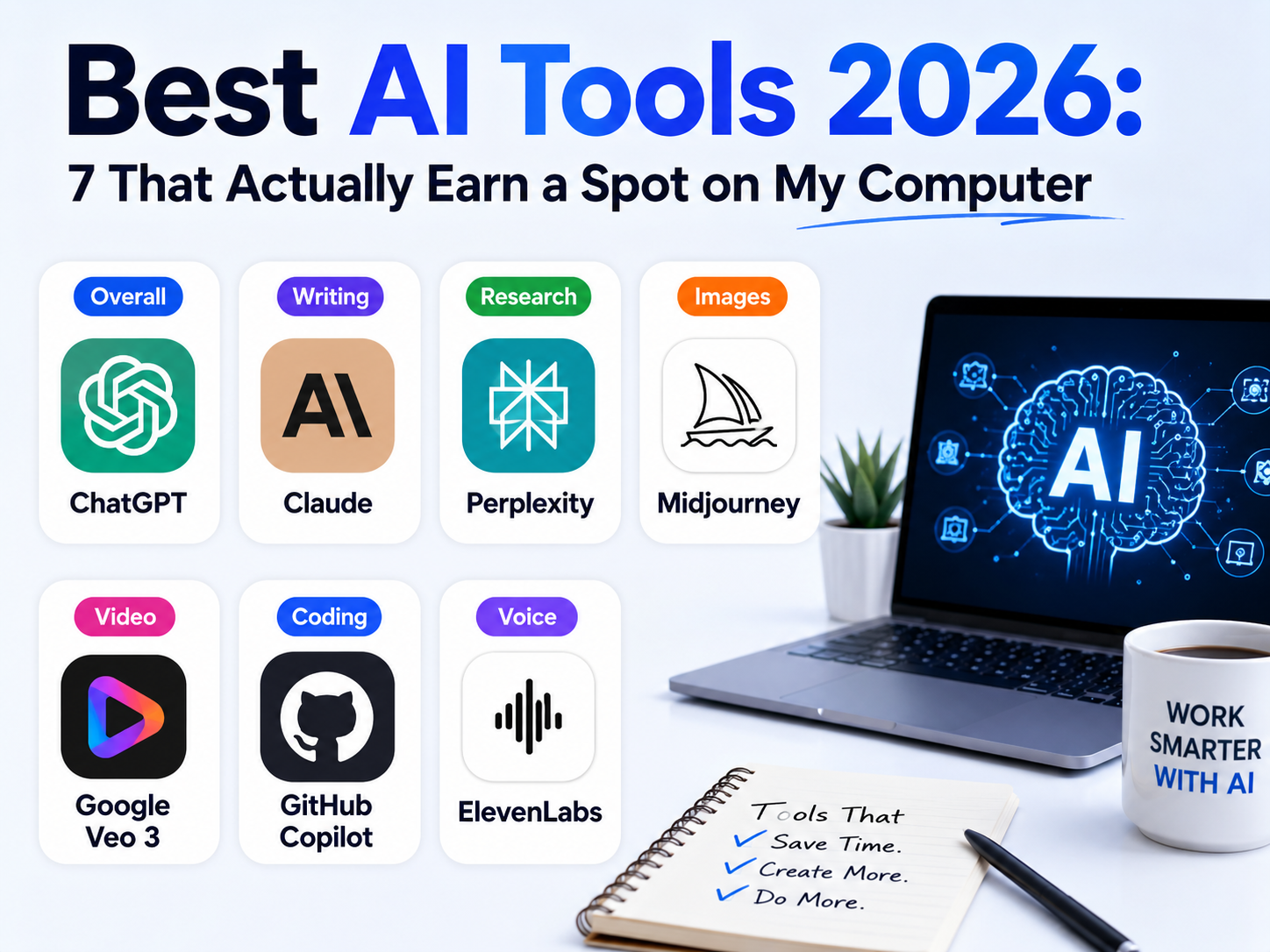
This list covers seven categories where the best choice is genuinely settled for most people right now: general assistant, writing and reasoning, research, image generation, video generation, coding, and voice. One pick per job, with the real free-tier limits and current pricing — not numbers from a stale blog post.
Quick Comparison: Best AI Tool by Category
| Category | Tool | Free Tier? | Paid Plan Starts At |
|---|---|---|---|
| All-Around Assistant | ChatGPT | Yes, with daily limits | $20/month (Plus) |
| Writing & Reasoning | Claude | Yes, with daily limits | $20/month (Pro) |
| Research & Search | Perplexity | Yes, ~5 Pro searches/day | $20/month (Pro) |
| Image Generation | Midjourney | No free tier at all | $10/month (Basic) |
| Video Generation | Google Veo (current: 3.1) | Limited access via Google AI plans | Varies — see our full guide |
| Coding Assistant | GitHub Copilot | Yes, free tier available | $10/month (Pro) |
| AI Voice Generation | ElevenLabs | Yes, no commercial rights | ~$5/month (Starter) |
All prices verified against each company’s official pricing page. AI pricing and model versions shift often — confirm the current rate and model before subscribing.
How I Picked These Seven
1 ChatGPT — Best All-Around AI Assistant
If you only want one AI tool installed, this is still the safest default. ChatGPT handles everyday writing, quick research, image generation, and voice conversations in one place, and the free tier is genuinely usable — just rate-limited. In the US, the Free and Go tiers now show ads. The $20/month Plus plan removes most of that friction and adds the flagship model tier plus higher usage caps.
- Free tier available, with daily message caps and a lighter fallback model once you hit them
- Plus at $20/month; a cheaper Go tier and higher Pro tiers also exist for different usage levels
- Best for: one tool that covers everyday writing, quick research, and general questions
2 Claude — Best for Writing and Long Documents
When the task is writing something that needs to be genuinely good — not just fast — this is the one I open every day for this site. Claude tends to produce cleaner, less repetitive prose and handles long documents and multi-step reasoning without losing the thread as quickly as some alternatives. The free plan is fine for occasional use; the $20/month Pro plan is where it becomes a daily driver. Full breakdown in our complete Claude AI setup guide.
- Free tier available, with daily usage limits
- Pro at $20/month, or roughly $17/month billed annually
- Best for: long-form writing, editing, and tasks that need careful, structured reasoning
3 Perplexity — Best for Research You Can Actually Verify
The thing that keeps me coming back to Perplexity isn’t the writing, it’s the citations. Every answer links back to its sources, which matters enormously when you’re fact-checking something instead of just wanting a plausible-sounding paragraph. The free plan caps you at around five Pro searches a day. Perplexity’s Comet browser, once a $200/month exclusive, went free worldwide in October 2025 (iOS support arrived in March 2026).
- Unlimited basic search free, roughly 5 Pro searches per day
- Pro at $20/month, with a discounted $10/month Education plan for verified students
- Best for: fact-checking, current events, and any research where you need to see the source
4 Midjourney — Best AI Image Generator (No Free Tier)
Midjourney hasn’t had a free trial since late 2024, and it’s still the one professional creators default to for image quality. It bills by “Fast GPU hours” rather than a flat image count, which trips people up — the $10/month Basic plan gives you roughly 3.3 fast hours, good for around 200 images before you’re either waiting on slower Relax mode or upgrading. We go deeper on how it stacks up against the leading alternative in our full Midjourney vs. Leonardo AI comparison.
- No free tier — subscription required from your very first image
- Basic $10/month, Standard $30/month, Pro $60/month, Mega $120/month (all 20% cheaper billed annually)
- Best for: anyone who needs the highest-quality AI images and is willing to pay from day one
5 Google Veo — Best AI Video Generator
Veo is widely regarded as the current benchmark for AI-generated video with genuinely usable, synced audio. I haven’t put it through daily use the way I have Claude or Copilot, but it’s the consistent pick across creator communities and the comparisons I trust most. Access, limits, and even the current version number have shifted more than once since launch, so rather than quote a number here that could be stale by the time you read this, I’d point you to our dedicated Veo access guide, which we keep updated whenever Google changes the terms or ships a new version.
- Limited free access has been available through Google’s AI apps at various points — check current terms
- Bundled into Google’s AI Pro / AI Ultra subscription tiers
- Best for: short-form AI video with synced audio, without a dedicated video production setup
6 GitHub Copilot — Best AI Coding Assistant
Copilot’s autocomplete-style suggestions and Next Edit predictions are free on every plan, including the free tier. Chat, agent mode, CLI, and code review now draw from a monthly AI Credit allowance instead of an unlimited pool — GitHub moved every plan to usage-based billing on June 1, 2026. Light chat use barely touches it, but heavy agent-mode sessions can burn through credits fast. There’s no spending cap by default, so it’s worth setting one under Settings → Billing if you plan to lean on agent mode. For solo developers who mostly want smarter autocomplete with occasional chat help, the $10/month Pro plan’s included credits are still plenty.
- Code completions and Next Edit Suggestions are free on every plan
- Pro at $10/month, Pro+ at $39/month, each including a monthly AI Credit allowance; heavier agent use bills additional credits
- Best for: developers who want AI-assisted autocomplete built directly into their editor
7 ElevenLabs — Best AI Voice Generator
For narration, dubbing, or a cloned voice that doesn’t sound like a robot reading a script, ElevenLabs remains the tool other voice AI products get compared against. The free plan is fine for testing quality, but it comes with no commercial usage rights — the moment you want to publish something with it, you need at least the Starter plan.
- Free tier: roughly 10 minutes of audio, no commercial rights
- Starter from about $5-6/month for commercial rights and instant voice cloning; Creator at $22/month unlocks professional voice cloning
- Best for: voiceovers, narration, dubbing, and any project that needs to sound genuinely human
Free vs. Paid: What You Actually Need to Pay For
Across all seven tools, the pattern repeats: the free tier is either rate-limited (ChatGPT, Claude, Perplexity, GitHub Copilot) or doesn’t exist at all (Midjourney). Here’s what actually pushes you toward paying.
Frequently Asked Questions — Best AI Tools 2026
What is the single best AI tool to start with in 2026?
For most people, ChatGPT remains the best all-around starting point because it covers writing, research, and images in one free-to-try tool. If your main need is high-quality writing or long-document work specifically, Claude is worth trying first instead.
What’s the best AI tool for coding in 2026?
GitHub Copilot remains the most widely used choice, with free code completions on every plan and a $10/month Pro tier covering chat and agent features up to its included credit allowance. It integrates directly into most popular code editors rather than requiring a separate app.
Do I need to pay for more than one AI tool?
Usually yes, if you use AI across different types of work. Most of these tools specialize — Midjourney for images, ElevenLabs for voice, GitHub Copilot for code — so a writer and a developer will end up with different combinations rather than one tool covering everything equally well.
Which AI tool gives the most accurate, source-backed answers?
Perplexity is built specifically around citing its sources inline, which makes it the strongest choice when you need to verify where an answer came from rather than just get a plausible-sounding response.
None of these need to be your only subscription. My own stack most weeks is Claude for writing this site, Perplexity when I need to verify a stat before publishing it, and GitHub Copilot while building tools for CrixPix itself — the other four picks here are informed by research and cross-checking rather than daily personal use. Start with whichever one matches the job you actually do most, and only add a second subscription once you’ve genuinely outgrown the first tool’s free tier.
If image generation is your main interest, our free AI image generators guide covers the no-cost alternatives to Midjourney in full, and our best AI chatbots comparison ranks seven assistants head-to-head if ChatGPT isn’t the right fit for you specifically.