Best AI Chatbots 2026: Top 7 Ranked by Task (Honest Comparison)
Best AI Chatbots 2026: Top 7 Ranked by Task | CrixPix

Best AI Chatbots 2026: Top 7 Ranked by Task (Honest Comparison)

AI Tool Comparisons Updated April 2026 Last Updated: April 2026  |  13 min read  |  CrixPix Editorial Team

Picking the wrong AI chatbot wastes more time than using no AI at all. The best AI chatbots in 2026 are genuinely impressive — but they each excel at completely different things. Using ChatGPT for long-document analysis when Claude does it better, or using Gemini for research when Perplexity exists, costs you hours every week.

Here’s the problem with every AI chatbot comparison article you’ll find: they all list features side by side and leave you to figure out what actually matters. Twenty checkboxes. Zero verdict. You close the tab no closer to an answer.

This guide is built differently. Every chatbot gets one sentence: what it wins at and who should use it. Then you get a task-based breakdown, an honest free tier comparison, and a decision table that tells you exactly which tool to open for each job. No fluff. Let’s go.

⚡ Quick Answer — Best AI Chatbots 2026

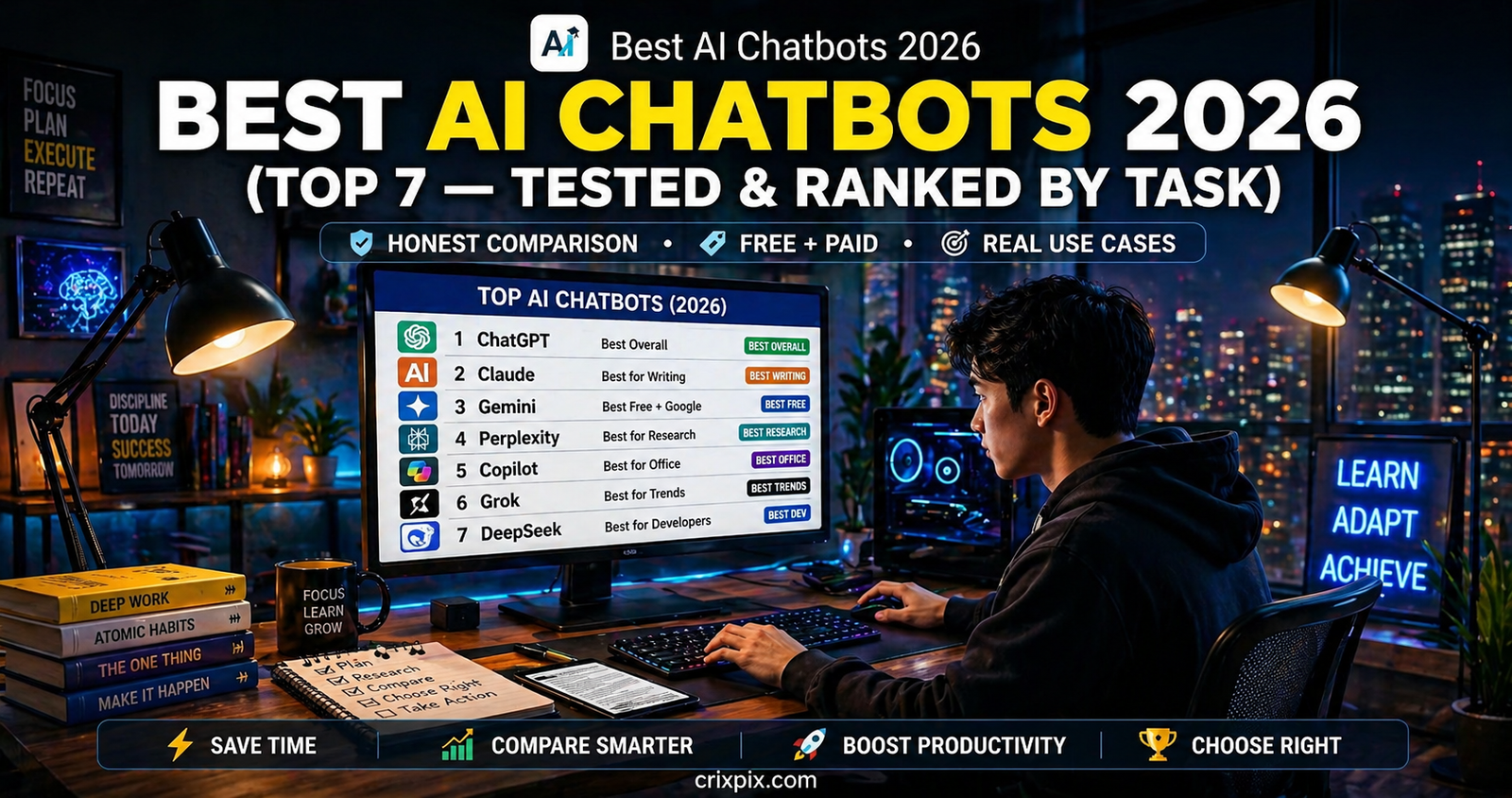
The best AI chatbots in 2026 are ChatGPT (best all-rounder, free GPT-4o access), Claude (best for writing quality and long documents), Gemini (best for Google Workspace users), Perplexity (best for research with cited sources), and DeepSeek R1 (best free option for reasoning and coding). All five offer free tiers with no credit card required. Full task-based breakdown below.

The AI Chatbot Landscape in 2026 — What Actually Changed

Eighteen months ago, picking the best AI chatbot was simple: ChatGPT was the obvious choice and everything else was a distant second. That is no longer true. The best AI chatbots in 2026 represent a genuinely competitive field where different tools win at different tasks — and the gap between them is real, not marketing spin.

Three things changed the market completely. First, Anthropic’s Claude went from an interesting alternative to the clear leader in writing quality and long-document processing. Second, the free tier race got serious — GPT-4o, Gemini Flash, DeepSeek R1, and Meta AI all became available at zero cost, making “just use ChatGPT” less obvious advice. Third, DeepSeek R1 emerged as a legitimate reasoning model that outperforms many $20/month chatbots while being completely free.

According to market data from First Page Sage, ChatGPT remains the most-used AI chatbot in the US as of April 2026 — but its market share has declined as Claude, Perplexity, and Gemini take meaningful portions of specific use cases. The chatbot market itself grew from $8.27 billion in 2024 to an estimated $12.98 billion in 2026, with a 24.8% compound annual growth rate. That growth signals one thing clearly: people are using these tools for serious work, not just novelty.

📌 How to use this guide: Scroll to the task that matters most to you — writing, research, coding, productivity — and go directly to that recommendation. You do not need seven chatbots. You need the right one for your workflow.

Top 7 Best AI Chatbots in 2026 — Full Ranked Reviews

Rank #1

1. ChatGPT — Best All-Round AI Chatbot 🥇 Editor’s Pick

Free GPT-4o Access Best All-Rounder Image + Voice + Web Search Plus $20/month

ChatGPT remains the most versatile AI chatbot available in 2026 — not because it wins every individual category, but because it handles everything competently in one place. Writing, coding, image generation, voice conversations, web search, data analysis, and file processing all live inside one interface. For someone who needs AI assistance across multiple task types daily, ChatGPT eliminates tool-switching.

The free tier in 2026 is genuinely strong. It runs on GPT-4o mini as the default, with access to full GPT-4o during off-peak hours. Image generation via DALL-E 3, voice mode, and basic web search are all included free. The memory feature — where ChatGPT remembers your preferences, job, and context across conversations — is one of the most underused features in AI tools today. Once set up, it significantly improves output quality without additional prompting.

Writing Quality
8.8/10
Reasoning Depth
9.2/10
Free Tier Value
8.7/10
Feature Range
9.7/10

Free tier: GPT-4o mini default, ~15–20 messages/day on full GPT-4o, image generation, voice mode, web search, memory. No credit card.

Paid: ChatGPT Plus $20/month — unlimited GPT-4o, extended thinking, advanced data analysis, more image generation.

Best for: Anyone who needs one AI tool that handles everything — writing, coding, images, research, and productivity tasks without switching apps.
Rank #2

2. Claude (Anthropic) — Best Writing Quality & Long Documents 🥈 Best Writer

Free Forever Best Writing Quality 200K Context Window Pro $20/month

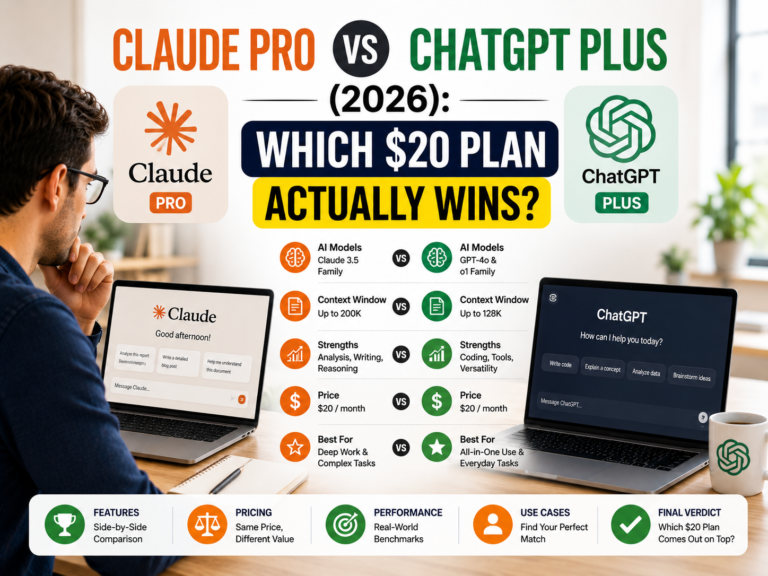
If writing quality is the metric that matters most to you, Claude wins. Not by a small margin — by a clear one. Anthropic built Claude specifically to write in a natural, human voice that does not trigger the “this sounds like AI” alarm in your reader’s brain. Long-form essays, marketing copy, reports, creative writing, and professional emails all come out more polished and less robotic than any other chatbot’s output in 2026.

The 200K context window is the other defining advantage. You can paste an entire contract, a 300-page book, or a full codebase into Claude and ask it to analyze, summarize, or find specific information. ChatGPT’s context window is significantly smaller. For anyone working with large documents — lawyers, researchers, analysts, writers — Claude’s context handling is the clearest competitive advantage in the market.

Claude Sonnet 4.6 is the model available on the free plan in 2026. It handles most professional writing tasks without requiring a paid upgrade. Claude Opus 4.6, on the Pro plan, is where the most advanced reasoning and extended analysis capabilities live.

Writing Quality
9.8/10
Long Document Handling
9.7/10
Free Tier Value
8.4/10
Feature Range
7.8/10

Free tier: Claude Sonnet 4.6, ~30–50 messages/day, 200K context, file upload, no image generation. No credit card.

Paid: Claude Pro $20/month — Claude Opus 4.6, higher daily limits, priority access.

Best for: Writers, marketers, analysts, and lawyers who need the highest-quality written output and the ability to process long documents without losing context.
Rank #3

3. Google Gemini — Best for Google Workspace Users 🥉 Best Integration

Free + Student Deal Google Docs/Sheets Built-in Real-Time Web Access Advanced $19.99/month

Gemini’s strongest advantage has nothing to do with raw intelligence benchmarks. It is the only major AI chatbot that operates natively inside Google Docs, Sheets, Slides, Gmail, and Drive. If your workflow runs on Google Workspace — and most professionals’ do — Gemini is the only chatbot that eliminates tab-switching entirely. You ask it to improve a paragraph while your cursor is on that paragraph. You ask it to analyze a spreadsheet while the data is right there. No copying. No pasting.

Gemini 3 Flash on the free tier has unlimited standard queries — no daily message cap — making it the highest-volume free option among the major chatbots. Real-time web access on the free plan means you get current information without paying for Perplexity Pro.

The honest limitation: Gemini’s standalone writing output — when you use it like a regular chatbot outside Google Workspace — is weaker than Claude and slightly below ChatGPT for nuanced long-form work. Its strength is integration, not isolated text generation.

Google Integration
9.9/10
Free Tier Value
9.5/10
Writing Quality
8.2/10
Reasoning
9.1/10

Free tier: Unlimited standard queries, real-time web access, Google Workspace integration, no message cap. No credit card.

Student deal: 12 months free Gemini Advanced for eligible university email addresses — check one.google.com/about/google-ai-pro-student.

Best for: Anyone whose workflow runs on Google Docs, Sheets, or Gmail — the only chatbot that eliminates tab-switching between AI and your work entirely.
Rank #4

4. Perplexity AI — Best for Research & Cited Sources

Free Unlimited Searches Best Research Tool Clickable Citations Pro $20/month

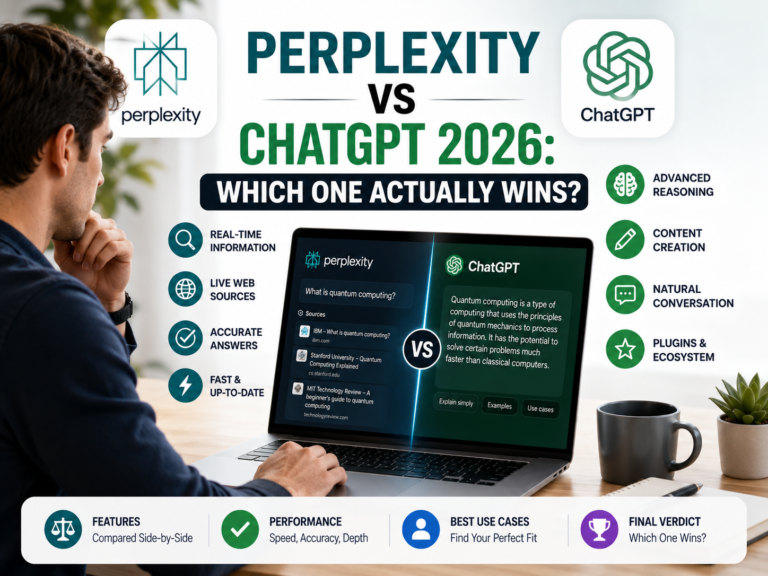
Perplexity is not trying to be a general-purpose chatbot. It is a research engine that happens to answer in full sentences — and for that specific job, nothing beats it. Every answer comes with clickable source links, so you see exactly which website, paper, or article each fact came from. This is the single most important difference between Perplexity and ChatGPT for research tasks.

The critical advantage: ChatGPT can hallucinate sources — it sometimes generates references that sound plausible but do not exist. Perplexity’s citations are real and clickable. For students writing essays, professionals fact-checking claims, journalists verifying information, or anyone building an argument from sourced evidence, Perplexity is the only trustworthy free research chatbot in 2026.

The free tier provides unlimited standard searches with real-time web access and source citations. Five Pro searches per day (deeper multi-source research) are also included. For most research workflows, the free tier is enough.

Research Accuracy
9.7/10
Citation Quality
9.8/10
Free Tier Value
9.6/10
Creative Writing
4.8/10
Best for: Anyone who needs verified, cited research — students, journalists, analysts, professionals building evidence-backed arguments where accuracy matters more than creativity.
Rank #5

5. DeepSeek R1 — Best Free Chatbot for Reasoning & Coding

Completely Free Best Free Reasoning Open Source China-Based — Privacy Note

DeepSeek R1 is the most surprising story in AI chatbots in 2026. It is a completely free, open-source reasoning model from a Chinese AI lab that competes directly with GPT-4o and Claude Opus on complex reasoning, mathematics, and coding tasks — while costing absolutely nothing. No subscription, no credit card, no limits on the web interface.

For developers, data scientists, and students who need a capable reasoning model without a $20/month subscription, DeepSeek R1 is genuinely impressive. It shows its reasoning chain transparently — you see each step it works through before reaching an answer — which makes it particularly valuable for learning from its problem-solving process.

⚠️ Important privacy note: DeepSeek is based in China and subject to Chinese data laws. Do not use it for confidential business information, personal data, or sensitive professional work. For general learning, coding help, and public research tasks, the privacy consideration is manageable. Make this decision consciously before using it.
Reasoning Quality
9.4/10
Free Tier Value
9.9/10
Privacy Safety
4.5/10
Best for: Developers, students, and researchers who need a powerful free reasoning model for coding, mathematics, and logic problems — and who are comfortable with the privacy trade-off.
Rank #6

6. Meta AI — Best Chatbot You Already Have Access To

Free — No Signup Needed Built into WhatsApp + Instagram Powered by LLaMA 4

Meta AI runs inside WhatsApp, Instagram, Facebook, and Messenger — platforms you are already using. No separate app. No new account. You tap the Meta AI button in WhatsApp and you have instant access to a capable AI assistant powered by LLaMA 4, Meta’s latest large language model.

For quick questions, image generation, and conversational help on your phone, Meta AI is genuinely convenient. It also powers Midjourney-quality image generation for free through Meta’s partnership — making it the best zero-cost image generation chatbot available to anyone with a Facebook or Instagram account.

Best for: Casual users who want quick AI assistance without downloading anything new — especially useful for image generation and everyday questions directly in WhatsApp or Instagram.
Rank #7

7. Grok (xAI) — Best for Real-Time X/Twitter Data

Free via X Premium Real-Time X Data Access Grok 4 — Top Coder

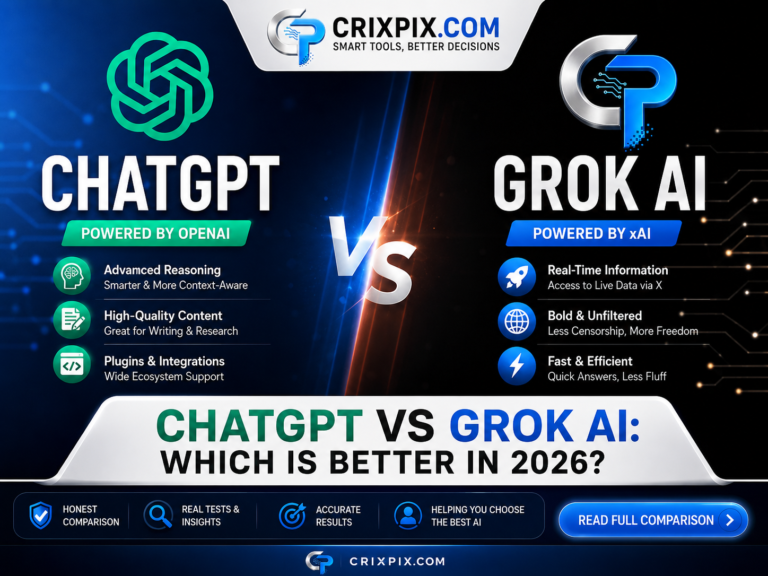
Grok is Elon Musk’s AI chatbot from xAI, and it occupies a unique position: it has real-time access to X (Twitter) data that no other chatbot has. For tracking live discussions, monitoring breaking news, understanding public sentiment on trending topics, and analyzing social media conversations, Grok is the only tool that does this natively.

Grok 4 is also a legitimate coding competitor — it leads raw coding benchmarks (SWE-bench 75%) ahead of GPT-4o and Claude Opus 4.6. However, it trails both on writing quality and general conversation. The honest position for most users: Grok is a useful specialist tool for social media monitoring and coding, not a replacement for ChatGPT or Claude as a daily driver.

Free access requires an X Premium subscription ($8/month). Standalone Grok access without X Premium is available at SuperGrok pricing ($30/month).

Best for: Journalists, social media managers, and developers who need real-time X data access or top-tier coding benchmarks in their AI chatbot.

Head-to-Head: Best AI Chatbots 2026 Comparison Table

ChatbotFree Plan?WritingResearchCodingPaid PriceBest Single Use
🥇 ChatGPTYes (GPT-4o)⭐⭐⭐⭐⭐⭐⭐⭐⭐⭐⭐⭐⭐$20/monthEverything, daily driver
🥈 ClaudeYes (Sonnet)⭐⭐⭐⭐⭐⭐⭐⭐⭐⭐⭐⭐$20/monthWriting + long docs
🥉 GeminiYes (unlimited)⭐⭐⭐⭐⭐⭐⭐⭐⭐⭐⭐$19.99/monthGoogle Workspace users
PerplexityYes (unlimited)⭐⭐⭐⭐⭐⭐⭐⭐⭐$20/monthResearch with citations
DeepSeek R1Yes (free)⭐⭐⭐⭐⭐⭐⭐⭐⭐⭐⭐Free (open source)Free reasoning + coding
Meta AIYes (no signup)⭐⭐⭐⭐⭐⭐⭐⭐FreeQuick mobile use + images
Grok 4X Premium needed⭐⭐⭐⭐⭐⭐⭐⭐⭐⭐⭐$30/monthReal-time X data + coding
⚡ Pro Tip The two-chatbot stack most professionals use in 2026: ChatGPT as the primary daily driver for everything, plus Perplexity for any task requiring verified sources. Together they cost $0 on free tiers and cover 95% of professional AI tasks. Claude is the upgrade choice for writers and analysts specifically.

Which AI Chatbot Is Right for Your Situation?

Different workflows demand different tools. Here is the honest, direct recommendation for your specific situation — no hedging.

If you are a content writer, blogger, or marketer who produces long-form written content daily — use Claude as your primary chatbot. The writing quality difference over ChatGPT is real and your readers will notice it. Pair it with ChatGPT for tasks Claude handles less well, like image generation and voice.
If you are a student, researcher, or journalist who needs verified, sourced information — use Perplexity for all research phases. Use ChatGPT for drafting and organization afterward. Never use ChatGPT alone to find sources — the citation hallucination risk is real and consequential for academic work. Read our guide to the best AI tools for students for the complete student toolkit.
If you are a developer or programmer who needs coding assistance — start with ChatGPT Plus for breadth and DeepSeek R1 for free daily reasoning tasks. Grok 4 leads raw coding benchmarks, but its $30/month price point is hard to justify over ChatGPT Plus at $20/month for most developers.
If you are a business owner or freelancer who uses Google Workspace for everything — use Gemini as your primary chatbot. The Google Docs and Gmail integration alone is worth more than the raw quality difference between Gemini and Claude for most practical business tasks.
If you are new to AI chatbots and want to start free — open ChatGPT at chat.openai.com. It handles the widest range of tasks, has the largest community of users sharing prompts and tips, and the free tier is genuinely useful. Once you identify your main use case after 2–3 weeks, upgrade or switch based on this guide.

5 Mistakes People Make When Choosing an AI Chatbot in 2026

Most people get this wrong. Avoid these and you will save hours every week.

❌ Mistake 1: Picking One Chatbot for Everything

No single chatbot wins every category. Claude is the best writer. Perplexity is the best researcher. ChatGPT is the best all-rounder. The most productive professionals in 2026 use two chatbots: one primary and one specialist. Pick based on your dominant use case, then add one specialist tool for the task your primary tool handles weakest.

❌ Mistake 2: Paying Before Testing the Free Tier for 2 Weeks

Every tool on this list has a genuinely useful free tier. ChatGPT, Claude, Gemini, Perplexity, and DeepSeek all work without a credit card. Test your actual workflow on the free tier for two weeks before deciding whether a $20/month upgrade makes sense for your specific use.

❌ Mistake 3: Using ChatGPT for Research Without Checking Sources

ChatGPT can generate citations that do not exist. It is a known limitation of all large language models, not a ChatGPT-specific flaw. If you are citing sources in professional, academic, or journalistic work, use Perplexity where every source is real and clickable. Never submit ChatGPT-sourced citations without independently verifying them.

❌ Mistake 4: Ignoring Context Window Size for Your Use Case

If you regularly work with long documents — contracts, research papers, meeting transcripts, codebases — Claude’s 200K context window is a significant practical advantage. Most users do not realize they are hitting ChatGPT’s context limit until the chatbot starts “forgetting” earlier parts of the conversation mid-session.

❌ Mistake 5: Treating All AI Chatbots as Equally Private

DeepSeek is subject to Chinese data law. Meta AI data flows through Meta’s advertising infrastructure. For confidential business information, sensitive client work, or personal financial data, use ChatGPT Plus, Claude Pro, or Gemini Advanced — all of which have clearer enterprise-grade privacy terms and explicit opt-out options.

⚡ 5 Expert Pro Tips for Getting More from AI Chatbots in 2026

Tip 1: Set Up ChatGPT Memory Before You Do Anything Else ChatGPT’s memory feature — which stores your preferences, role, writing style, and context across conversations — is one of the most impactful free features most users never configure. Open ChatGPT, go to Settings → Personalization → Memory, and tell it your job, your audience, your preferred tone, and what you use it for most. Every conversation improves immediately and permanently.
Tip 2: Use Perplexity First, ChatGPT Second Most people open ChatGPT first and Perplexity second. Reverse this order for any task requiring factual grounding. Use Perplexity to build your factual foundation with verified sources first, then take those facts into ChatGPT or Claude for drafting and structuring. This eliminates hallucination risk from the article or report entirely, because you are bringing the facts — not asking the chatbot to generate them.
Tip 3: Assign Each Chatbot a Role, Not a Task Type Instead of thinking “I’ll use Claude for writing tasks,” think “Claude is my editor — everything I write goes through Claude for a final pass.” Instead of “I’ll use Perplexity for research tasks,” think “Perplexity is my fact-checker — I verify every statistic through it before using it.” This role-based thinking makes tool selection automatic rather than a decision you make every session.
Tip 4: Use the “Devil’s Advocate” Prompt Before Publishing Anything Before finalizing any important piece of work, paste it into Claude or ChatGPT and ask: “What are the strongest arguments against the position taken in this document?” This 60-second check consistently surfaces weaknesses, missing evidence, and counterarguments that strengthen your final output — whether it is a business proposal, an essay, or a marketing campaign.
Tip 5: Build a Personal System Prompt for Each Chatbot A system prompt — a set of instructions that frames every conversation — dramatically improves consistency. For Claude: specify your writing tone, audience, and preferred paragraph length. For ChatGPT: specify your job title, industry, and any output format preferences. Many users keep these system prompts in a text file and paste them at the start of new conversations for instant context-setting without repeated explanation.

Frequently Asked Questions — Best AI Chatbots 2026

What is the best AI chatbot in 2026?

The best AI chatbot in 2026 depends on your use case. ChatGPT is the best all-rounder for users who need one tool that handles writing, coding, images, voice, and research. Claude is the best AI chatbot for writing quality and processing long documents. Perplexity is the best for research with verified cited sources. Gemini is the best for anyone whose workflow runs on Google Workspace. If you can only pick one free chatbot, ChatGPT on the free tier covers the widest range of tasks.

Is Claude better than ChatGPT in 2026?

Claude is better than ChatGPT at two specific things: writing quality and long-document processing. Claude’s output reads more naturally, sounds less like AI, and maintains tone consistency across long pieces. Its 200K context window beats ChatGPT’s for processing large documents. However, ChatGPT is better at feature range — it offers image generation, voice mode, and broader tool integration that Claude lacks. The honest answer: use Claude when writing quality is the priority, use ChatGPT when you need one tool that handles everything.

Which AI chatbot is completely free in 2026?

Several major AI chatbots offer genuinely free tiers in 2026 with no credit card required. ChatGPT Free runs GPT-4o with a daily message limit. Claude Free offers Sonnet 4.6 with around 30–50 messages per day. Gemini Free has unlimited standard queries. Perplexity Free provides unlimited standard research searches. DeepSeek R1 is completely free with no message limits via its web interface. Meta AI is free and requires no separate signup if you have a Facebook, Instagram, or WhatsApp account.

What is the best AI chatbot for writing?

Claude is the best AI chatbot for writing in 2026. Anthropic built it specifically to produce natural, human-sounding prose — and the output quality difference over ChatGPT is noticeable, especially in long-form content like essays, reports, marketing copy, and creative writing. Claude Sonnet 4.6 on the free tier handles most professional writing tasks without requiring a paid subscription. For the highest quality writing, use Claude for drafting and structure, then run the final output through Grammarly Free for a grammar and tone check. Read our guide to the best free AI writing tools for a complete writing workflow.

Which AI chatbot is best for research and fact-checking?

Perplexity AI is the best AI chatbot for research and fact-checking in 2026. Unlike ChatGPT and Claude which can generate plausible-sounding but non-existent citations, Perplexity searches the web in real time and provides clickable source links for every fact it returns. The free tier includes unlimited standard research searches. For academic work, journalism, and any professional context where source accuracy matters, Perplexity is the only chatbot that eliminates citation hallucination risk on the free tier.

What is better than ChatGPT in 2026?

Several chatbots beat ChatGPT in specific categories in 2026. Claude beats it for writing quality and long-document processing. Perplexity beats it for research accuracy and cited sources. Gemini beats it for integration with Google Workspace. DeepSeek R1 competes with it on reasoning and coding while being completely free. Grok 4 leads raw coding benchmarks. However, no single chatbot beats ChatGPT across all categories simultaneously — which is why ChatGPT remains the most-used AI chatbot despite losing ground in individual use cases to these specialists.

Final Verdict — Which Best AI Chatbot Should You Start With Today?

The best AI chatbots in 2026 are genuinely differentiated tools — not minor variations of the same product. Picking the wrong one for your workflow wastes real time. Here are the three most important takeaways from this comparison:

  1. ChatGPT is still the safest starting point for most people. It handles the widest range of tasks, has the most extensive community and tutorial resources, and the free tier is strong enough for most workflows. If you only open one chatbot, open ChatGPT.
  2. Add a specialist based on your dominant task. Writers should add Claude. Researchers should add Perplexity. Google Workspace users should add Gemini. The two-chatbot combination covers 95% of professional AI needs at zero cost.
  3. Never pay before testing the free tier for two weeks. Every chatbot on this list is free to start. Build your actual workflow first, identify where your current tool falls short, then and only then consider whether $20/month solves that specific problem.

Want to put these chatbots to work immediately? Check our guide on how to make money with AI tools — it maps specific chatbots to specific income methods so you can see exactly which tool drives which result.

🚀 Pick Your AI Chatbot and Start Today

Open ChatGPT free for your daily driver → add Perplexity free for research.
That two-tool stack costs $0 and covers nearly every task you will throw at it in 2026.

Drop a comment below — which chatbot are you currently using and what do you use it for? 💬

Similar Posts

Leave a Reply

Your email address will not be published. Required fields are marked *