Claude Pro Usage Rates Compared to ChatGPT Pro (2026)
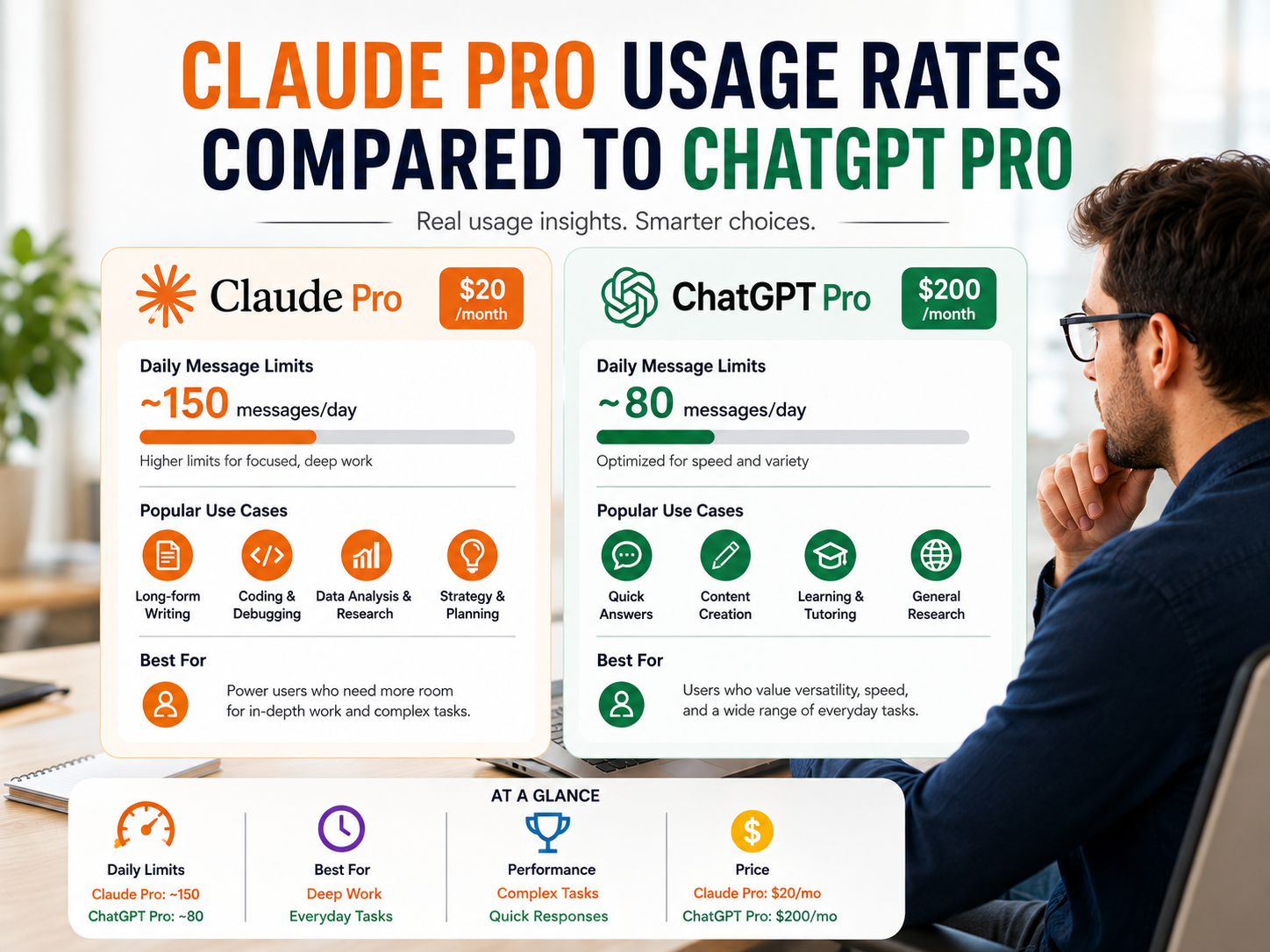
When searching for a direct comparison between Claude Pro and ChatGPT Pro, it is natural to assume that two premium AI plans sharing a “Pro” label compete in the exact same market tier. However, analyzing their core pricing structures reveals a fundamental mismatch: Claude Pro costs $20 per month, while ChatGPT Pro starts at $100 per month and scales up to $200 per month.
This massive price asymmetry completely shifts how usage rates, message caps, and context limits should be evaluated. Comparing Claude Pro directly against ChatGPT Pro dollar-for-dollar requires understanding what each company actually delivers at its respective price point. Below is an exhaustive breakdown of official documentation, session mechanics, context window sizes, and real-world performance benchmarks across both platforms in 2026.
1. The Pricing Tier Mismatch: Aligning Equivalent Plans
To evaluate usage limits fairly, we must first map out where these products fit within OpenAI and Anthropic’s overall subscription hierarchies. Per official support documentation from both organizations, the product tiers align as follows:
| Monthly Price | Anthropic (Claude) | OpenAI (ChatGPT) | Primary Target Audience |
|---|---|---|---|
| Free Tier | Claude Free | ChatGPT Free | Casual exploration & short queries |
| $8 / month | — | ChatGPT Go | Mobile-first lightweight usage |
| $20 / month | Claude Pro | ChatGPT Plus | Individual professionals, writers & developers |
| $100 / month | Claude Max (5x) | ChatGPT Pro (5x) | Power users, daily agentic workflows & heavy code |
| $200 / month | Claude Max (20x) | ChatGPT Pro (20x) | Enterprise power users & continuous automation |
As shown above, Claude Pro’s direct structural equivalent is ChatGPT Plus. However, because thousands of users specifically search for “Claude Pro vs ChatGPT Pro,” assessing how a $20 plan performs against a $100–$200 plan provides vital insights for teams deciding where to allocate their monthly AI budget.
2. How Claude Pro’s Usage Mechanics Function ($20/mo)
Anthropic deliberately avoids publishing a single rigid message counter for Claude Pro. According to Anthropic’s official support center, usage is metered dynamically using a two-tier framework: a rolling 5-hour session window paired with a weekly usage allowance.
The 5-Hour Session Window
Anthropic guarantees that Claude Pro subscribers receive at least 5 times the usage capacity of the free tier. For standard conversations involving short prompts and moderate responses on flagship models, Anthropic provides an explicit benchmark estimate: approximately 45 messages every 5 hours.
However, this message limit is dynamic and fluctuates based on three core technical factors:
- Prompt Context Depth: Passing a massive document or code repository into a conversation thread increases the token load per message. If your conversation history reaches 100,000+ tokens, each follow-up message consumes a larger portion of your 5-hour quota.
- Model Selection: Operating on Sonnet 5 consumes standard quota allowances, whereas invoking heavier reasoning or research modes draws from session capacity faster.
- File Attachments & Artifacts: Uploading dense PDFs, raw CSV spreadsheets, or multi-file codebases consumes available session tokens immediately upon processing.
The Shared Usage Pool
Unlike platforms that isolate chat allowances from developer tools, Claude Pro utilizes a unified usage pool. Standard web chat, Claude Code terminal commands, and Claude Cowork workflows all draw from the exact same 5-hour and weekly session budgets. Heavy terminal-based coding sessions will directly impact the remaining quota available for browser-based chat.
3. How ChatGPT Pro’s Usage Mechanics Function ($100–$200/mo)
ChatGPT Pro represents OpenAI’s highest self-serve operational tier. Designed for software engineers, quantitative analysts, and heavy AI automators, it operates under distinct operational rules outlined on OpenAI’s Pro pricing documentation.
Unlimited Messaging with Operational Guardrails
OpenAI markets ChatGPT Pro as providing “unlimited” access to its core models, including OpenAI o1, GPT-4o, and advanced voice capabilities. However, “unlimited” is bounded by automated anti-abuse guardrails designed to prevent unauthorized API reselling, automated scraping, or continuous bot execution.
Tier Differentiation: $100 vs. $200 Monthly
The feature sets between the $100 and $200 ChatGPT Pro tiers are identical in capability. The primary difference lies in model-specific quota volume:
- ChatGPT Pro $100 Tier: Delivers 5 times the rate limits of ChatGPT Plus across specialized reasoning and high-tier models.
- ChatGPT Pro $200 Tier: Delivers 20 times the rate limits of ChatGPT Plus, offering virtually uninterrupted access for heavy daily agentic tasks.
If a user reaches the ceiling on a specialized reasoning model, ChatGPT Pro automatically fails over to an available fallback model (such as GPT-4o) until the model-specific quota resets, preventing complete workflow lockouts.
4. The Context Window Paradox: High Capacity at Low Cost
One of the most surprising conclusions when comparing Claude Pro ($20/mo) to ChatGPT Pro ($100–$200/mo) is that paying 5x to 10x more for ChatGPT Pro does not grant a larger single-prompt context memory.
In fact, the relationship runs in the exact opposite direction:
| Metric | Claude Pro ($20/mo) | ChatGPT Pro ($100–$200/mo) | Advantage |
|---|---|---|---|
| Default Model Context | 1,000,000 Tokens (Sonnet 5) | 128,000 Tokens (Instant Mode) | Claude Pro (7.8x Larger) |
| Reasoning Model Context | 500,000 Tokens (Opus 5) | 400,000 Tokens (Reasoning Mode) | Claude Pro (1.25x Larger) |
| Page Equivalent (~750 words/page) | ~1,500 Pages of Text | ~600 Pages of Text | Claude Pro |
Sonnet 5—the default engine behind Claude Pro—features a massive 1 Million token context window inside the standard web chat interface. This allows users to ingest entire software documentation hubs, full-length books, or dozens of financial reports in a single message.
By contrast, ChatGPT Pro caps its largest reasoning context window at 400,000 tokens. If your daily workload involves analyzing vast amounts of static data in a single prompt rather than generating thousands of continuous messages, Claude Pro provides vastly superior memory depth at one-fifth of the cost.
5. Coding Agent Benchmarks: Claude Code vs. Codex
For software engineers and technical creators, coding agent allowances represent a critical decision factor when choosing between these plans.
Claude Code operates inside the terminal, executing file edits, running bash commands, and building multi-file features. Because it shares the $20 Claude Pro quota, an intensive 2-hour coding session where the agent reads hundreds of files can trigger the 5-hour limit faster than standard messaging. Developers requiring continuous terminal execution throughout an 8-hour workday may need to consider upgrading to Claude Max ($100+).
ChatGPT Pro treats technical execution as a first-class citizen with dedicated task quotas. Rather than draining your standard conversational limit, Codex and automated agent tasks operate under elevated, isolated rate limits. This makes ChatGPT Pro exceptionally stable for engineers who run automated code-generation loops continuously without worrying about hitting session walls.
6. Real-World Workload Scenarios: Which Tier Surrenders First?
To contextualize how these limits impact daily operations, consider how five typical professional workflows perform on both plans:
Scenario A: The Long-Document Legal & Financial Researcher
Workload: Uploading 300-page SEC filings, contractual agreements, and research papers, asking complex analytical questions.
Winner: Claude Pro ($20/mo).
Claude Pro’s 1M token window ingests entire document bundles comfortably without truncation. ChatGPT Pro’s 128K/400K limits force users to split documents into smaller chunks, adding unnecessary overhead despite the higher subscription cost.
Scenario B: The High-Volume Marketing & Social Campaigner
Workload: Generating hundreds of short-form ad variations, email subject lines, and social posts continuously for 8 hours.
Winner: ChatGPT Pro ($100/mo).
A high-frequency messaging cadence will exhaust Claude Pro’s ~45-message 5-hour allocation within 2 to 3 hours. ChatGPT Pro’s elevated 5x/20x capacity easily absorbs continuous high-volume outputs without interruption.
Scenario C: The Full-Stack Web Developer
Workload: Refactoring legacy React codebases, generating complex API integrations, and running terminal commands via AI.
Tie (Depends on Execution Style).
For deep, single-repo architectural analysis, Claude Pro’s context size gives superior comprehension. For continuous, all-day agentic terminal refactoring, ChatGPT Pro’s higher message volume avoids mid-afternoon session lockouts.
Scenario D: Multi-Model Explorers
Workload: Switching between image generation, deep mathematical reasoning, live web research, and general writing.
Winner: ChatGPT Pro ($100–$200/mo).
ChatGPT Pro offers an all-in-one suite combining DALL-E image synthesis, Web Search, Advanced Voice Mode, and o-series reasoning models in one interface. Claude Pro focuses strictly on text, code, and document analysis.
7. Comprehensive Comparison Matrix
| Feature / Specification | Claude Pro ($20/mo) | ChatGPT Pro ($100 / $200/mo) |
|---|---|---|
| Monthly Price | $20 / month | $100 or $200 / month |
| Primary Equivalent | ChatGPT Plus ($20/mo) | Claude Max ($100–$200/mo) |
| Base Message Cap | ~45 msgs / 5-hour window | 5x to 20x Plus Capacity |
| Reset Structure | Rolling 5-hour session + weekly cap | Model-specific quota failover |
| Max Context Window | 1,000,000 Tokens (Sonnet 5) | 400,000 Tokens (Reasoning) |
| Coding Capabilities | Claude Code (Shared quota) | Codex (Dedicated high-volume quotas) |
| Image Generation | None (Text/Code only) | DALL-E Integrated |
| Voice Features | None | Advanced Voice Mode Included |
| Web Search Integration | Web Search Enabled | Real-time Web Search Enabled |
| Best Use Case | Document analysis, writing, deep repo review | Continuous automation, heavy agentic execution |
8. Decision Framework: Which Subscription Should You Purchase?
Choose Claude Pro ($20/mo) if:
- You need to analyze massive documents, books, or repositories exceeding 200,000 tokens in a single prompt.
- Your daily usage consists of steady, thoughtful professional writing and analysis rather than rapid-fire automated messaging.
- You want maximum context memory without spending $100–$200 per month.
- You utilize terminal-based coding tools like Claude Code within a sensible $20/month budget.
Choose ChatGPT Pro ($100–$200/mo) if:
- You run automated AI agents continuously throughout an 8+ hour workday and routinely hit $20 plan caps.
- You require multimodal tools including native image generation (DALL-E) and Advanced Voice Mode.
- Your team relies heavily on multi-model switching when reasoning limits are reached.
- You are comparing enterprise-grade tools where price is secondary to uninterrupted execution headroom.
For more in-depth platform evaluations, explore our head-to-head analysis in Claude Pro vs ChatGPT Plus, as well as our deep dives into DeepSeek vs ChatGPT and Perplexity vs ChatGPT.
9. Frequently Asked Questions
How much does ChatGPT Pro cost compared to Claude Pro?
Claude Pro costs $20 per month. In contrast, ChatGPT Pro starts at $100 per month for 5x Plus usage headroom and goes up to $200 per month for 20x Plus capacity. The direct price equivalent to Claude Pro ($20) is ChatGPT Plus, not ChatGPT Pro.
How many tokens does Claude Pro support in a single prompt?
Sonnet 5, the default model in Claude Pro, features a 1 million token context window. Opus 5 supports 500,000 tokens, while Haiku 4.5 supports 200,000 tokens. This gives Claude Pro a significantly larger single-prompt memory than ChatGPT Pro’s 128K Instant / 400K Reasoning limits.
How many messages per hour can you send on Claude Pro?
Anthropic estimates approximately 45 messages per rolling 5-hour window for standard-length conversations. Longer prompts, large file uploads, and heavy coding agent tasks consume this quota faster.
Does Claude Pro or ChatGPT Pro offer unlimited usage?
Neither platform offers unrestricted, unlimited usage. ChatGPT Pro advertises unlimited access subject to operational abuse guardrails and model-specific caps. Claude Pro explicitly states that usage is capped by rolling 5-hour windows and weekly usage limits.
How do coding agent limits work on Claude Pro vs ChatGPT Pro?
Claude Code shares its usage quota with regular chat inside Claude Pro’s 5-hour and weekly session caps. On ChatGPT Pro, Codex tasks operate under expanded, model-specific quotas separated from standard general conversation.
Which plan is better for large document and codebase analysis?
Claude Pro is superior for large document and repository analysis due to Sonnet 5’s 1 million token context window, which holds over double the context capacity of ChatGPT Pro’s maximum 400K reasoning window at one-fifth of the subscription price.
Explore our complete archive of AI Tool Comparisons for more expert software breakdowns.
Pricing and system specifications verified against official Anthropic and OpenAI documentation. System limits are subject to platform updates—check Settings > Usage in Claude or your OpenAI account portal for real-time account parameters.