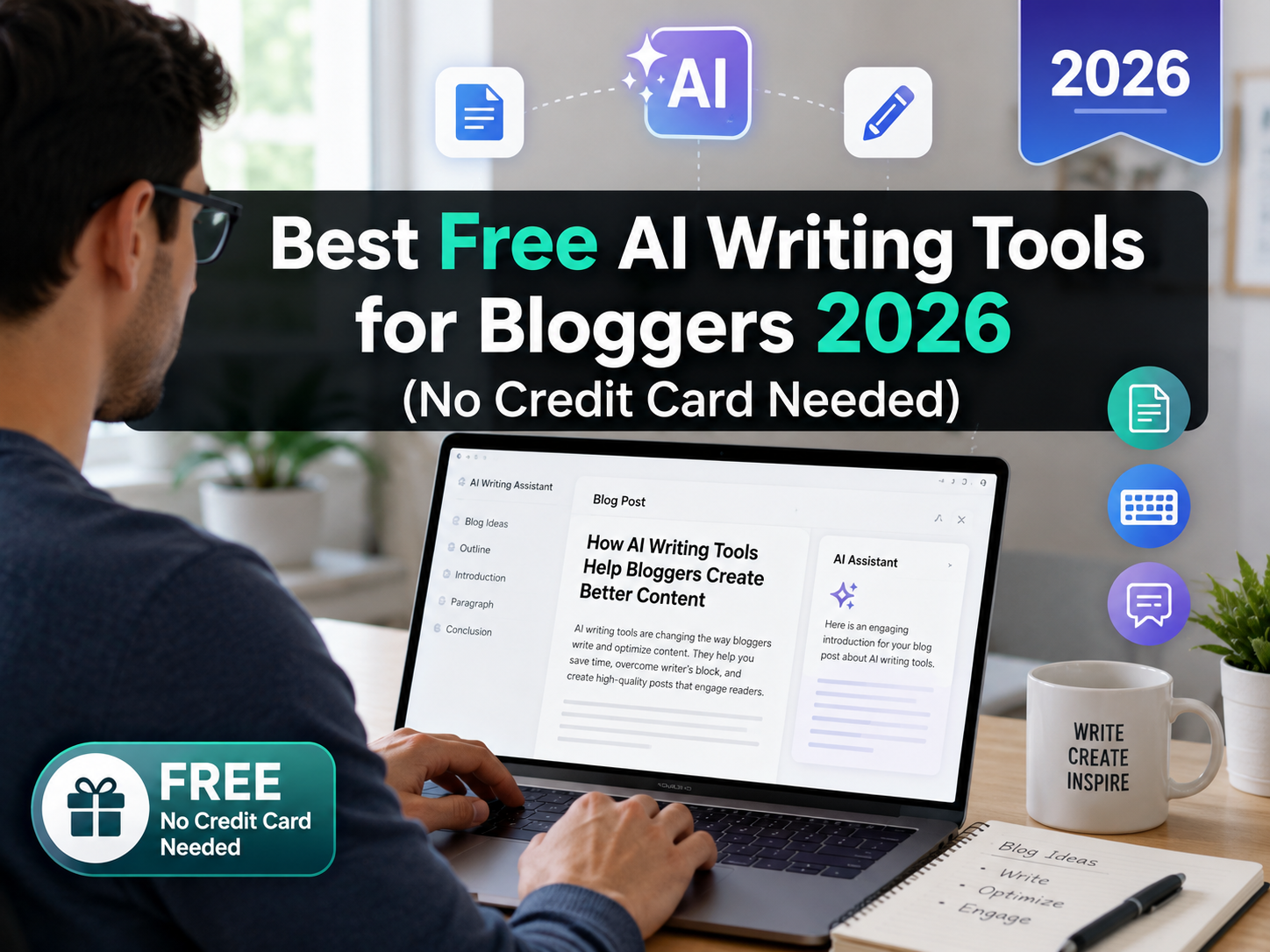
Best Free AI Writing Tools for Bloggers 2026 (No Credit Card Needed)
There are hundreds of AI writing tools in 2026. Most of them want your credit card. Many of them are just ChatGPT wrappers with a different logo. And almost none of them are upfront about what “free” actually means until you’re already signed up. This guide fixes that. We researched and fact-checked 8 genuinely free AI writing tools against each vendor’s current pricing and documentation — not recycled marketing copy from six months ago — and ranked them honestly for bloggers who want to write faster without spending money.
📋 Table of Contents
The Truth About “Free” AI Writing Tools in 2026
Before you download anything or hand over your email address, you need to understand one thing: “free” means three very different things in the AI writing tool world.
- Free Forever — You get a set amount every month at zero cost, permanently. No card, no expiry. This is what you want.
- Free Trial — You get full access for 7–14 days, then you pay or lose access. Most tools do this and call it “free.”
- Freemium Trap — The free plan exists but gives you so little (25 words, 1 document) that it is functionally useless. Designed to push you to upgrade.
Every tool in this guide has a genuinely usable free tier — enough to write real blog posts every week at zero cost. We have cut everything else.
Quick Comparison: Best Free AI Writing Tools for Bloggers 2026
👉 Swipe to see all columns
| Tool | Free Type | Free usage limit | Card Required? | Best For | Writing Quality |
|---|---|---|---|---|---|
| 🥇 ChatGPT Free | Free Forever | Unlimited text chats (GPT-5.6 Luna) | No | All-round blogging | ⭐⭐⭐⭐⭐ |
| 🥈 Claude Free | Free Forever | ~15–40 messages / 5-hour window | No | Long-form, natural tone | ⭐⭐⭐⭐⭐ |
| 🥉 Gemini Free | No hard daily limit | Unlimited standard | No | Google Docs bloggers | ⭐⭐⭐⭐ |
| Copy.ai Free | Free Forever | 2,000 words/month | No | Short posts, intros | ⭐⭐⭐⭐ |
| Rytr Free | Free Forever | 10,000 chars/month | No | Total beginners | ⭐⭐⭐ |
| QuillBot Free | Free Forever | 125 words/rewrite | No | Rewriting + editing | ⭐⭐⭐⭐ |
| Perplexity Free | Free Forever | Unlimited standard search | No | Research phase | ⭐⭐⭐⭐ |
| Grammarly Free | Free Forever | 100 AI prompts/month | No | Editing finished posts | ⭐⭐⭐⭐ |
Top 8 Best Free AI Writing Tools for Bloggers in 2026
1. ChatGPT Free 🥇 Best Overall Free AI Writing Tool
Free Forever No Credit Card GPT-5.6 Luna — Unlimited TextChatGPT is the most capable free AI writing tool available to bloggers in 2026, and it got noticeably better on August 6, 2026, when OpenAI removed the long-standing message cap on free-tier text chats. The free tier now runs on GPT-5.6 Luna, OpenAI’s fast, low-cost model, with unlimited text conversations (subject to standard anti-abuse limits) — a real change from the roughly-10-messages-per-5-hours cap that used to define the free plan. A “Think” button lets you ask Luna to spend more time reasoning on a harder question. For bloggers, this means you can write a complete blog post, create an SEO-optimised outline, draft headline variations, and brainstorm article ideas — all for free, without watching a message counter.
What makes ChatGPT the top pick for bloggers specifically is flexibility. You can give it a keyword and ask for a full blog outline. You can paste a rough draft and ask it to improve the intro. You can describe your audience and ask for a month of article ideas. No other free tool handles this range of tasks as reliably, and none of the others on this list currently offer unlimited text chat on top of that flexibility.
✅ Pros
- Most versatile free writing tool — handles everything
- Unlimited free text chats since August 2026 — no message rationing
- No credit card required at all
- Excellent for SEO outlines, titles, and meta descriptions
- Memory feature remembers your blog niche and audience
- Works in any language
❌ Cons
- Luna is the entry-level model — the flagship Sol model is still Plus/Pro only
- Content can sound slightly generic without detailed prompts
- No built-in SEO tools or keyword analysis
- Occasional ads on free-tier answers for US users
Price: Free forever | Go $8/month | Plus $20/month (unlocks the flagship Sol model) | Try ChatGPT free →
2. Claude Free 🥈 Best Writing Quality — Sounds Most Human
Free Forever No Credit Card 200K Context Window FreeIf writing quality is your top priority — if you hate that robotic, overly formal tone that most AI tools produce — Claude is the free tool you need. Anthropic built Claude specifically to write in a natural, conversational voice that reads like a real person wrote it. Bloggers who compare both tools consistently describe Claude’s output as more engaging and easier to read than ChatGPT’s.
The free tier runs on Claude Sonnet 5 — Anthropic’s mid-tier model, which became the default on both Free and Pro plans on July 1, 2026 — plus Claude Haiku 4.5 for faster replies. It handles long-form blog content, detailed guides, and nuanced rewrites without losing coherence. The 200,000 token context window is the most generous of any free writing tool that still limits messages — you can paste an entire draft and ask Claude to improve a specific section without losing the thread of the whole piece. For bloggers writing 1,500–3,000 word posts, this is genuinely useful.
✅ Pros
- Most natural, human-sounding writing of any free tool
- 200K context window — paste entire drafts for editing
- Excellent for long-form guides and detailed tutorials
- Very low hallucination rate — fewer made-up facts
- Handles nuanced instructions better than competitors
- No credit card needed
❌ Cons
- Still message-capped on a rolling 5-hour window, unlike ChatGPT’s now-unlimited free text chat
- No built-in SEO or keyword tools
- Less versatile than ChatGPT for non-writing tasks
Price: Free forever | Pro $17/month (annual) or $20/month (~5x the free limits) | Try Claude free →
3. Google Gemini Free 🥉 Best for Google Docs Bloggers
Unlimited Free No Credit Card Google Docs IntegrationIf you write your blog posts in Google Docs — and most bloggers do — Gemini gives you something no other free tool can: AI writing assistance built directly into your document. No copying and pasting between tabs. No switching apps. You highlight a paragraph in Google Docs, ask Gemini to improve it, and the rewrite appears inline. That workflow efficiency is worth the ranking on its own — Gemini’s lack of a hard daily message limit is no longer a unique advantage now that ChatGPT’s free tier is unlimited too, but the native Docs integration is.
Gemini’s standard free tier (currently running Gemini 3.5 Flash for everyday use, with limited access to the more capable Gemini 3.1 Pro) has no hard daily message limit for regular queries. Writing quality is strong for factual, informational content. Where it struggles slightly is creative writing and highly conversational tones — it can over-explain and become verbose on long articles. Use it for research-heavy posts, product roundups, and how-to guides.
✅ Pros
- No daily message limit on standard free tier
- Built directly into Google Docs — no tab switching
- Real-time web access — can research while writing
- Strong for multilingual bloggers
- Integrated with Gmail for email newsletters
❌ Cons
- Tends to over-explain and be verbose on long posts
- Creative and conversational tone weaker than Claude
- Requires a Google account
Price: Free | Google AI Pro $19.99/month | Try Gemini free →
4. Copy.ai Free Best for Short Blog Posts & Intros
Free Forever No Credit Card 2,000 Words/MonthCopy.ai is built specifically for marketing and content writing — not general AI chat. Its free plan gives you 2,000 words per month through focused templates: blog introductions, product descriptions, social media captions, email subject lines, and more. For a blogger who publishes 2–4 shorter posts per week, this free tier covers your intros and social captions without touching your word budget on a general AI tool.
The template-based approach is Copy.ai’s biggest strength for beginners. Instead of staring at a blank prompt box, you fill in your topic, audience, and tone — and the tool builds around that structure. The output is consistently more marketing-oriented and conversion-focused than ChatGPT, which is why it works so well for blog post introductions designed to hook readers immediately.
✅ Pros
- 90+ templates specifically for content and marketing
- Blog intro generator is excellent — hooks readers fast
- Free forever — no card, no expiry
- Clean, beginner-friendly interface
- Good for social media captions to promote blog posts
❌ Cons
- 2,000 words/month is limiting for high-volume bloggers
- Not designed for full long-form blog articles
- Less flexible than ChatGPT for custom instructions
Price: Free (2,000 words/month) | Starter $36/month | Try Copy.ai free →
5. Rytr Free Best for Complete Beginners
Free Forever No Credit Card 10,000 Chars/MonthRytr is the most beginner-friendly AI writing tool on this list. If you have never used AI writing tools before, Rytr is the easiest possible starting point — you pick a use case (blog section, idea generation, SEO meta), set your tone (informative, enthusiastic, casual), add your topic, and get clean output in seconds. No prompt engineering needed. No learning curve.
The free tier gives you 10,000 characters per month — roughly 1,500–2,000 words — enough for 2–3 short blog posts. It is genuinely free forever with no card and no time limit. The writing quality is decent for informational content, though it cannot match ChatGPT or Claude for nuanced, longer-form work.
✅ Pros
- Easiest tool to learn — perfect for first-time AI users
- Structured use cases — no blank-page paralysis
- Built-in plagiarism checker on free plan
- 20+ tone settings for different blog styles
- No card, no trial — genuinely free forever
❌ Cons
- 10,000 chars/month runs out quickly for regular bloggers
- Writing quality noticeably below ChatGPT and Claude
- Not suitable for complex long-form blog guides
Price: Free (10,000 chars/month) | Saver $9/month | Try Rytr free →
6. QuillBot Free Best Free AI Rewriting Tool
Free Forever No Credit Card Paraphrasing + EditingQuillBot does one thing exceptionally well: it rewrites existing text. For bloggers, this means you can write a rough draft yourself (or with ChatGPT), paste it into QuillBot, and get a cleaner, more polished version back in seconds. The free Paraphraser handles up to 125 words per query in Fluency and Standard modes — ideal for rewriting awkward sentences, tightening intros, and improving paragraph flow without changing the meaning.
QuillBot is the best free editing companion for bloggers who already have draft content. It does not generate from scratch — use ChatGPT or Claude for that — but as a finishing tool it genuinely improves the final quality of any blog post before publishing. The free Grammar Checker catches most common writing errors across unlimited text.
✅ Pros
- Best free paraphrasing tool — genuinely improves writing
- Grammar checker works on unlimited text
- Ideal for non-native English bloggers
- Multiple rewrite modes — Fluency, Standard, Creative
- No card, no trial, no expiry
❌ Cons
- 125-word limit per paraphrase means slow for long posts
- Cannot generate original content from scratch
- Best modes (Expand, Shorten) require paid plan
Price: Free | Premium $9.95/month | Try QuillBot free →
7. Perplexity Free Best for Research Before Writing
Unlimited Free No Credit Card Real-Time Web SearchPerplexity is not a writing tool in the traditional sense — it is a research engine that happens to produce well-structured, cited content. For bloggers, this makes it invaluable for the research phase. Before you write an article about any AI tool, ask Perplexity about it first. You get a clear summary with real sources, current information, and accurate facts — all for free, without a credit card.
The free tier is remarkably generous: unlimited standard searches, real-time web access, and source citations included. Combine Perplexity for research with Claude or ChatGPT for writing — and you have a complete free content creation workflow that rivals what paid tools deliver.
✅ Pros
- Real-time web access — always current information
- Cites sources — reduces hallucination risk significantly
- Unlimited free standard searches — no daily limit
- Excellent for researching AI tools before writing reviews
- No credit card
❌ Cons
- Not a long-form writer — best for research, not full drafts
- Pro Search (deeper research) limited to a handful of queries/day free
- Output reads more like a summary than a blog post
Price: Free | Pro $20/month | Try Perplexity free →
8. Grammarly Free Best Free AI Editing Tool
Free Forever No Credit Card Works EverywhereGrammarly is not an AI content generator — it is an AI editor. That distinction matters. It catches grammatical errors, spelling mistakes, and punctuation issues as you write, across every platform you use: Chrome extension, Google Docs, WordPress, email, and more. The free tier handles grammar and spelling checks on unlimited text with no word limit and no daily cap.
Every blogger should have Grammarly free installed. You generate your draft with ChatGPT or Claude, you paste it into WordPress, and Grammarly catches anything you missed before you hit publish. It is the free safety net that makes every post more professional — and it takes 30 seconds to install. (Note: Grammarly’s parent company rebranded to Superhuman in late 2025 after acquiring the Superhuman email client — the Grammarly product itself kept its name, price, and free tier unchanged.)
✅ Pros
- Works everywhere — browser, Docs, WordPress, email
- Unlimited grammar checking on free plan
- Catches errors that AI writing tools miss
- No installation headaches — one extension covers everything
- No credit card required
❌ Cons
- AI prompt allowance (100/month) runs out for heavy style-editing use
- Advanced tone and clarity rewrites require Premium
- Can be overly conservative with writing style suggestions
Price: Free | Premium $12/month | Install Grammarly free →
Which Free AI Writing Tool Should YOU Use?
👉 Swipe to see all columns
| Your Situation | Best Free Tool | Why |
|---|---|---|
| I want one tool that does everything, with no message limits | ChatGPT Free | Most versatile, and text chat is unlimited since August 2026 — outlines, drafts, editing, titles, meta descriptions |
| I care most about writing quality and tone | Claude Free | Most natural, human-sounding output — best for long-form guides |
| I write everything in Google Docs | Gemini Free | Built directly into Google Docs — write and edit without switching apps |
| I only need short posts and blog intros | Copy.ai Free | Focused templates for introductions, hooks, and short posts |
| I am completely new to AI writing tools | Rytr Free | Simplest interface — guided use cases, no blank prompt box |
| English is not my first language | QuillBot Free | Best paraphrasing tool — rewrites your draft into natural English |
| I need to research before I write | Perplexity Free | Real-time web research with cited sources — unlimited free searches |
| I want to improve posts before publishing | Grammarly Free | Unlimited grammar checking everywhere — install it on day one |
The Free Blogger Workflow: Use 2 Tools Together (No Paid Plan Needed)
The most effective free writing setup in 2026 combines two tools — one for research and drafting, one for editing. Here is the exact workflow used by bloggers writing AI tool review content on a zero budget:
Go to perplexity.ai, type your topic — e.g., “how does Midjourney work in 2026.” Read the summary and sources. Note any facts, statistics, or current updates you want to include. This step ensures accuracy and gives you real data points to reference. No more guessing or making up facts.
Open ChatGPT or Claude. Give it your keyword, your audience (“beginner bloggers who want free tools”), your article length, and any key points from your Perplexity research. Ask for a complete draft with H2 headings. Claude produces better prose quality — use it if writing tone matters more than speed. ChatGPT is the safer choice if you’re mid-session and don’t want to think about a message limit.
Paste any sections that feel stiff or robotic into QuillBot’s Paraphraser. Use Standard or Fluency mode to smooth out the language. Work through the article paragraph by paragraph — the 125-word limit is enough for one paragraph at a time. Focus on the intro and conclusion, which matter most for reader retention.
Paste the finished article into WordPress or Google Docs with the Grammarly extension active. Fix any grammar, spelling, or punctuation errors it flags. Publish. Total cost: $0. Total time for a 1,000-word post: under 40 minutes once you have the workflow down.
Frequently Asked Questions
What is the best free AI writing tool for bloggers in 2026?
ChatGPT Free is the most versatile option, handling outlines, drafts, editing, and headline ideas in one tool, with unlimited text chat since August 2026. Claude Free is the better choice if writing quality and natural tone matter more to you than message volume. Most experienced bloggers use both, plus Grammarly for a final editing pass.
Can I write an entire blog post for free with AI?
Yes. ChatGPT Free, Claude Free, and Gemini Free can all draft a complete 1,000–2,000 word blog post at no cost, with no credit card required. ChatGPT’s free text chat is now unlimited; Claude still runs on a rolling few-hour message window, though its 200K context window means you can work on a long draft within that window without losing context.
Do any of these tools require a credit card for the free plan?
No. ChatGPT, Claude, Gemini, Copy.ai, Rytr, QuillBot, Perplexity, and Grammarly all offer genuine free-forever tiers with no credit card required to sign up. This is different from tools like Jasper or Writesonic, which typically require payment details even for a “free trial.”
Which free AI tool sounds the most human when writing?
Claude Free consistently rates highest for natural, human-sounding prose among bloggers who compare multiple tools side by side. It avoids the overly formal, repetitive phrasing that other AI writers can fall into, making it the strongest choice for long-form guides and reviews.
What is the best free workflow for writing an entire blog post with AI?
Research with Perplexity first for accurate, cited facts. Draft with ChatGPT or Claude using your research notes. Polish awkward sentences with QuillBot’s paraphraser. Run a final grammar check with Grammarly before publishing. This four-tool combination costs $0 and takes under 40 minutes for a 1,000-word post.
Is AI-written content free of plagiarism and safe to publish?
AI-generated text is typically original in the sense that it is not copied verbatim from a single source, but it can still resemble existing content on a topic, and quality varies by tool and prompt. Rytr includes a built-in plagiarism checker on its free plan. As a general practice, always review, fact-check, and add your own analysis and examples before publishing AI-assisted content — both for quality and because most search engines and readers can tell when a post is unedited AI output.
🚀 Start Writing Better Blog Posts for Free Today
Download Grammarly Free first — takes 30 seconds and improves every post immediately.
Then open ChatGPT Free and write your first AI-assisted blog post.
Bookmark CrixPix.com for daily guides to every free AI tool that matters in 2026.