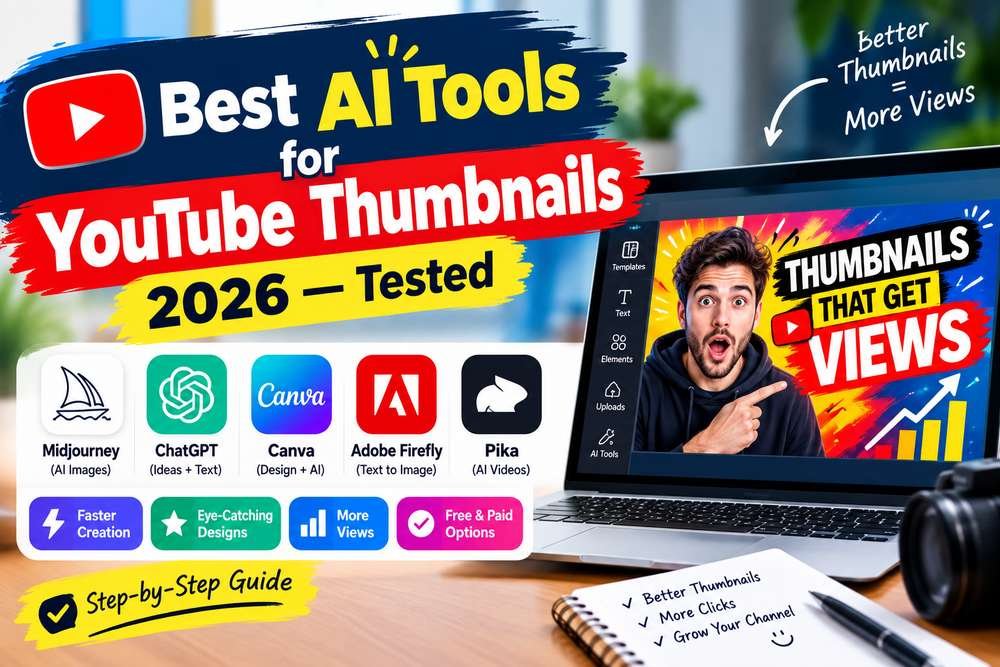
Best AI Tools for YouTube Thumbnails 2026 — 8 Compared & Honestly Ranked
This guide compares eight AI tools for YouTube thumbnails, checked against each tool’s own current documentation and pricing rather than repeated from older roundups. We cover which tool fits which type of creator, and the part most thumbnail guides skip: how to actually use these tools in a workflow that produces thumbnails people click on, not just thumbnails that look good in isolation.
The best AI tool for YouTube thumbnails in 2026 is Canva AI for most creators — YouTube-specific templates, built-in AI image generation, background removal, and direct export in one place. For the highest image quality: Midjourney. For text inside the thumbnail: Ideogram. For CTR data and A/B testing: vidIQ. Full ranked breakdown with verified pricing below.
Table of Contents
YouTube Thumbnail Specs — Official Requirements
Before choosing an AI tool, make sure you know the exact specs your thumbnail must meet. Getting these wrong wastes your entire workflow.
Official YouTube Thumbnail Specifications (verified from YouTube Help Centre)
| Resolution | 1280 × 720 pixels |
| Minimum width | 640 pixels |
| Maximum file size | Under 2MB |
| Accepted formats | JPG, GIF, or PNG |
| Aspect ratio | 16:9 (matches YouTube player) |
| Mobile display size | 168 × 94 pixels (always preview at this) |
What Actually Makes YouTube Thumbnails Get Clicked
AI tools make thumbnails faster and more visually polished — but a polished thumbnail that uses the wrong visual concept still gets ignored. The patterns below are commonly cited across creator communities and thumbnail-design guides, not a formal YouTube-published ranking of what drives CTR.
Patterns Commonly Associated with Higher-Performing Thumbnails
- Strong contrast — standing out from the feed background is widely considered one of the most important factors.
- Clear focal point — one dominant subject, usually a face with visible emotion, or the main product/concept.
- Readable text — under 6 words, large font, high contrast with background; must be legible at 168×94px.
- Emotional expression — faces with exaggerated positive or shocked expressions are commonly reported to outperform neutral faces.
- Curiosity gap — a thumbnail that raises a question the title amplifies tends to drive the click more than either element alone.
- Numbers / specifics — a figure like “$4,200/month” is commonly reported to outperform a vague phrase like “make money.”
- Consistent branding — channels with a recognizable visual identity (color palette, font, border style) tend to earn more subscriber trust over time.
Quick Comparison: Best AI Thumbnail Tools 2026
| # | Tool | Free Tier | Starting Price | Best For | Complete Thumbnail? |
|---|---|---|---|---|---|
| 1 | Canva AI | Yes — generous | $15/mo (Pro) | Best all-around | Yes |
| 2 | Midjourney | No free plan | $10/mo | Best image quality | No — images only |
| 3 | Adobe Firefly + Express | Limited credits | $9.99/mo | Best for brands/agencies | Yes |
| 4 | Ideogram | Yes — limited | $8/mo | Best for text in images | Partial — images only |
| 5 | Leonardo AI | Yes — 150 tokens/day | $12/mo | Gaming / fantasy / stylized | No — images only |
| 6 | Microsoft Copilot | Yes — 15 fast/day | Free | Best free quality | No — images only |
| 7 | CapCut | Yes | Free / $9.99/mo | YouTube Shorts creators | Yes |
| 8 | vidIQ | Yes | $19/mo (Boost) | CTR analysis + A/B testing | Partial — basic only |
Full Reviews — 8 Best AI Tools for YouTube Thumbnails
1. Canva AI — Best Overall
Canva AI is the best AI YouTube thumbnail maker for most creators in 2026. It has YouTube-specific templates pre-sized at 1280×720px, built-in AI image generation via Magic Media and Dream Lab, one-click background removal, direct export in YouTube-ready format, and the ability to design a complete, finished thumbnail without ever leaving the app. No other tool matches this end-to-end workflow for non-designers.
The AI generation quality is solid for social media content — good enough for the majority of thumbnails on most channels. For cinematic or artistic niches (gaming, fantasy, film) where raw image quality matters more, pair Canva with Midjourney as described below.
Pros
- Pre-sized YouTube 1280×720 templates
- AI image generation built into the design editor
- One-click background removal (Pro)
- Brand Kit for channel visual consistency
- Generous free plan — usable without paying
- Direct export in YouTube-ready formats
Cons
- AI image quality below Midjourney for artistic niches
- All AI tools share one monthly credit pool
- Free plan AI credits are limited
- Free AI images cannot be used commercially
Price: Free plan | Canva Pro $15/month (monthly) or $10/month (annual at $119.99/yr)
Best for: Beginners and any creator who wants to design and export a finished, professional thumbnail in one app without design experience.
2. Midjourney — Best Image Quality
Midjourney produces some of the highest-quality AI images available for thumbnail backgrounds. Its current model generation renders significantly faster than versions from a year ago and generates natively at 2K resolution without a separate upscale step, with cinematic, highly stylized results other tools struggle to match. For gaming, fantasy, sci-fi, film, and high-production niches where visual differentiation drives clicks, Midjourney is the tool that makes thumbnails look distinct from templated AI outputs.
The trade-off: Midjourney doesn’t add text, doesn’t have templates, and doesn’t output a finished thumbnail — you generate the hero image, then bring it into Canva or Adobe Express for the complete design. It has no free plan, and generation still runs primarily through Discord rather than a standalone web app, so budget time to learn the Discord command syntax if you haven’t used it before.
Pros
- Among the highest image quality of any AI tool
- Native 2K output without a separate upscale step
- Cinematic look that stands out in crowded niches
- Style Reference — match a specific aesthetic consistently
Cons
- No free plan — paid from $10/month
- Images only — needs Canva for text and layout
- Generation still runs primarily through Discord, not a standalone app
- Model versions update frequently — check midjourney.com for the current default before relying on version-specific claims
Price: Basic $10/mo | Standard $30/mo | Pro $60/mo
Best for: Creators in visual-heavy niches (gaming, fantasy, cinematic, art) who want thumbnails that look distinctly different from templated AI outputs.
3. Adobe Express + Firefly — Best for Brands
Adobe Express is Adobe’s browser-based design tool, running on Adobe Firefly’s current image model. It produces photorealistic, commercially safe AI images trained on licensed Adobe Stock content rather than an open web scrape. For brands, agencies, and creators running monetized channels where copyright exposure is a concern, this is a strong combination.
If you already pay for Creative Cloud, Firefly and Express come with your subscription at no extra cost. For thumbnails specifically, Express has brand kit support and YouTube-optimized templates.
Pros
- Commercially safe by design — licensed training data
- IP indemnification for eligible paid output
- Brand Kit for consistent channel visual identity
- Photoshop Generative Fill for precise background editing
- Included with Adobe Creative Cloud at no extra cost
Cons
- AI image quality below Midjourney for artistic styles
- Confusing credit system across multiple plan tiers
- Full power requires Creative Cloud (~$55+/mo)
- Adobe Express standalone is less capable than Canva Pro
Price: Free Adobe account (limited Firefly credits) | Adobe Express $9.99/mo | Creative Cloud All Apps ~$55/mo
Best for: Brands, agencies, and creators who need commercially defensible AI images and consistent branding across many videos or channels.
4. Ideogram — Best for Text Inside Images
Ideogram is widely regarded as one of the best AI tools for generating readable text inside images — a capability many other AI generators still struggle with. For educational channels, commentary, quote-style content, or any thumbnail where specific words need to appear inside the visual itself rather than as a separate Canva text layer, Ideogram stands out.
Even as a general AI image generator, Ideogram is genuinely capable — not just a specialist text tool. High contrast compositions, bold graphic styles, and simple product-style thumbnails are all within its range.
Pros
- Among the best text rendering inside AI images
- Batch generator for multiple variants at once
- Solid overall image quality beyond just text
Cons
- Limited free credits — resets weekly not daily
- Not a complete thumbnail design tool
- Still needs Canva for final layout and export
Price: Free tier (limited weekly credits) | Paid from $8/month
Best for: Educational, commentary, and quote channels where specific text must appear readable inside the AI-generated image itself.
5. Leonardo AI — Best Stylized / Gaming
Leonardo AI is the strongest free option after Canva for generating high-quality thumbnail background images — 150 free tokens daily, 10+ AI models, and a Canvas editor with inpainting. For gaming, fantasy, sci-fi, and highly stylized niches, Leonardo’s specialized models produce images that feel distinct from generic AI aesthetics. See our full Leonardo AI beginner guide for details on each model.
Pros
- 150 free tokens daily — a generous free image tier
- 10+ specialized models for different visual styles
- Canvas editor with inpainting
Cons
- Images only — needs Canva for full thumbnail
- Free tier commercial rights are limited
- Heavier models drain daily tokens quickly
Price: Free (150 tokens/day) | Paid from $12/month
Best for: Gaming, fantasy, sci-fi, and highly stylized YouTube channels that need thumbnail images with a distinctive look.
6. Microsoft Copilot — Best Free Quick Option
For quick, high-quality thumbnail background images at zero cost, Microsoft Copilot’s Image Creator is a strong option. Its default image model shifted to Microsoft’s own MAI models in mid-2026, with DALL-E 3 still available as a selectable alternative — either way, you get 15 fast generations per day, no watermarks, and no new account needed if you already have a Microsoft login (Windows, Xbox, Outlook). Generate a background image, download it, and bring it into Canva for the rest of the design.
Pros
- No new account if you have a Microsoft login
- No watermarks
- 15 fast + unlimited slow generations per day
Cons
- Images only — not a complete thumbnail tool
- Only 15 fast credits per day
- No thumbnail-specific templates
Price: Free
Best for: Any creator who wants high-quality free background images without subscribing to anything. Pair with Canva Free for complete thumbnails at zero cost.
7. CapCut — Best for Shorts Creators
CapCut is primarily a video editor — but its AI image generation, background removal, and template system make it a genuine thumbnail tool, particularly for creators who already use CapCut for editing Shorts content. Moving directly from video edit to thumbnail creation in the same app saves meaningful time for high-volume Shorts creators publishing daily.
Pros
- Free plan with usable AI features
- Combined video editing and thumbnail workflow
- Fast — designed for high-frequency publishing
Cons
- Less thumbnail-specific than Canva
- Smaller template library
- Best features require paid plan
Price: Free | Paid from $9.99/month
Best for: YouTube Shorts creators who edit videos and create thumbnails in the same app and need a fast, integrated workflow.
8. vidIQ — Best for CTR Data
vidIQ is primarily a YouTube analytics and keyword research platform — not an AI image generator. What earns it a place here is its thumbnail A/B testing integration, which measures CTR performance against real viewer data. No other tool on this list tells you whether your thumbnail is actually working — they only help you make it faster.
vidIQ’s AI thumbnail generation is basic compared to Canva or Midjourney. The real reason to use it is the data layer: keyword alignment between title and thumbnail concept, CTR benchmarking for your niche, and A/B testing tracking in one dashboard.
Pros
- Real CTR data on your thumbnails from YouTube
- Thumbnail A/B testing with actual viewer data
- Free plan includes meaningful core features
Cons
- AI thumbnail generation is basic — not for creative work
- Best features behind paid plan ($19/mo Boost)
- Data tool — not a design tool
Price: Free plan | Boost $19/month
Best for: Data-driven creators who want to measure thumbnail CTR performance rather than guess at what will work.
The Free Stack — Total Monthly Cost: $0
Four tools from the list above, used together, cover the entire workflow without spending anything: Microsoft Copilot for background images, Canva Free for layout and export, Ideogram’s free tier when a thumbnail needs readable text baked into the image, and vidIQ’s free plan to see which version actually earns clicks after upload.
The main reason to move off this stack isn’t missing features — it’s image style. If you’re in a high-production visual niche (gaming, cinematic) where Midjourney’s distinct look matters, that’s a $10/month decision layered on top of the free stack, not a replacement for it.
Step-by-Step: The AI Thumbnail Workflow That Gets Clicks
A practical workflow from first concept to uploaded thumbnail. It works whether you’re using the free stack above or premium tools.
Decide what emotion or curiosity hook the thumbnail needs to create. Write it in one sentence: “Viewer sees this and thinks: ___.” Generate the visual that fills that blank — not a pretty image that happens to be related to the topic.
Use your chosen AI image tool. Generate multiple variations — not just one. Different crops, angles, and lighting can affect CTR more than most creators realize.
If you need your face or a product isolated from a background, use Canva’s built-in background remover (Pro) or remove.bg (free). This turns a generic AI background into a composited thumbnail with your actual presence in it.
Import your AI image into a Canva YouTube template. Add text (under 6 words), brand colors, and any graphic elements. Use high-contrast text — white with dark outline or dark with light outline. Test that text is readable at 168×94px before exporting.
Change one element per variant: different text, different background color, different font, different image crop. Keep the same core concept — you’re testing execution variables, not completely different ideas.
Upload your primary thumbnail and set the second variant as a test in YouTube Studio’s A/B thumbnail test (available on eligible channels). Run the test for a minimum of 48–72 hours before drawing conclusions. Let CTR data — not personal preference — pick the winner.
AI Thumbnail Prompt Templates
The difference between a thumbnail that stops the scroll and one that gets ignored is often the prompt. Here are prompt templates for common YouTube thumbnail scenarios.
How to A/B Test Your YouTube Thumbnails
A/B testing thumbnails is one of the highest-impact optimizations many creators skip — and it requires no design skill and no additional cost on a standard YouTube channel.
Option 1 — YouTube Studio Built-In Testing
YouTube Studio has a native thumbnail A/B test feature on eligible channels. Go to Content → select a video → Thumbnail → Test and Compare. Upload two thumbnails and YouTube randomly shows each to different viewer segments, then reports which earns higher CTR. Run for a minimum of 48–72 hours on videos getting steady traffic for statistically useful data.
Option 2 — vidIQ Thumbnail Testing
vidIQ’s paid Boost plan ($19/month) includes thumbnail analysis that integrates with your YouTube channel’s real CTR data, tracking performance over time against channel and niche benchmarks.
Option 3 — Manual Testing
Upload a video with Thumbnail A. Note the CTR in YouTube Studio after 48 hours. Replace it with Thumbnail B. Check CTR after another 48 hours. Less precise than a proper split test, but works on any channel at zero cost.
FAQ
What is the best AI tool for YouTube thumbnails in 2026?
Canva AI for most creators — YouTube templates at 1280×720px, built-in AI image generation, background removal, and export in one app. Midjourney produces higher-quality hero images but still requires Canva for the complete design.
Do AI thumbnails improve YouTube CTR?
AI tools speed up production and improve visual polish, but the tool alone doesn’t guarantee clicks — the concept does. What’s commonly reported to drive CTR is strong contrast, a clear focal point, readable text, and an emotional hook; AI makes these easier to execute quickly, but the judgment on what concept to test stays with you.
Can I use AI-generated thumbnails on a monetized YouTube channel?
Yes. YouTube doesn’t prohibit AI-generated thumbnails. Thumbnails must accurately represent video content — misleading thumbnails can be penalized under YouTube’s metadata policy regardless of whether they’re AI-generated or hand-designed. Check each AI tool’s commercial license terms for your specific use case.
Which AI tool renders text inside thumbnails most accurately?
Ideogram, among the tools compared here. For most workflows, a more reliable approach is generating a background image in Canva, Midjourney, or Firefly and adding text as a separate design element in Canva’s editor — more control and more consistent readability than relying on AI text rendering alone.
How do I A/B test YouTube thumbnails?
YouTube Studio has a built-in feature — go to Content, select a video, open Thumbnail settings, and choose Test and Compare to upload a second variant. Run it for at least 48–72 hours on videos with steady traffic. vidIQ Boost adds further CTR analysis and niche benchmarking on top of YouTube’s native data.
Start Creating Thumbnails That Get Clicked
Best free start: Canva Free — a large free YouTube template library, AI generation, zero cost
Best image quality: Midjourney from $10/month for cinematic hero images
Need more AI image options? See our full free AI image generator ranking →