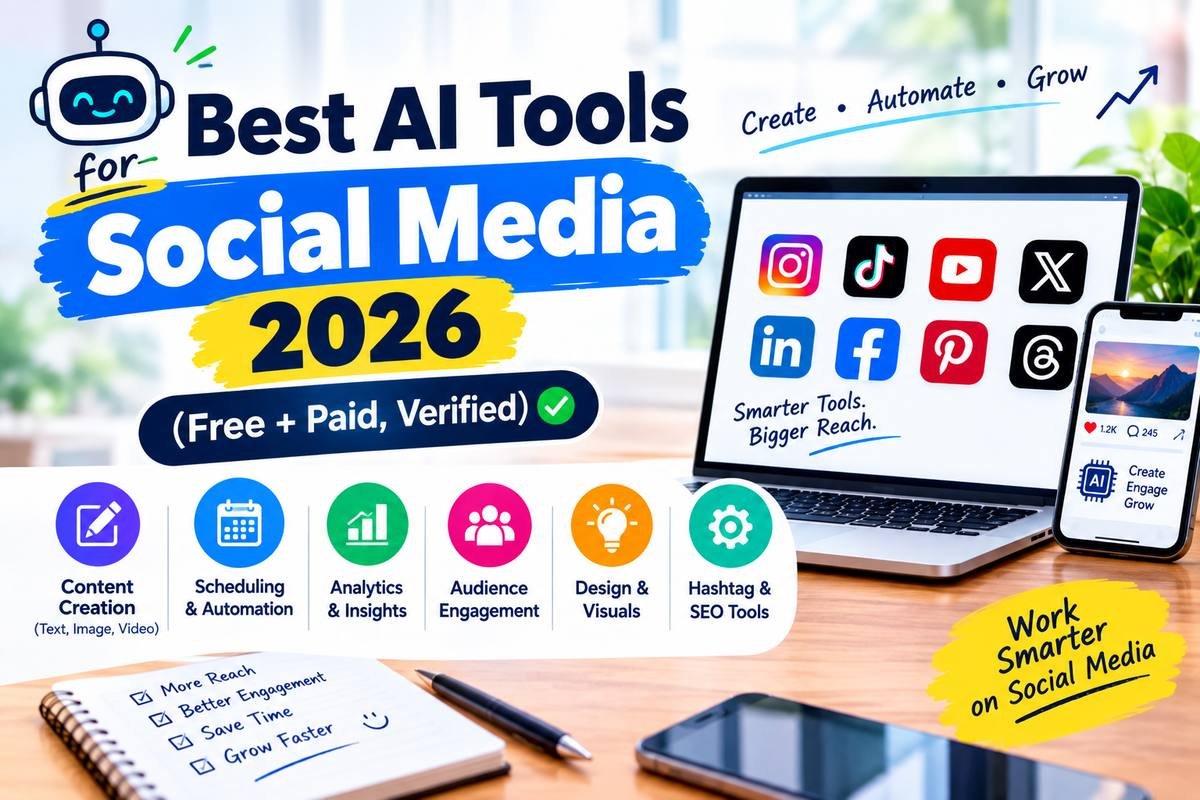
Best AI Tools for Social Media in 2026: Free and Paid, Ranked by What They Actually Do
I checked every free-tier claim, pricing figure, and feature limit for these 10 AI social media tools against current vendor pricing pages and documentation as of September 2026 — not against how they were priced or featured six months ago, which is where a lot of guides on this topic quietly go stale. Three specific claims below changed enough since my last pass that I’m flagging them directly: ChatGPT dropped its free-tier message limit entirely, Buffer’s AI Assistant is now free and unlimited on its Free plan, and Predis.ai now has a real free tier where it previously didn’t. Short version: Canva AI is the best all-in-one free option, ChatGPT is the strongest free caption and content planner, and Buffer is the best free scheduler with an AI assistant.
How this list was actually built: Each tool was set up on its free tier (or trial, where no free tier exists) to confirm the core AI features work as advertised — caption generation, scheduling, background removal, hashtag research — then cross-checked against the vendor’s current pricing page, changelog, and independent reviews from the past 60 days. This is feature verification, not a multi-month campaign run across live client accounts, and it’s worth being upfront about that distinction rather than implying otherwise.
Pricing in this category moves fast — Buffer restructured its plans in November 2025, OpenAI changed ChatGPT’s free-tier limits in August 2026, and Predis.ai has renamed and repriced its tiers more than once this year. Every specific number below was checked in September 2026; treat anything you read here as a starting point and confirm on the tool’s own pricing page before committing a workflow to it.
Top 10 AI Tools for Social Media in 2026 (Ranked)
Ranked by overall value for solo creators and small businesses, with honest free-tier breakdowns for every tool.
1. Canva AI — Best Overall
Generous Free Plan No WatermarkCanva AI is the only tool on this list that covers the entire social content workflow in one place: AI image generation, caption writing with Magic Write, background removal, platform-sized templates, and direct publishing to Instagram, Facebook, LinkedIn, and Pinterest. The free plan is genuinely functional on its own — no watermark, no time limit, and full access to the design tools.
The Magic Eraser tool handles background removal in one click (full walkthrough in our Canva AI guide), and the AI image generator creates custom visuals from a text prompt directly inside your design.
What’s good
- Design + AI generation + captions + scheduling in one tool
- No watermark on free plan downloads
- Massive template library for every platform
What’s not
- Full Magic Studio access requires Pro (~$12–15/month)
- Not a dedicated scheduler — Buffer handles that better
Price: Free plan | Pro from ~$12–15/month | Try Canva AI free →
2. ChatGPT Free — Best Free Caption & Content Planner
Unlimited Text Chat Corrected Sept 2026ChatGPT is still the most flexible free writing tool for social content — and it got noticeably more useful in the last two months. Give it your brand voice, audience, niche, and posting frequency, and it builds a month of content ideas in one prompt.
Prompts that actually work
- Monthly calendar: “Create a 30-day social content calendar for a [niche] business targeting [audience]. Include topic, caption hook, and hashtags for each day.”
- Caption variations: “Write 10 Instagram captions about [topic]. Mix educational, entertaining, and promotional tones, each under 150 characters.”
- Reel script: “Write a 30-second Reel script about [topic] with a strong hook in the first 3 seconds.”
- Hashtag sets: “Give me 3 sets of 15 hashtags for [topic] — one large (1M+), one medium (100K–1M), one niche (under 100K).”
What’s good
- Unlimited text chat on the free tier since August 2026 — no more message wall
- No credit card required
- Adapts captions for any platform in one prompt
What’s not
- Image generation, file uploads, and voice mode are still capped separately
- No native scheduling — pairs with Canva and Buffer
Price: Free (unlimited text chat) | Plus $20/month for image/voice headroom and GPT-5.6 Sol | Try ChatGPT free →
3. Buffer AI Assist — Best Free AI Scheduler
Free — 3 Channels Corrected Sept 2026Buffer’s free plan covers 3 connected channels with 10 scheduled posts in queue per channel (a rolling cap — slots free up as posts publish), 30-day analytics, and a community inbox — genuinely one of the most generous free tiers in this category, with no time limit and no card required.
What’s good
- 3 channels free forever — no time limit
- AI Assistant free and unlimited on every plan, including Free
- Covers 7+ platforms including TikTok and YouTube
What’s not
- 10-post rolling queue per channel fills up fast
- No AI image generation — pairs with Canva for visuals
Price: Free (3 channels, AI Assistant included) | Essentials ~$6/channel/month | Try Buffer free →
4. Vista Social AI — Best Free Option for Google Business
Free — 3 Profiles, 1 UserVista Social’s free plan covers 3 social profiles for one user, with AI caption writing, scheduling, a content calendar, and basic analytics across Instagram, Facebook, LinkedIn, X, TikTok, Pinterest, YouTube, and Google Business. Google Business posting is the differentiator — most competitors charge for it, Vista Social includes it free. Paid plans jump to ~$79/month (~$64/month annual), so test the free tier thoroughly first.
What’s good
- Google Business posting on the free plan
- AI caption writing built into the composer
- Drag-and-drop content calendar
What’s not
- Free plan capped at 3 profiles, same as Buffer
- Paid tiers are credit-limited even for AI features
Price: Free (3 profiles) | Professional ~$79/month (~$64/month annual) | Try Vista Social free →
5. Publer AI Assist — Best Budget Option
Free Plan Available No X/Twitter on FreePubler pairs a free scheduling plan with a built-in visual post editor — a Canva-like design surface inside the scheduler itself, so you’re not opening a separate design tool. Key limitation: the free tier does not include X (Twitter) publishing; that’s paid-only. Pricing is per-account and per-seat, starting around $5/month — one of the cheapest entry points in this category.
What’s good
- Built-in visual editor inside the scheduler
- AI Assist for caption improvement on the free plan
- One of the cheapest paid entry points
What’s not
- No X/Twitter publishing on the free plan
- Analytics are basic on the free tier
Price: Free (no X) | Paid from ~$5/month | Try Publer free →
6. Flick AI — Best for Instagram Growth
7-Day Free TrialFlick is focused specifically on Instagram and TikTok growth. Its AI assistant writes captions in your brand voice, and its hashtag database shows difficulty, average reach, and whether a tag is over-saturated — real performance data, not just suggestions. No permanent free plan; the 7-day trial is fully featured enough to genuinely test before committing.
What’s good
- Best hashtag research on this list
- AI learns and holds your brand voice
What’s not
- No permanent free plan — trial only
- Narrow platform focus — not built for LinkedIn or Facebook
Price: 7-day trial | Paid from ~$14/month | Try Flick AI →
7. Predis.ai — Best for Automated Post Generation
Free Plan (Limited) Corrected Sept 2026Predis.ai is the most automated tool here — give it a topic, product, or URL and it generates a matched caption plus image or video plus hashtags, formatted for your platform. Genuinely useful for e-commerce brands needing branded content at volume.
What’s good
- Generates caption AND matching visual together in one step
- Now has a genuine free tier to test before paying
- Strong for e-commerce and product-based businesses
What’s not
- Free tier is capped tightly enough to be a taster, not a workflow
- Tier names and pricing have shifted more than once in 2026 — confirm current terms before budgeting
Price: Free (limited posts/month) | Lite from ~$32/month | Try Predis.ai →
8. Lately AI — Best for Content Repurposing
Trial OnlyLately does one thing better than anything else here: takes a blog post, podcast transcript, or video and turns it into a batch of social posts automatically, gradually learning your writing voice as you use it. Strong for creators who publish long-form regularly and want to stretch that content further. No permanent free plan; paid tiers are pricier than most tools on this list.
What’s good
- Turns one piece of long-form content into many social posts
- Learns your brand voice over time
What’s not
- No permanent free plan
- Repurposing only — not built for original post ideation
Price: Trial available | Paid from ~$49/month | Try Lately AI →
9. Hootsuite OwlyWriter — Best for Teams & Agencies
No Free PlanOwlyWriter generates platform-specific captions from a URL, keyword, or idea, then formats them for Instagram, LinkedIn, Facebook, X, and TikTok at once. Built for social managers running multiple client accounts. No free plan — entry pricing runs around $99/month per user billed annually. Overkill for solo creators.
What’s good
- Generates from URL, keyword, or idea instantly
- Team collaboration and approval workflows
What’s not
- No free plan — starts around $99/month per user
- Real learning curve
Price: No free plan | From ~$99/month per user (annual billing) | See Hootsuite plans →
10. Adobe Express AI — Best Free AI Visuals
Free Forever No WatermarkAdobe Express is the strongest dedicated free visual tool here: AI image generation, background removal, Generative Fill, and templates pre-sized for every platform — with full-resolution export on the free plan, a feature that’s paid on most competitors. It’s visuals only; no scheduling or caption writing.
What’s good
- Unlimited free background removal
- Full-resolution export, no downgrade on free plan
- 25 free Generative Fill credits per month
What’s not
- No scheduling or caption writing — visuals only
- Smaller template library than Canva
Price: Free | Premium $9.99/month | Try Adobe Express free →
AI-Generated Social Content: What You’re Actually Required to Disclose in 2026
Almost no “best AI tools for social media” guide covers this, and it’s become genuinely consequential this year — not just a best-practice suggestion.
Meta (Instagram & Facebook)
Meta’s Ads Manager includes a mandatory disclosure control for creative containing AI-generated or AI-manipulated realistic content — it’s an enforced requirement in ads, not optional. The trigger is graded: routine AI-assisted edits like color correction, object cleanup, or upscaling generally don’t need a label, but AI-generated photorealistic images, manipulated realistic media, and synthetic voice or music do. Separately, as of early September 2026, Instagram began labeling AI-generated profiles directly and limiting the reach of accounts that don’t disclose — this applies to organic content, not just paid ads, which is a meaningful expansion from where the policy sat earlier in the year.
The FTC (United States)
Under the FTC’s Endorsement Guides, an AI-generated persona or synthetic influencer must be clearly identified as non-human, and the disclosure has to be “clear and conspicuous” — not buried in a bio or a linked page. Separately, AI-generated reviews or testimonials are prohibited outright under the Fake Reviews Rule (16 CFR Part 465), regardless of any disclaimer attached. The FTC opened a dedicated AI enforcement unit in January 2026, and penalties can run up to roughly $53,000 per violation.
TikTok, LinkedIn, and X
TikTok requires its own AIGC label on AI-generated or AI-edited content, applied similarly across ads and organic posts. LinkedIn requires AI-generated creative to be disclosed in Campaign Manager for ads but doesn’t yet automatically detect or require labeling on organic AI content. X has the lightest enforcement of the group — it relies on Community Notes for identifying AI content and doesn’t currently mandate labeling on organic posts, though ads containing AI-generated imagery still go through a disclosure step in the ad creation flow.
The Free AI Social Media Workflow — $0 Budget
You don’t need to pay for anything to run a professional social presence in 2026. Here’s the exact free workflow:
Prompt: “Create a 30-day social content calendar for a [niche] account targeting [audience] on Instagram and LinkedIn. Include topic, content type, caption hook, and 3 hashtag ideas per day.” That’s your month’s strategy in one prompt, and with the free-tier message cap gone, you can iterate on it without watching a counter.
Use your calendar to pick the week’s posts, create each graphic from a template sized for the right platform, use Magic Eraser for clean product shots, and export the batch at once.
Ask ChatGPT for 3 caption variations per post, paste your pick into Buffer, and use its AI Assistant — free and unlimited on Buffer’s Free plan — to adjust tone or length. Add hashtags.
Upload your graphics and captions, schedule at Buffer’s suggested times. One 10-minute session covers a week across three platforms.
Check analytics monthly for your top 3 posts, ask ChatGPT for 5 fresh variations of each, and keep your best content working.
Which AI Social Media Tool Is Right for You?
👉 Swipe to see all columns
| Your Situation | Best Tool | Why |
|---|---|---|
| I want one free tool for everything | Canva AI | Design + captions + scheduling + AI generation, free |
| I need unlimited free caption ideas | ChatGPT Free | Unlimited text chat since August 2026 — most versatile free writing tool for content planning |
| I want free scheduling with a genuinely free AI assistant | Buffer AI | 3 channels free, AI Assistant unlimited on every plan including Free |
| I want more free platforms including Google Business | Vista Social | Free tier covers Google Business, which most tools charge for |
| I focus on Instagram growth specifically | Flick AI | Best hashtag research + brand voice captions |
| I manage social media for multiple clients | Hootsuite | Built for teams, approval workflows, multi-account AI |
| I want caption AND image generated together | Predis.ai | Only tool here that matches caption + visual in one step, now with a free tier to test it |
| I publish long blog posts and want to repurpose them | Lately AI | Turns one long post into a full social batch automatically |
| I want free AI visuals with no watermark | Adobe Express | Unlimited background removal, full-res export, free forever |
| I’m a small business without design experience | Publer | Built-in visual editor + AI captions + scheduling, cheap |
Frequently Asked Questions
Can AI tools really replace a social media manager?
AI tools can replace the production work — captions, images, scheduling, hashtags, repurposing. They can’t replace the strategic and human parts — understanding your audience, responding authentically, and making judgment calls on brand voice and timing. The practical approach is using AI to clear the production work so your human time goes entirely to strategy and engagement.
Which AI tool is best for Instagram specifically?
Flick AI is strongest for hashtag research combined with brand-voice captions. Canva AI is best for visuals, Stories, and Reels covers. Buffer handles scheduling. ChatGPT is the most powerful free option for caption variations and Reel scripts, now with unlimited free text chat. Using Canva for visuals, ChatGPT for captions, and Buffer for scheduling covers the full workflow at zero cost.
How do I use ChatGPT to write social media captions?
Be specific about platform, audience, tone, and length. Example: “Write 5 Instagram captions about [topic] for [audience]. Conversational tone, include a question to drive comments, each under 150 characters.” Always ask for multiple variations, and follow up asking it to adapt the same caption for LinkedIn (more formal), X (character-limited), and Facebook (slightly longer) in one prompt.
Do I have to disclose that a post was written or made with AI?
It depends what the AI did. Using AI to draft a caption or plan a calendar isn’t a disclosure trigger under current FTC or platform rules. It becomes one when AI generates photorealistic images or video, synthetic voice, or content presented as a testimonial or endorsement that no real person actually said — Meta, TikTok, and the FTC all treat that differently from ordinary AI-assisted writing. See the disclosure section above for the specific rules by platform.
How much time can AI social media tools actually save?
Using the free workflow in this guide — ChatGPT for planning and captions, Canva AI for visuals, Buffer for scheduling — most creators save several hours a week versus manual content creation, mainly by batching a week’s content in one sitting instead of working daily. Exact numbers vary by account size and current workflow, so treat this as directional rather than a guarantee.