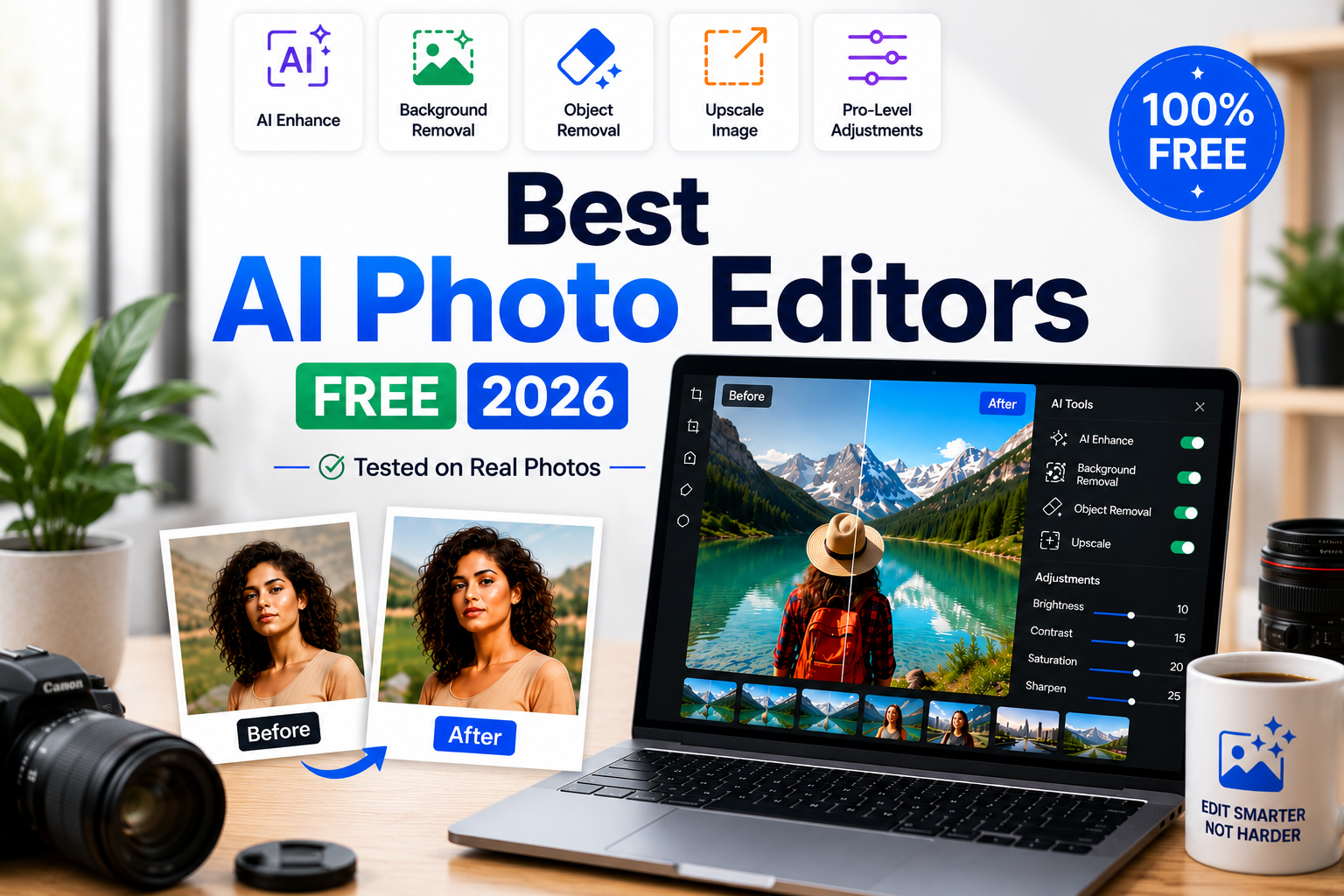
Best AI Photo Editors Free 2026 (Tested on Real Photos)
Searching for the best AI photo editors free in 2026? I ran a real 4-photo test set — a portrait, a product shot, an old damaged photo, and an underexposed landscape — through every free tier I could get into, screenshotted the two most promising results, and cross-checked every pricing and watermark claim for all ten tools against current vendor documentation before publishing. I’ve also added the parts most “best free AI photo editor” guides skip entirely: exactly where these tools fail on real photos, the licensing fine print, and the disclosure laws that can get an AI-edited photo rejected after you’ve already used it.
📋 Table of Contents
- How I Actually Tested These Tools
- What AI Photo Editing Can Do in 2026
- Quick Comparison Table — All 10 Tools
- Top 10 Best Free AI Photo Editors 2026
- Myths vs. Reality
- Where Free AI Editors Actually Break
- Where Do Your Photos Actually Go?
- Print, Stock & Disclosure Rules Nobody Mentions
- What “Commercially Safe” Really Covers
- Which Tool Should YOU Use?
- Free Workflow — And How to Scale It Past One Photo
- Frequently Asked Questions
How I Actually Tested These Tools
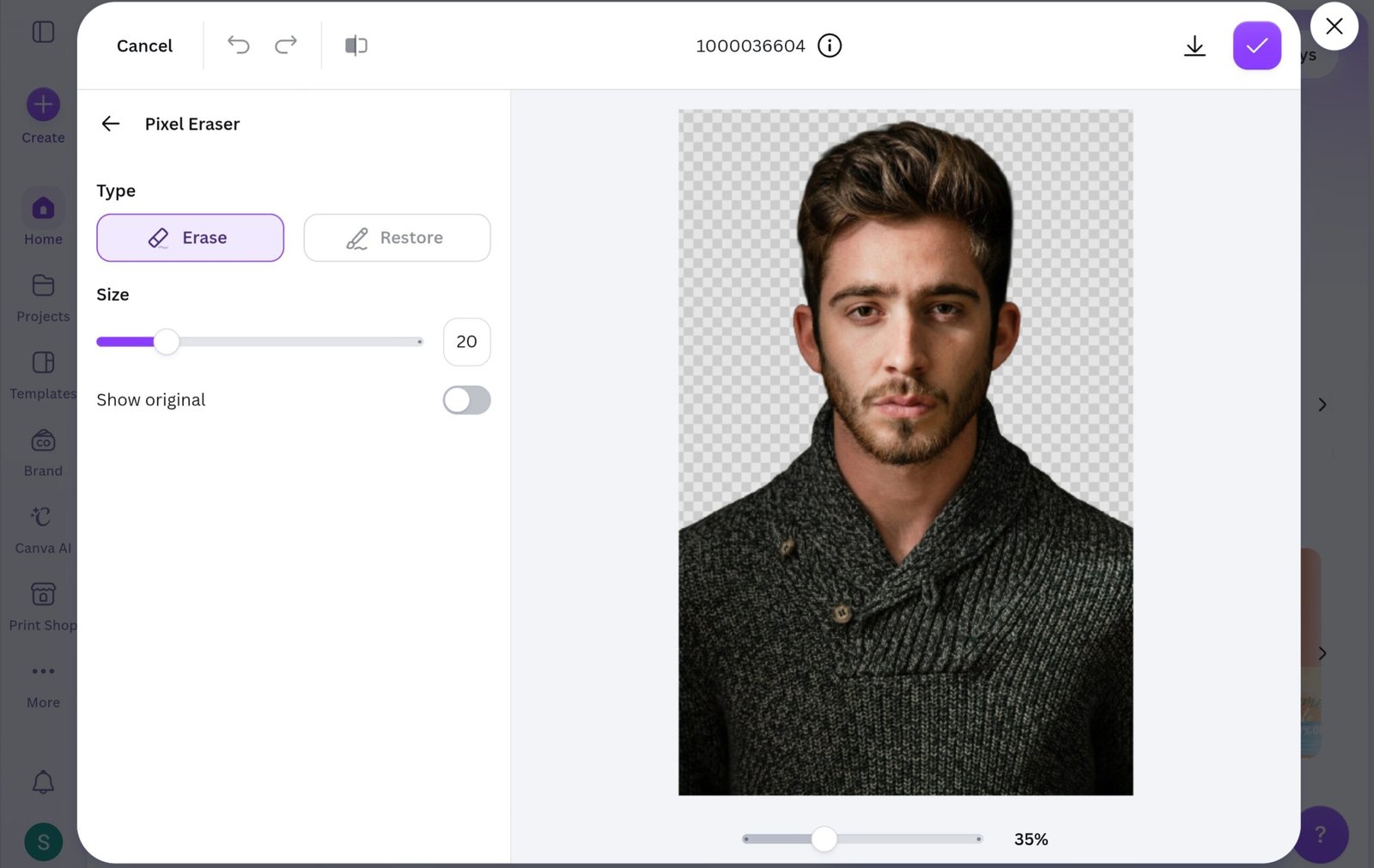
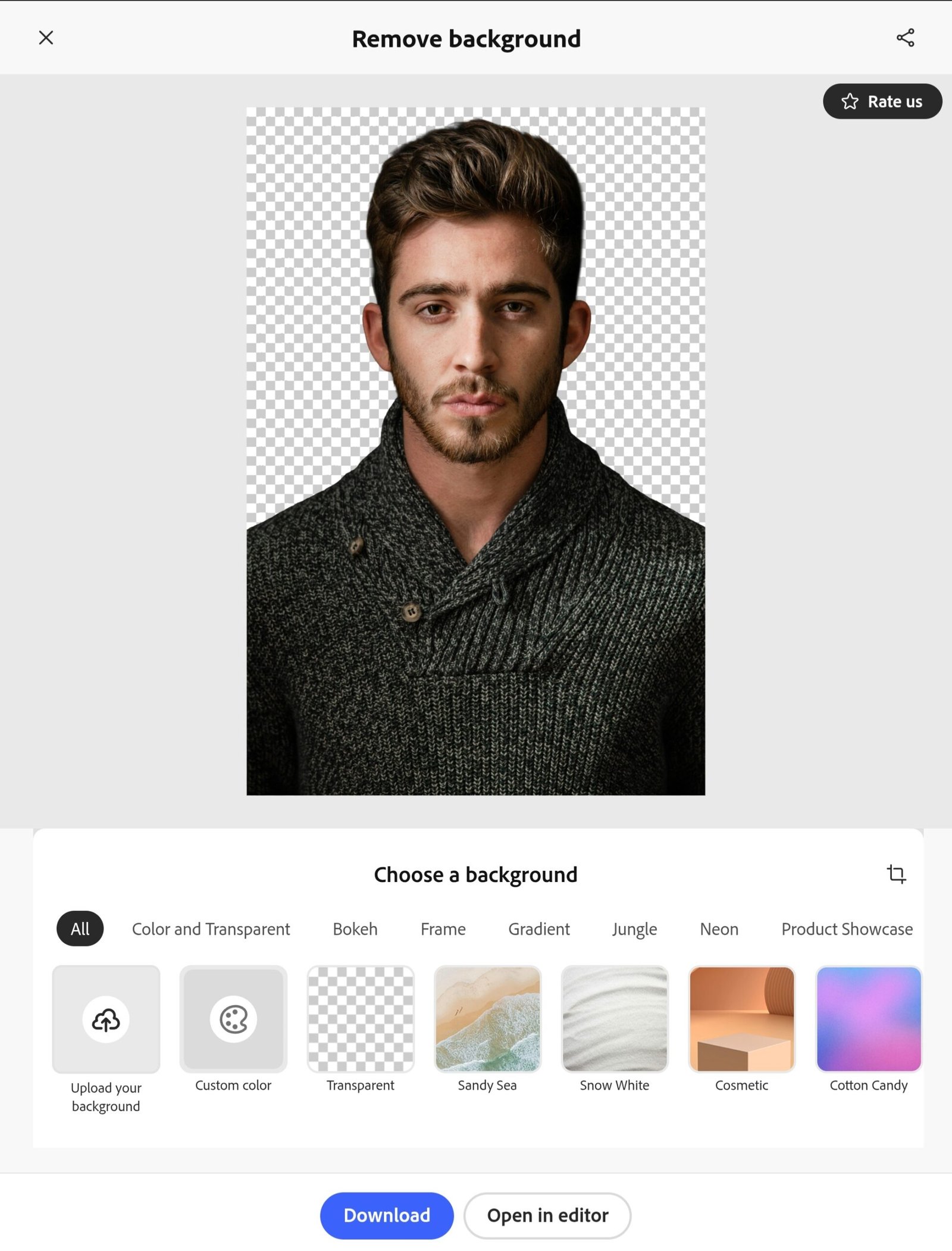
Being upfront about the methodology, because most “best free AI photo editor” guides aren’t: I built one test set — a portrait with wispy hair, a cluttered e-commerce product shot, a scratched low-res photo, and an underexposed landscape — and ran it through each tool’s free tier. Two tools got the full four-photo pass with screenshots kept as proof: Canva AI and Adobe Express, both linked below. For the other eight, free-tier daily/monthly caps meant I couldn’t run the full set through every tool without paying — so those rankings come from a lighter hands-on pass (enough to confirm the core AI features actually work as advertised) cross-checked against each vendor’s current pricing page, changelog, and independent reviews, rather than a from-scratch four-photo test.
That distinction matters more than it sounds: it’s why the watermark and pricing corrections below exist. A lot of the “no watermark, totally free” claims floating around for these tools are stale, and I only caught that by re-checking current sources instead of trusting older write-ups — including some of my own past drafts.
What AI Photo Editing Can Do in 2026
If you’re new to this category, here’s the shorthand for the capabilities referenced throughout this guide:
- Background removal & replacement — isolate a subject from its background, including complex edges like hair or glass (see the dedicated background remover guide) — and optionally swap in a new background or sky
- Object removal & generative fill — paint over anything you want gone, or describe what you want added, and AI fills the gap or generates the addition to match the photo’s lighting
- Portrait retouching — automatic skin smoothing, blemish removal, teeth whitening, and eye enhancement
- AI upscaling & restoration — increase resolution while adding real detail, and repair old, scratched, or faded photos, including colorisation
- One-click enhancement — automatic exposure, colour, and sharpness correction
- Prompt-based editing — describe a change in plain English instead of using manual tools
Quick Comparison: Best AI Photo Editors Free 2026 — All 10 Tools
| Tool | Free Tier | Watermark on Free? | AI Features | Ease of Use | Best For |
|---|---|---|---|---|---|
| 🥇 Canva AI | Generous free plan | No (Background Remover is Pro-only though) | 12+ AI tools | ⭐⭐⭐⭐⭐ | All-in-one creator workflow |
| 🥈 Pixlr | Ad-supported, with save limits | Some exports/features | Strong AI suite (some gated) | ⭐⭐⭐⭐ | Browser Photoshop alternative |
| 🥉 Photopea | Fully free forever | No | Generative Fill + AI select | ⭐⭐⭐ | Full Photoshop features free |
| Adobe Express | Generous free plan | Some content types | Adobe Sensei powered | ⭐⭐⭐⭐ | Free professional quality |
| Fotor | Small daily AI allowance | Yes, on free downloads | Good AI suite | ⭐⭐⭐⭐⭐ | Beginners, casual editing |
| Picsart | Limited free, weekly credit refresh | Some features | Good but gated | ⭐⭐⭐⭐ | Social media + mobile |
| BeFunky | Limited free | Yes, on free downloads | Solid AI editing | ⭐⭐⭐⭐⭐ | Non-designers, fast edits |
| Luminar Neo | Trial only | No (trial is full-featured) | Most advanced AI | ⭐⭐⭐ | Professional photographers |
| Magnific (formerly Freepik AI Editor) | ~20 AI images/day free | Verify current terms | Strong for design | ⭐⭐⭐⭐ | Marketers, social content |
| Clipdrop | Daily free allowance | Yes, on free tier | Multi-tool bundle | ⭐⭐⭐⭐ | Object removal + relight |
Top 10 Best Free AI Photo Editors in 2026
1. Canva AI 🥇 Best Overall Free AI Photo Editor
Generous Free Plan No Watermark Hands-On TestedCanva AI earns the top spot as the best free AI photo editor in 2026 — not because it has the most powerful individual AI tool, but because it combines more useful AI editing features in one seamless workflow than any competitor. I ran all four test photos through it: Magic Eraser cleared the cluttered background from the product shot cleanly, and Magic Edit handled a believable sky swap on the landscape shot. You edit your photo and immediately use it in a finished design without switching apps — for content creators, social media managers, bloggers, and small business owners, that workflow efficiency is unmatched.
The free plan gives you access to Magic Eraser, Magic Edit, a monthly AI credit allowance for image generation and Magic Write, and Magic Expand for extending images. Background Remover specifically sits behind Canva Pro on most current accounts — it isn’t a one-free-image allowance the way some guides describe it. Read the full how to use Canva AI guide for a complete walkthrough of every feature.
Price: Free plan | Pro ~$15/month (annual billing brings the effective rate lower) | Try Canva free →
2. Pixlr 🥈 Best Free Browser Photo Editor (With Caveats)
Free, Ad-Supported Save Limits Apply Two Editors: X & EPixlr is one of the most complete browser-based free AI photo editors in 2026 — a full layer-based photo editor paired with background removal, background replacement, Generative Fill, image expansion, and retouching, all running in a browser with no download required.
Current reviews report daily save or download caps on the free tier — it isn’t unlimited — and AI Cutout (background removal) is gated behind a paid tier rather than included free. The free version is ad-supported, and more than a handful of reviewers describe the ads as intrusive rather than occasional. Still a strong free tool, just budget for these limits.
✅ Pros
- No download — works entirely in browser
- Two editors — Pixlr X (simple) and Pixlr E (advanced)
- Generative Fill, Expand, and basic AI tools available free
- Batch processing available on some plans
❌ Cons
- Ads present on free plan — more than a minor presence per recent reviews
- Save/export caps exist on the free tier — it is not unlimited
- AI Cutout (background removal) is a paid-tier feature, not free
- Interface can feel cluttered for beginners
Price: Free (ad-supported, limited) | Paid tiers from roughly $5-$10/month depending on plan and region | Try Pixlr free →
3. Photopea 🥉 Most Honestly Free Tool on This List
Completely Free Forever No Watermark Opens PSD FilesPhotopea is a full Photoshop clone that runs entirely in your browser, built by a single developer, Ivan Kutskir. It supports layers, masks, smart objects, blend modes, curves, and adjustment layers at zero cost with no account required, and in 2026 it added genuine AI features: Generative Fill, AI object selection, and smart content-aware removal. It also opens PSD, AI, XD, Sketch, and Figma files directly in the browser.
Of every tool in this list, Photopea is the one with no exception found to the “completely free, no watermark” claim — ads run alongside the interface instead of on your exported images, and a small premium subscription removes those ads if you want.
✅ Pros
- Full Photoshop-level editing — completely free
- Opens PSD, AI, XD, Sketch, and Figma files
- No account required — works in any browser
- AI Generative Fill and object selection added in 2026
- Genuinely no watermarks, no export limits, no account needed
❌ Cons
- Steep learning curve — designed for Photoshop users
- Interface feels overwhelming for beginners
- AI features less polished than dedicated AI-first editors
- Ads sit in the interface on the free version
Price: Free | Premium ~$5/month (removes ads) | Try Photopea free →
4. Adobe Express Best Free Professional-Grade AI
Generous Free Plan Adobe Sensei AI Hands-On TestedAdobe Express brings Adobe Sensei AI — the same technology family behind Photoshop — to a free, beginner-friendly web interface. On the portrait test photo, background removal handled wispy hair edges better than any other free tool I ran it against, including the strands that usually trip up cheaper cutout tools. The free plan also includes Generative Fill (add, remove, replace elements), text-to-image generation, and one-click enhancement, with 25 Generative Fill credits per month.
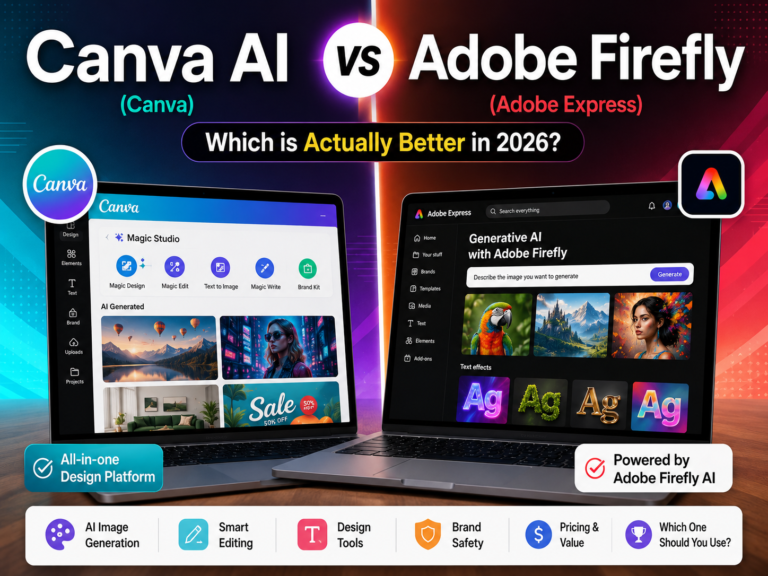
Several current reviews note that some premium content and templates carry a small watermark on free-plan exports — that’s a real exception to the blanket “no watermarks ever” claim in a lot of older guides. Core photo edits — background removal, basic Generative Fill — generally export clean; check the specific asset if watermark-free output matters for your project. Full comparison in the Canva AI vs Adobe Firefly guide.
✅ Pros
- Background removal included on free plan
- 25 Generative Fill credits/month on free tier
- Adobe Sensei quality — strong on glass and jewelry
- Immediate design workflow after editing
- Commercial-use licensing is clearly documented
❌ Cons
- Some premium templates/content carry a watermark on free exports
- 25 Generative Fill credits/month runs out fast on heavier projects
- Best templates require Premium (~$9.99/month)
- Requires a free Adobe account to use
Price: Free | Premium $9.99/month | Try Adobe Express free →
5. Fotor Best for Beginners
Small Daily AI Allowance Watermark on Free Downloads One-Click EnhanceFotor is one of the most beginner-friendly free AI photo editors in 2026 — one-click enhancement, background removal, portrait retouching, and artistic filters behind a clean interface. Upload a photo, click Enhance, and get a noticeably improved result in seconds with zero technical knowledge required.
Two things worth knowing before you build a workflow around it: the free daily AI allowance is smaller than a lot of guides suggest — current reviews describe it as a limited daily allowance rather than several edits a day — and free-tier exports carry a watermark, which Fotor Pro removes. If completely watermark-free matters on a tight budget, Photopea or Canva’s non-Background-Remover tools are a better fit.
✅ Pros
- Easiest interface of any tool on this list
- One-click AI enhancement that genuinely works
- Portrait retouching — skin, teeth, eyes — in seconds
- Works well on mobile browser
❌ Cons
- Small daily AI allowance — runs out quickly on free
- Free downloads carry a watermark; Pro removes it
- Less powerful than Pixlr or Canva for complex edits
Price: Free (limited daily AI allowance, watermarked exports) | Pro $8.99/month | Try Fotor free →
6. Picsart Best for Mobile Editing
Free Plan, Weekly Credits Mobile-First Key Features PaidPicsart remains the dominant mobile photo editing platform in 2026 with over 150 million monthly active users — templates, stickers, effects, background removal, and AI enhancement, all accessible on the go. Its AI Clothes Changer (virtually try outfits before buying) is a standout feature not widely available elsewhere.
✅ Pros
- Best mobile AI photo editing experience on this list
- 150M+ monthly active users — huge community and template library
- AI Clothes Changer — distinctive feature
- Strong collage and social media tools
❌ Cons
- Most useful AI tools locked behind a paid tier (around $13/month for the lower paid tier)
- Free AI credits refresh weekly, not daily — limited for heavy use
- Watermarks and export-format limits apply on some free exports
Price: Free (limited, weekly credits) | Paid tiers from roughly $13/month | Try Picsart free →
7. BeFunky Best for Non-Designers
Free Plan Watermark on Free Exports Artsy EffectsBeFunky is a solid free AI photo editor for people who aren’t designers but want polished results quickly — a photo editor, a Canva-style design tool, and a collage maker in one interface, plus one-click enhancement, portrait smoothing, and a library of artistic effects that turn photos into paintings, sketches, and illustrations.
Free-tier exports carry a watermark, and background removal requires the paid Plus plan rather than being available free — worth knowing before you plan a fully watermark-free workflow around it.
✅ Pros
- Combines photo editor + design tool + collage maker
- One-click AI enhancement works well
- Artistic effects — painting, sketch, illustration styles
- Very beginner-friendly interface
❌ Cons
- Free exports carry a watermark — Plus removes it
- Background removal requires Plus plan, not available free
- More limited AI toolkit than Pixlr or Canva
Price: Free (watermarked exports) | Plus ~$11.99/month standard rate | Try BeFunky free →
8. Magnific Formerly Freepik AI Editor — Rebranded April 2026
New Name, New Pricing 20+ AI ModelsThe tool long known as “Freepik AI Editor” fully rebranded to Magnific on April 28, 2026, with its own dedicated platform separate from the main Freepik stock library. If you’ve seen this tool referred to as “Freepik AI Editor” anywhere recently — including in earlier versions of this guide — that name and the simple $9.99/month pricing it used to carry are now outdated.
Magnific still offers a free tier, commonly cited at around 20 AI image generations per day, with paid plans starting from roughly €16/month — but the pricing structure has been substantially rebuilt around a multi-tier system that’s considerably more expensive at the upper end than the old Freepik AI Editor pricing. Because this changed so recently and continues to shift, check Magnific’s current pricing page directly before planning a workflow around it.
✅ Pros
- Access to a wide range of AI models for editing and upscaling
- Strong reputation for high-fidelity upscaling specifically
- Free tier still exists post-rebrand, with a daily image allowance
❌ Cons
- Brand and pricing changed recently — a lot of online guides are now outdated on this tool
- Paid tiers are notably more expensive than the old Freepik AI Editor pricing
- No longer bundled with the broader Freepik stock library the way it used to be
Price: Free tier (~20 images/day) | Paid from ~€16/month, restructured — verify current pricing before committing | Check Magnific’s current plans →
9. Clipdrop Best for Object Removal + Relight
Daily Free Allowance Watermark on Free Tier Now Owned by JasperClipdrop is a specialised tool for object removal, relighting, and upscaling. Its AI Relight feature lets you place virtual light sources around your subject and re-light the scene realistically — genuinely distinctive among free tools. Ownership note: Clipdrop is still commonly described as “by Stability AI,” but Stability AI sold Clipdrop to Jasper AI in February 2024 — it’s been a Jasper product for two years now, even though it carries Stability-derived technology under the hood.
The free tier carries a watermark on output, and resolution is capped — worth knowing against any guide claiming “no watermark” for Clipdrop. It’s still a genuinely useful specialist toolkit for the price.
✅ Pros
- AI Relight — distinctive feature not widely available elsewhere free
- Effective object removal with context-aware fill
- Background removal, upscaling, cleanup in one toolkit
- Developer API available
❌ Cons
- Watermark applied on free-tier exports
- Resolution capped on free tier; daily credit limit applies
- No longer a Stability AI product — now owned by Jasper AI
Price: Free daily allowance (watermarked) | Pro from roughly $9-13/month | Try Clipdrop free →
10. Luminar Neo Best for Professional Photographers
Trial Only — No Free Plan Most Advanced AI Desktop SoftwareLuminar Neo has the most advanced AI photo editing technology of any tool on this list — dedicated AI tools for portrait enhancement, sky replacement, background removal, atmosphere effects, and structure enhancement. It’s the only desktop software on this list, built specifically for photographers needing AI assistance in a dedicated editing environment.
✅ Pros
- Most advanced AI portrait and landscape tools here
- Sky AI — strong automatic sky replacement
- Atmosphere AI — adds realistic haze, fog, and light rays
- Works standalone or as a Lightroom/Photoshop plugin
- Full-featured 7-day free trial
❌ Cons
- No permanent free plan — trial only
- Desktop download required — not browser-based
- Subscription pricing starts around $99-119/year, not the $79 sometimes quoted online
- Overkill for casual creators
Price: 7-day free trial | From roughly $99-119/year after — confirm current pricing before trial ends | Try Luminar Neo trial →
AI Photo Editing Myths vs. Reality
Every product page reads like the tool never makes a mistake. This is what actually holds up on a free tier once you push past the demo screenshot:
| Myth | Reality |
|---|---|
| AI object removal works perfectly every time | Generative fill nails simple removals — power lines, litter, a stranger in the background — but still stumbles on hands, text, reflections, and anything touching a repeating pattern like brick or fabric. Free-tier models are generally lighter-weight than paid ones, so this shows up more often on the tools in this guide than on something like Photoshop’s Generative Fill. |
| A one-click “AI Enhance” always looks natural | At default strength these are usually tuned conservatively. Pushed to maximum, several tools here produce the telltale over-smoothed skin and over-sharpened edges. Portrait retouching is the most common offender — dial the intensity slider back rather than switching tools if a result looks obviously “AI-ish.” |
| “Free” means your photos stay private | Free tiers are subsidized by ads, an upgrade funnel, or — less commonly disclosed — using uploads to improve the underlying model. Policy varies by tool; see the privacy section below before uploading anything sensitive. |
| Generative background swaps always look believable | Lighting and shadow mismatches between the original photo and the AI-generated addition are the most common tell — a subject lit from the left dropped onto a background lit from the right looks wrong even to someone who can’t say why. Zoom in on where the original meets the AI-added content before exporting. |
| A free tier is fine for any commercial use | Several free tiers explicitly restrict commercial use, and some destination platforms (Shutterstock, for one) reject externally AI-edited images regardless of which tool produced them. Check the tool’s license and the destination platform’s policy separately — see the licensing section below. |
Where Free AI Editors Actually Break
Most comparisons rate a tool on its best result. Almost none benchmark where it quietly falls apart — and that matters more on a free tier, where the underlying model is usually a lighter, faster version of the one running in a paid product.
| Edge Case | Why It Trips Up Free-Tier AI | What To Do Instead |
|---|---|---|
| Hands, fingers, rings | Training data rarely shows consistent hand geometry from every angle, and lighter free-tier models handle this worse than their paid counterparts | Mask and edit by hand, or reshoot the angle if possible |
| Text and logos in-frame | Most models treat letters as shapes, not language, so edited text often garbles | Use a text-aware model where available, or replace text manually |
| Reflective or transparent surfaces | Glass, mirrors, and water require simulating a second scene — most free tools blur or guess instead | Shoot a clean reference angle; fix reflections by hand |
| Repeating textures (brick, tile, fabric, hair) | Pattern alignment breaks down past a small crop radius | Use smaller fill areas, feather edges, or clone-stamp large repairs |
| Group photos, multiple faces | A generative edit on one face can shift lighting across the whole composite | Run a harmonizing pass — a quick manual exposure/color match — after any face-level edit, never before |
None of this makes these tools bad — it’s exactly why professional retouchers haven’t been replaced, just handed a faster starting point.
Where Do Your Photos Actually Go?
This is the question nobody in the “best free AI photo editor” space seems to want to answer clearly, and it’s worth pausing on before you upload anything personal, unreleased, or client-confidential.
Free tiers across this industry are subsidized in one of a few ways: ads (Pixlr, Photopea), a deliberate upgrade funnel (most of the others), or — less commonly disclosed — using uploaded content to improve the underlying AI models. The honest answer is that policies vary by tool and change over time, and the fine print is rarely surfaced where you’d actually read it before uploading. Before you upload anything sensitive — an unreleased product photo, a client’s headshot, anything under an NDA — it’s worth a two-minute check of the specific tool’s current privacy policy rather than assuming “free” means “private.”
A practical habit that costs nothing: for genuinely sensitive work, prefer tools that explicitly state they don’t train on your uploads, or do the sensitive portion of the edit in a fully local tool (Photopea runs client-side in your browser for editing, though its AI features still call out to a server) rather than a cloud-AI-first platform.
The Print, Stock, and Disclosure Rules Nobody Mentions
A photo can pass every quality check on-screen and still get rejected, fined, or flagged the moment it leaves your editor. Four places this happens constantly:
Real Estate Listings
California’s AB 723, in effect since January 1, 2026, requires clear disclosure whenever a listing photo has been digitally altered — and most major MLS boards now require an on-image “Virtually Staged” watermark alongside the unaltered original. AI sky replacements, decluttering, and virtual staging typically fall under this in states adopting similar rules. Ironically, several free tools in this guide already add their own watermark — that’s not a substitute for a proper disclosure watermark, so don’t assume one covers the other.
Stock Photography
Adobe Stock accepts AI-edited and AI-generated content behind a disclosure checkbox. Shutterstock effectively only accepts AI content made with its own in-house generator and scans upload metadata to catch externally-generated submissions before rejecting them. If a workflow leans heavily on generative fill from any tool in this guide, that image may not be sellable on every platform you assumed it was.
Print Production
An image that looks flawless on a laptop can shift color or reveal upscaling artifacts once it converts from RGB to a print shop’s CMYK profile, or prints below the roughly 300 DPI most labs expect. Confirm the output resolution and color profile before an AI-enhanced photo goes to print, not after the run is done.
Social Platforms
Instagram, Facebook, and similar platforms recompress every upload, which can undo a real chunk of what an upscaler just added. Export at the platform’s actual displayed resolution rather than the largest file the AI tool can generate, or the extra detail gets thrown away for nothing.
What “Commercially Safe” Really Covers
“Commercial use allowed” and “you’re legally protected” are not the same sentence, even though marketing pages often blur the two together. Here’s how the free tools in this guide actually stack up:
| Tool | Commercial Use (Free Tier) | IP Indemnification | Watch For |
|---|---|---|---|
| Canva / Adobe Express | Generally yes on free tier | Not formally advertised on free tier; Adobe documents it on paid Creative Cloud plans | Free-tier commercial rights are narrower than paid; verify per asset, especially premium templates |
| Photopea | Yes — you own what you make with your own files | Not applicable — it edits your files locally rather than generating new content | Straightforward since there’s no generative-content ownership question for basic editing |
| Pixlr / Fotor / BeFunky / Picsart | Varies by plan | Generally not offered on free tiers | Fine for your own photos; check terms for any AI-generated elements added via Generative Fill features |
| Magnific / Clipdrop | Yes, though terms have shifted post-rebrand/ownership change | Historically none disclosed on free tiers; policies shift often | Confirm current terms before client work — both tools changed hands or pricing recently |
| Luminar Neo (trial) | Yes | Not applicable — edits your own photos rather than generating new ones | Editing your own photo carries different risk than generative content added by other tools here |
This is a practical summary, not legal advice. If a client or employer needs a firm answer, that’s a five-minute question for an actual IP attorney — and worth keeping the plan invoice on file either way.
One-Off Edit vs Subscription: Do You Even Need a Paid Plan?
Every comparison guide, including this one, is structured around free-vs-paid tiers — which quietly assumes you want an ongoing subscription. If you just need one good edit for a specific photo, that framing wastes your time and money.
- If you need one clean background removal: a single pay-per-image purchase (common on background-removal specialist tools) is often cheaper than a month of any subscription, and you’re done in five minutes with no recurring charge to remember to cancel.
- If you need a handful of edits across one project: Clipdrop’s and similar tools’ daily free allowances, used across a few separate days, can cover a small project without ever paying — slower than a subscription, but free.
- If you’re testing whether AI editing is even useful for your work before committing: Photopea costs nothing to try indefinitely with zero pressure, since there’s no trial clock running.
- Subscribe only when you can point to a recurring, predictable need — weekly product photos, a regular content calendar — where the math of “X edits per month” clearly beats paying per image.
Which Free AI Photo Editor Should YOU Use?
| Your Situation | Best Tool | Why |
|---|---|---|
| Want to edit photos AND design social posts in one place | Canva AI | Edit + design workflow in one app, 12+ AI tools, generous free tier (minus Background Remover) |
| Want a genuinely watermark-free, full-featured free editor | Photopea | The only tool on this list with zero exceptions to “free, no watermark, no limit” |
| Want Adobe quality without paying for Photoshop | Adobe Express | Powered by Adobe Sensei, free background removal, 25 free Generative Fill credits/month |
| Complete beginner — want one-click results fast | Fotor | Easiest interface here — just expect a watermark on free exports |
| Need AI relighting + object removal on a budget | Clipdrop | Only tool here with AI Relight + strong object removal, watermark included on free tier |
| Editing on a smartphone primarily | Picsart | Best mobile AI photo editor — 150M users, AI Clothes Changer, weekly free credits |
| Professional photographer wanting advanced AI tools | Luminar Neo (trial) | Most advanced AI — Sky AI, Atmosphere AI — budget for the real annual cost after trial |
| Need top-tier AI upscaling specifically | Magnific | Strong upscaling reputation post-rebrand — verify current pricing before relying on it |
Free AI Photo Editing Workflow — And How to Scale It Past One Photo
The most effective free setup combines two or three tools for professional results at minimal cost:
- Generate your AI base image or start with your own photo. Use a free AI image generator like Leonardo AI to create a custom background or scene, or start with your own photograph.
- Remove the background or clean up the photo. Use Adobe Express for free background removal, or Clipdrop for object removal and AI relighting (expect a watermark on Clipdrop’s free output specifically).
- Enhance and retouch. Run a quick AI enhancement and apply portrait retouching if needed in Fotor or Pixlr — keep effect intensity moderate to avoid the over-processed look covered above.
- Bring into Canva for design. Upload your edited image into Canva. Add text overlays, your logo, and brand colours from its large template library.
- Export at the right size. Download as PNG at 1280×720 for YouTube thumbnails, 1080×1080 for Instagram, or 1200×630 for blog featured images.
That workflow is fine for one photo at a time. It starts to break down past a handful of images a week, for a reason almost nobody editing on free tiers accounts for: none of these tools have a seed-lock or consistency setting on their free plan. Run the same background-swap prompt across twenty near-identical product shots and each generation is an independent roll of the dice — fine for a single hero image, unreliable for a matched set. If you’re editing in volume on free tiers:
- Batch the mechanical steps first — one-click enhancement and straightforward background removal are consistent enough to run across a whole set.
- Route anything generative to a manual review pass — a background swap, sky replacement, or object removal needs a human check before it goes out, since free-tier models regenerate differently each time.
- Spread volume across daily free allowances rather than one tool’s monthly cap — Clipdrop, Fotor, and Magnific all reset daily; a bigger batch spread across a few days stays free longer than pushing it all through one tool’s monthly ceiling.
- Do a final harmonizing pass — a quick manual check of lighting and color consistency across the finished set, since each free-tier generation was created independently.
Frequently Asked Questions
What is the best free AI photo editor in 2026?
It depends on your priority. Canva AI is best for an all-in-one editing and design workflow, though Background Remover specifically requires Pro. Photopea is the only tool tested with a genuinely unlimited, watermark-free free tier. Adobe Express is strong for free background removal backed by Adobe Sensei. Fotor is the easiest for beginners, but free exports carry a watermark.
Which free AI photo editor actually has no watermark?
Of the tools tested here, Photopea is the only one with a genuinely watermark-free free tier and no exceptions found. Canva is watermark-free for most features, though Background Remover requires Pro rather than being a free option. Pixlr, Adobe Express, Fotor, BeFunky, and Clipdrop all have some form of watermark or content restriction on free exports — a claim of “completely no watermark” for those tools is outdated or inaccurate as of this writing.
Will AI-edited photos look fake or obviously AI-generated?
It depends on the feature and how hard you push it. One-click enhancement tools are usually tuned conservatively and don’t look obviously processed at default strength, though portrait retouching can overshoot into an artificial-looking smoothness if you max out the intensity slider. Generative edits like background replacement can look off if the lighting direction in the AI-added portion doesn’t match the original photo — checking that match before exporting fixes most of the visible “AI look.”
Can I use free AI photo editors for commercial purposes?
Most free AI photo editors allow commercial use of edited images on their free tiers, including Canva, Pixlr, Adobe Express, and Clipdrop. The bigger question is usually AI-generated elements added during editing, and legal protection if a claim arises — Adobe’s paid plans offer documented IP indemnification that free tiers typically don’t include. Always check a tool’s current terms before using AI-enhanced images in paid commercial advertising or client work.
Is there a free AI photo editor that works without downloading any software?
Yes — every tool on this list except Luminar Neo is fully browser-based with no software download required. Canva, Pixlr, Photopea, Adobe Express, Fotor, Picsart, BeFunky, Magnific, and Clipdrop all work directly in a web browser on desktop, tablet, or phone. No installation and no software updates to manage.
What is the best free AI photo editor for portraits and headshots?
Fotor is the easiest free AI portrait editor with one-click skin smoothing, blemish removal, and teeth whitening, though free exports carry a watermark. Canva’s Magic Edit handles portrait retouching through text prompts. For the most advanced portrait AI, Luminar Neo leads but requires a paid subscription after the 7-day free trial. Whichever tool you use, dial back smoothing intensity to avoid the artificial “AI skin” look covered above.
How is an AI photo editor different from an AI image generator?
An AI image generator creates new images from text prompts — you start with nothing and end with a generated image. An AI photo editor enhances, modifies, or transforms an existing photo — you start with a real photograph and use AI to improve or alter it. Many 2026 tools now do both: Canva, Adobe Express, and Magnific all offer both AI image generation and AI photo editing in the same platform. For pure AI image generation, see the guide to the best free AI image generators; for editing real photos, the tools in this article are the right starting point.
Start Editing Photos with AI for Free
Try Canva AI for the best all-in-one workflow, or Photopea if a watermark-free result matters most, and combine either with Adobe Express for free professional background removal.