Best Free AI Image Generator in 2026 — 10 Compared, One Honest Ranking
Most “best free AI image generator” roundups repeat the same daily-limit numbers from each tool’s own marketing page without checking whether they’re still accurate — or whether the free tier is genuinely usable versus a bait to get you to upgrade. This is a hands-on comparison of ten free tools, cross-checked against each provider’s current documentation rather than last year’s press release, with the actual catch on each one spelled out.
Quick Comparison: Best Free AI Image Generators 2026
Swipe to see all columns
| # | Tool | Free Daily Limit | Watermark? | Account Needed? | Best For |
|---|---|---|---|---|---|
| 1 | Microsoft Copilot | 15 fast + unlimited slow | None | Microsoft login | Best all-round free option |
| 2 | Leonardo AI | 150 tokens/day | None | Free account | Artists & designers |
| 3 | Adobe Firefly | 25 credits/month | None | Free Adobe account | Commercial-safe images |
| 4 | Ideogram | 10 credits/week | None | Free account | Text inside images |
| 5 | Google Gemini | Not officially published | None | Google account | Everyday quick images |
| 6 | Playground AI | ~100/day (varies by model) | None | Free account | High-volume creators |
| 7 | Freepik AI | 20/day | None | Free account | Blog & social content |
| 8 | Canva AI | Limited, unpublished cap | None | Free account | Non-designers |
| 9 | NightCafe | 5 credits/day + earn more | None | Free account | Community & learning |
| 10 | Craiyon | No daily cap | Yes | No account needed | Unlimited, low quality bar |
Full Reviews
1. Microsoft Copilot Best All-Round Free Option
Free MAI / DALL-E 3 (selectable) No Watermark No New Account NeededMicrosoft Copilot’s Image Creator is the easiest path to a decent free image in 2026. Note the model story has shifted this year: Microsoft’s own MAI image models became the default in mid-2026, with DALL-E 3 still available as a selectable alternative rather than the default engine it used to be. Either way, you get 15 fast generations a day, and once those run out, generation continues at a slower speed rather than stopping — there’s no hard wall. If you already have a Microsoft account (Windows, Xbox, Outlook), there’s no new signup at all.
Pros
- No new account if you already use Microsoft services
- No watermarks on downloads
- Doesn’t hard-stop after fast credits run out
- Works in any browser, including mobile
Cons
- Only 15 fast generations per day
- Slow mode has a real wait
- Limited style controls, no canvas or editing tools
- Which model you get (MAI vs. DALL-E 3) isn’t always obvious
2. Leonardo AI Best for Artists & Designers
150 Free Tokens/Day No Watermark 10+ AI Models Canvas EditorLeonardo AI gives you the most model variety of any free tool here — Phoenix for prompt accuracy, Lucid Realism for photorealism, plus several FLUX variants — along with a Canvas editor for inpainting and outpainting, and image-to-image generation, all on the free tier. The catch: token cost varies by model, so heavier models burn through your 150 daily tokens faster than the number suggests, and free-tier images are public by default with more limited commercial rights than paid plans. See our Leonardo AI beginner guide for the full walkthrough.
Pros
- 150 free tokens daily
- 10+ models and a real canvas editor, free
- Image-to-image on the free tier
Cons
- Heavy models drain tokens fast
- Free-tier commercial rights are limited
- Free images are public by default
3. Adobe Firefly Best for Commercial Use
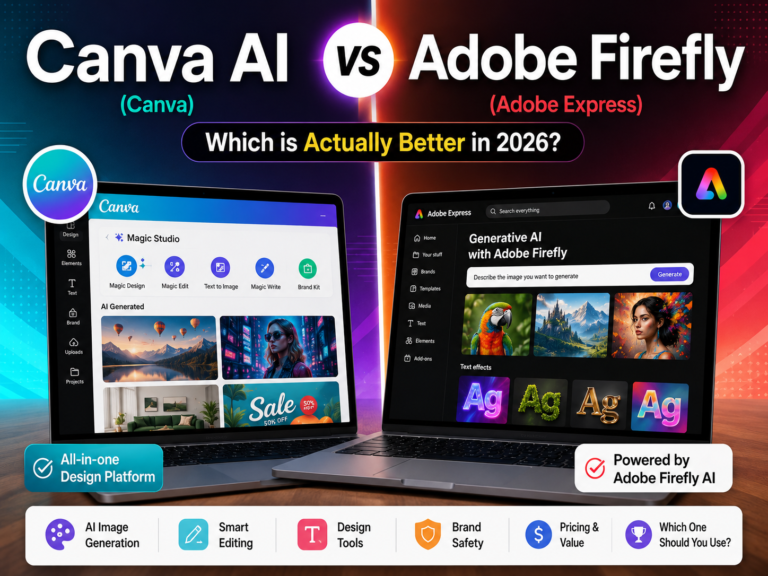
Free Account No Watermark 25 Credits/Month Copyright-SafeFirefly is trained on licensed Adobe Stock and public domain content rather than an open scrape of the web, and Adobe extends IP indemnification to eligible commercial output. That legal footing is the actual reason to pick it over a tool with a bigger free allowance. The real constraint is the free tier’s 25 monthly credits — at 10 credits per standard generation, that’s roughly two to three generations a month, not enough for regular use but enough to test whether the tool fits your work before subscribing. For the full pricing breakdown, see our Canva AI vs Adobe Firefly comparison.
Pros
- Commercially safe by design — licensed training data
- IP indemnification on eligible paid output
- No watermark, even on the free tier
Cons
- 25 free credits/month — good for 2–3 generations, not ongoing use
- Free tier has no commercial usage rights despite no watermark
- Paid plan starts at $9.99/month
4. Ideogram Best for Text Inside Images
10 Credits/Week Free No Watermark Strongest Text RenderingIf you need legible text inside a generated image — thumbnails, posters, quote graphics — Ideogram handles this more reliably than the general-purpose tools on this list, most of which still garble text. The free plan resets weekly rather than daily, so 10 credits has to last you seven days.
Pros
- Best text rendering of the tools tested
- Batch generation and canvas features
Cons
- Only 10 credits per week, not per day
- Paid plan starts around $20/month
5. Google Gemini Best for Everyday Use
Free No Watermark Google AccountGemini’s image generation is convenient rather than powerful — most people already have the Google account it runs on, and it produces solid, realistic images for blog posts or presentations without opening a separate tool. Google hasn’t published a specific daily cap for free-tier image generation, so treat any number you see elsewhere as an estimate, not a documented fact. There’s no style control, model selection, or editing canvas — it’s a chat feature, not a dedicated image tool.
Pros
- No extra signup if you use Google already
- No watermark on output
Cons
- Not a dedicated image tool — no controls
- Daily limit isn’t officially published
6. Playground AI Most Generous Volume
~100 Images/Day No WatermarkPlayground AI’s free daily allowance is the highest of the tools reviewed here, useful if you generate several images a day rather than one or two a month. Quality holds up reasonably well, though the interface has more going on than Copilot or Gemini and takes a session or two to get comfortable with.
Pros
- Highest free daily volume tested
- No watermark
Cons
- Less model variety than Leonardo
- Busier interface for new users
7. Freepik AI Best for Blog & Social Content
20 Free/Day 20+ Models Stock Library IntegrationFreepik built its AI tool on top of its existing stock library, so it’s useful specifically for creators who mix AI generations with licensed stock photos in the same project — 20+ models including Imagen and FLUX variants, all in one interface.
Pros
- 20+ models in one place
- Stock library sits alongside AI generation
Cons
- 20 free generations a day
- Best features are paid-only
8. Canva AI Best for Non-Designers
Built-In Design Tool No Watermark Limited Free CreditsCanva AI isn’t the strongest raw image generator here, but it’s the only one where you generate an image and drop it straight into a social post or presentation without exporting anywhere. That workflow advantage matters more than image quality for a lot of non-designer use cases.
Pros
- Generate and design in the same app
- No design skill required
Cons
- Free generation credits are limited and cap isn’t clearly stated
- Best features are behind Canva Pro
9. NightCafe Best Community for Beginners
5 Credits/Day + Earn More No WatermarkNightCafe pairs a small daily free allowance with a way to earn more — voting on other users’ art, joining daily challenges, keeping a login streak. It’s slower than the other tools here if you don’t engage with the community side, but it’s a genuinely good place to learn prompting.
Pros
- Extra credits through community participation
- Active community for learning prompts
Cons
- Only 5 base credits a day without engaging
10. Craiyon No Daily Cap — Has Watermark
No Daily Limit No Account Required WatermarkedCraiyon (formerly DALL-E Mini) is the one tool here with no daily cap and no account requirement at all — type a prompt at craiyon.com and get 9 variations. The tradeoff is real: image quality trails every other tool on this list, generation takes 30+ seconds, and downloads carry a watermark.
Pros
- No caps, no account, ever
- 9 variations per prompt
Cons
- Watermark on every download
- Lowest image quality here
- Slow — 30+ seconds per batch
The Real Catch on Each Free Tier
“No watermark” and “free” aren’t the same thing as “no limits.” Here’s what each tool’s free tier actually restricts, beyond the daily numbers already covered above.
The limit is volume
- Adobe Firefly — 25 credits/month total, the tightest ceiling here
- Ideogram — resets weekly, not daily
- NightCafe — 5/day unless you engage with the community
The limit is usage rights, not volume
- Leonardo AI — free-tier images are public, commercial rights need a paid plan
- Adobe Firefly — free downloads carry no commercial rights despite having no watermark
- Canva AI — best generation tools are paid-only regardless of daily cap
How to Choose
- Want the least signup friction with solid quality? Microsoft Copilot
- Need model variety and editing tools? Leonardo AI
- Doing client or ad work? Adobe Firefly — the only one built for commercial safety, even with the tightest credit limit
- Need readable text inside the image? Ideogram
- Generating many images daily? Playground AI
- Want zero account and don’t mind a watermark? Craiyon
- Want more no-signup options beyond this list? See our dedicated no-signup AI generators guide — those tools weren’t part of this ten-tool comparison, so they’re covered on their own terms there.
Getting Better Results from Any Free Tool
- Be specific, not vague. “A golden retriever sitting on a sandy beach at golden hour, realistic photo, soft bokeh, shallow depth of field” beats “a dog on a beach.”
- Name a style. “Photorealistic,” “oil painting,” “cinematic,” “concept art” — these words change output more than most other prompt tweaks.
- Describe the lighting. “Golden hour,” “studio lighting,” “overcast daylight” — this alone noticeably improves realism.
- State the aspect ratio where the tool supports it, or expect inconsistent crops.
- Try the same prompt on two tools before concluding it’s not possible — the same wording can look completely different across engines.
FAQ
What is the best free AI image generator in 2026?
Microsoft Copilot’s free image tool is the strongest all-round pick — 15 fast generations a day, no watermark, no new signup if you already use a Microsoft account. Its default model shifted to Microsoft’s own MAI image models in mid-2026, with DALL-E 3 available as an alternate option rather than the default. Leonardo AI is the better pick if model variety and editing tools matter more to you than speed of setup.
Which free AI image generator has no watermark?
Of the ten tools reviewed here, only Craiyon adds a visible watermark to free downloads. The other nine — Copilot, Leonardo, Firefly, Ideogram, Gemini, Playground, Freepik, Canva, and NightCafe — all produce clean output on their free tiers.
Are there truly unlimited free AI image generators?
Craiyon has no daily cap and no account requirement, though its image quality trails the other nine tools here. Microsoft Copilot’s slow mode is effectively unlimited once your 15 fast generations run out, just slower.
Can I use free AI image generators for commercial use?
Only with care. Adobe Firefly is the one built for it — free-tier output still has no commercial rights, but paid plans add IP indemnification. Leonardo AI’s free tier gives Leonardo broader rights over what you generate; clean ownership needs a paid plan there too. Always check current terms before commercial use.
Which free AI tool is best for text inside images?
Ideogram, by a clear margin among the tools tested here — most general-purpose generators still garble text, and Ideogram is built specifically to render it legibly.
Start Generating Free AI Images
Best all-round free: Microsoft Copilot
Best for artists: Leonardo AI
Best for commercial use: Adobe Firefly