
Best AI Video Tools for Content Creators 2026 (Paid Plans Compared)
HeyGen for avatar and talking-head videos. Descript for podcast and YouTube editing. Runway for generative AI video and visual effects. Synthesia for corporate training. Loom for async screen recording and team communication. The right tool depends entirely on your content format — this guide breaks down exactly which one fits your workflow.
The AI video tool market in 2026 is full of overlapping claims and confusing pricing. Every tool says it saves you hours. Most of them do — but only for one specific type of content creation.
This guide covers 5 AI video tools worth knowing as a content creator in 2026: HeyGen, Descript, Runway, Synthesia, and Loom. Each one excels at a different job. Picking the wrong one wastes both money and time.
Pricing below was checked against each provider’s official page and cross-referenced against independent trackers as of September 2026 — AI tool pricing moves often, so confirm the live number before subscribing to anything.
- Full Comparison Table — All 5 Tools
- HeyGen — Best for Avatar & Talking-Head Video
- Descript — Best for Podcast & YouTube Editing
- Runway — Best for Generative AI Video
- Synthesia — Best for Corporate Training Video
- Loom — Best for Async Screen Recording
- Which Tool for Which Use Case?
- Final Verdict
- Frequently Asked Questions
Full Comparison Table — All 5 Tools
| Tool | Starting Price | Free Plan | Best For |
|---|---|---|---|
| HeyGen | $29/month | ✅ 3 videos/month | Avatar & talking-head video |
| Descript | $16/month (annual) | ✅ 1 hr/month | Podcast & YouTube editing |
| Runway | $12/month (annual) — verify current rate | ✅ 125 credits (one-time) | Generative AI video & VFX |
| Synthesia | $18/month (annual) | ✅ 10 min/month | Corporate training video |
| Loom | $18/month (~$15/month annual) | ✅ 25 videos (5 min cap) | Async screen recording |
1. HeyGen — Best for Avatar & Talking-Head Video
HeyGen is a strong AI avatar video tool for content creators. Its avatars are generally reported as more expressive and natural-looking than Synthesia’s for audience-facing content — a real difference when you’re making videos people chose to watch rather than training videos they’re required to complete.
The Essential plan at $29/month (or cheaper on annual billing) gives you 15 video credits per month, access to 200+ stock avatars, and the ability to create a custom avatar from a 2-minute selfie video. Video quality is 1080p. The platform also includes AI voice cloning, video translation across 40+ languages, and a basic video editor.
| Plan | Monthly | Annual/Month | Video Credits | Avatars |
|---|---|---|---|---|
| Free | $0 | $0 | 3 videos/month | Limited |
| Essential | $29/month | ~$24/month | 15 credits/month | 200+ |
| Pro | $89/month | ~$72/month | 30 credits/month | 200+ + custom |
| Enterprise | Custom | Custom | Unlimited | All + dedicated |
✅ Pros
- Natural-looking avatars for creator content
- Custom avatar from 2-min selfie video
- 40+ language video translation
- AI voice cloning included
- Free plan with 3 videos/month
❌ Cons
- 15 credits/month is tight for heavy use
- $89/month Pro plan jumps steeply
- Not ideal for cinematic or narrative video
- Requires separate editing tool for post-production
Who should pay for HeyGen: YouTubers, course creators, and social media marketers who want to create talking-head style videos without appearing on camera — or who need to produce multilingual versions of the same video without re-recording.
Try HeyGen Free →2. Descript — Best for Podcast & YouTube Editing
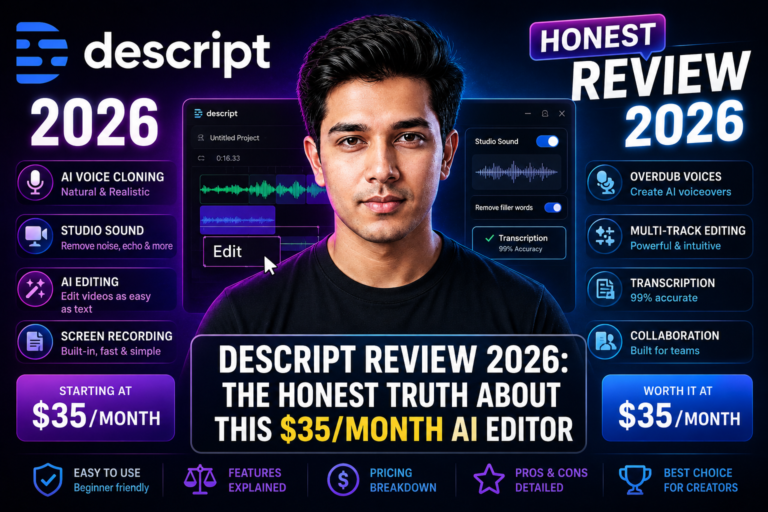
Descript is the right choice if you’re editing spoken-word content: podcasts, YouTube interviews, tutorials, or talking-head videos you recorded yourself. The text-based editing workflow — where you edit the transcript and the video follows — is widely reported to cut editing time significantly for this type of content.
The Creator plan at $24/month (annual) gives you 30 hours of media per month, 800 AI credits, Studio Sound audio cleanup, Overdub voice cloning, and Underlord AI editing. It replaces a separate audio cleanup tool, a video editor, and a transcription tool in one subscription.
| Plan | Monthly | Annual/Month | Media Minutes | AI Credits |
|---|---|---|---|---|
| Free | $0 | $0 | 60 min | 100 (once) |
| Hobbyist | $24/month | $16/month | 10 hrs | 400/month |
| Creator | $35/month | $24/month | 30 hrs | 800/month |
| Business | $65/month | $50/month | 40 hrs | 1,500/month |
✅ Pros
- Text-based editing workflow saves real time
- Studio Sound is a well-regarded one-click audio cleaner
- Filler word removal in a couple of minutes
- Remote recording with local-quality tracks
- Replaces 3–4 separate tools
❌ Cons
- AI Credits run out fast on Creator plan
- No offline editing
- Multi-file projects eat Media Minutes fast
- Customer support is a common complaint in reviews
Who should pay for Descript: Podcasters publishing weekly, YouTubers spending 3+ hours editing per video, and anyone who needs to repurpose long-form content into short social clips consistently.
Try Descript Free →3. Runway — Best for Generative AI Video
Runway is a different category from the other tools on this list. It doesn’t edit your recordings — it generates video from text prompts, images, or reference footage. Type a description, and Runway produces a clip using its own Gen-4 model plus partner models like Google Veo and Kling — all accessible from one dashboard.
| Plan | Monthly | Annual/Month | Credits/Month | Commercial Use |
|---|---|---|---|---|
| Free | $0 | $0 | 125 (one-time) | ❌ No |
| Standard | $15/month | $12/month | 625 | ✅ Yes |
| Pro | $35/month | $28/month | 2,250 | ✅ Yes |
| Unlimited | $95/month | $76/month | 2,250 + Explore Mode | ✅ Yes |
✅ Pros
- Multiple leading video models in one tool
- Among the cheaper entry points on this list
- Strong generative video quality
- Strong for B-roll, intros, visual effects
- Watermark-free on all paid plans
❌ Cons
- Credit system makes output volume unpredictable
- Standard plan supports a limited number of generations/month
- Not for editing your own recorded footage
- Steep jump to the Unlimited tier
Who should pay for Runway: Creators who need AI-generated B-roll, visual effects, or short generative video clips for YouTube intros, social content, or client work. Not for editing your own recorded footage — use Descript for that.
Try Runway Free →4. Synthesia — Best for Corporate Training Video
Synthesia is used by companies including Nike, Xerox, and Heineken — mostly for internal training and onboarding. That tells you something important: this tool is built for corporate use, not audience-facing content creation.
The Starter plan at $18/month (annual) gives you 10 video minutes per month, 125+ avatars, and 140+ language support. For an L&D manager replacing expensive video production, the ROI can be immediate. For a YouTuber or social media creator, the avatars tend to read as too polished and corporate to perform well with an audience.
| Plan | Monthly | Annual/Month | Video Minutes | Avatars |
|---|---|---|---|---|
| Basic (Free) | $0 | $0 | 10 min/month | 9 |
| Starter | $29/month | $18/month | 10 min/month | 125+ |
| Creator | $89/month | $64/month | 30 min/month | 230+ |
| Enterprise | Custom | Custom | Unlimited | All + custom |
✅ Pros
- 140+ language support — among the broadest in market
- Script to video quickly
- Strong for compliance and training content
- Instant video updates when content changes
- SOC 2 Type II compliant
❌ Cons
- 10 min/month on Starter runs out fast
- Avatars read as corporate — wrong fit for social media
- Custom avatar costs extra annually
- SCORM export locked to Enterprise
Who should pay for Synthesia: L&D managers, HR teams, and SaaS companies producing training or product demo videos regularly. Not the right fit for YouTube creators, social media marketers, or anyone making audience-driven content.
Try Synthesia Free →5. Loom — Best for Async Screen Recording
Loom is a different type of tool from the others on this list. It records your screen plus face cam and shares a link instantly — primarily for async team communication, client walkthroughs, and product feedback. It’s not a video production tool.
The free plan limits you to 25 videos total (not monthly — total, per member) and 5 minutes per recording, which most active users hit within a couple of weeks. The Business plan removes those caps at $18/user/month billed monthly, or roughly $15/user/month on annual billing. Business + AI adds transcript-based editing, filler word removal, and auto-summaries at $24/user/month.
| Plan | Price | Recording Limit | AI Features |
|---|---|---|---|
| Starter (Free) | $0 | 25 videos total, 5 min max | Basic transcription |
| Business | $18/user/month ($15 annual) | Unlimited | Trim, custom branding |
| Business + AI | $24/user/month | Unlimited | Filler removal, AI summaries, chapters |
| Enterprise | Custom | Unlimited | SSO, SCIM, Salesforce |
✅ Pros
- Fastest screen recording to share link workflow
- Tight Atlassian/Jira/Confluence integration
- 50+ language transcription on free plan
- Good for client walkthroughs and feedback
- Viewer engagement analytics
❌ Cons
- 25-video total cap on free plan burns fast
- Atlassian billing changes have frustrated users, per multiple independent reports
- Seat reclassification can inflate bills without new usage
- Videos public by default — must adjust manually
- Not a production video tool
Who should pay for Loom: Freelancers sending client video feedback, product teams doing async standups, and sales teams recording personalised video outreach. If you’re already in the Atlassian ecosystem, the integration makes Loom a natural fit — just budget for the real per-seat price, not just the headline free tier.
Try Loom Free →Which Tool for Which Use Case?
Don’t pick a tool by price or brand recognition. Pick it by what you’re actually making.
🎙️ Podcast editing
Use Descript. Text-based editing and filler word removal save real time per episode compared to a timeline editor.
📹 Talking-head YouTube videos
Use HeyGen for avatar-based videos. Use Descript if you record yourself and need to edit.
🎬 AI-generated B-roll & visual effects
Use Runway. Multiple leading video models in one dashboard.
🏢 Corporate training & onboarding
Use Synthesia. 140+ languages, instant script updates, and no camera or studio required.
🌍 Multilingual video content
Use HeyGen or Synthesia. Both support dozens to 140+ languages. HeyGen for creator content; Synthesia for training.
🖥️ Client walkthroughs & async updates
Use Loom. Screen + cam recording with a share link in seconds. Best-in-class for async team communication.
📱 Short-form social clips from long video
Use Descript. Underlord generates vertical social clips from a long recording in one session.
🎓 Online courses & tutorials
Use HeyGen or Synthesia for avatar-presented courses. Use Descript if you record yourself.
Final Verdict — The Right Tool for Most Creators
For most content creators in 2026, two tools stand out:
HeyGen if you create avatar or talking-head video — for YouTube, courses, or social media. Natural-looking avatars, custom voice cloning, multilingual output, and a free plan to test before paying.
Descript if you record yourself and spend hours editing — for podcasts, YouTube interviews, and short-form social clips. The text-based workflow is a genuine time-saver for spoken-word content.
Use Runway alongside either if you need AI-generated B-roll or visual effects. Use Synthesia only if you’re producing corporate training content. Use Loom if async team communication is the job, not content creation.
Try HeyGen Free →Frequently Asked Questions
What is the best AI video tool for content creators in 2026?
Which AI video tool is the cheapest in 2026?
Is HeyGen or Synthesia better for YouTube creators?
Can AI video tools make faceless YouTube videos?
Do any of these tools have a free plan?
What’s the difference between HeyGen and Descript?