
How to Use Grok AI Free in 2026 (Step-by-Step Guide)
If you want to know how to use Grok AI, this is the complete, up-to-date beginner guide for 2026. Grok is built by xAI — now operating as a division of SpaceX — and the free plan still gets you real-time web search, live X data, and voice mode at $0. This guide has just been re-checked against xAI’s official pricing and documentation pages, including the July 8, 2026 release of Grok 4.5 and the new weekly usage system for paid plans.
No credit card required. No technical knowledge needed. Just follow the steps below.
Go to grok.com, sign up with just an email address, and start chatting — that’s it. The free plan includes real-time web and X search, voice mode, connectors, and SOC 2 data compliance. It does not include image or video generation (Grok Imagine) or the Grok 4 model — those require a paid SuperGrok plan starting at $10/month.
In This Guide
- What is Grok AI (and who owns it now)?
- How to sign up free
- What the free plan actually includes
- Uploading files and connecting your apps
- Your first prompt
- Real-time web search explained
- Grok modes: Fast, Auto, Expert, Heavy
- Free vs SuperGrok Lite vs SuperGrok vs Heavy
- Grok vs ChatGPT in 2026
- Common mistakes to avoid
- 5 best beginner prompts
- Frequently asked questions
What Is Grok AI?
Grok is an AI chatbot built by xAI, the company Elon Musk founded in 2023. As of mid-2026, xAI operates as a division of SpaceX — its own pricing and documentation pages now carry the “SpaceXAI” name and the footer line “a division of spacex.com.” That’s a structural change worth knowing if you’ve seen Grok referred to as an independent company in older articles; it no longer is.
On the product side, xAI released Grok 4.5 on July 8, 2026 — its most capable model yet, built with a focus on coding, agentic tasks, and knowledge work. It’s rolling out gradually across Grok’s paid tiers rather than landing everywhere at once, so don’t be surprised if your SuperGrok account shows it before someone else’s does.
Two things still set Grok apart from most free AI chatbots:
- Real-time web search is on by default. Every response pulls from current web results automatically — you don’t need to toggle a search mode on.
- Live X (Twitter) data access. Grok connects directly to X’s feed, which makes it genuinely useful for trending topics, breaking news, and tracking real-time conversation. No other major free AI chatbot has this built in.
You access it at grok.com — free, no credit card needed.

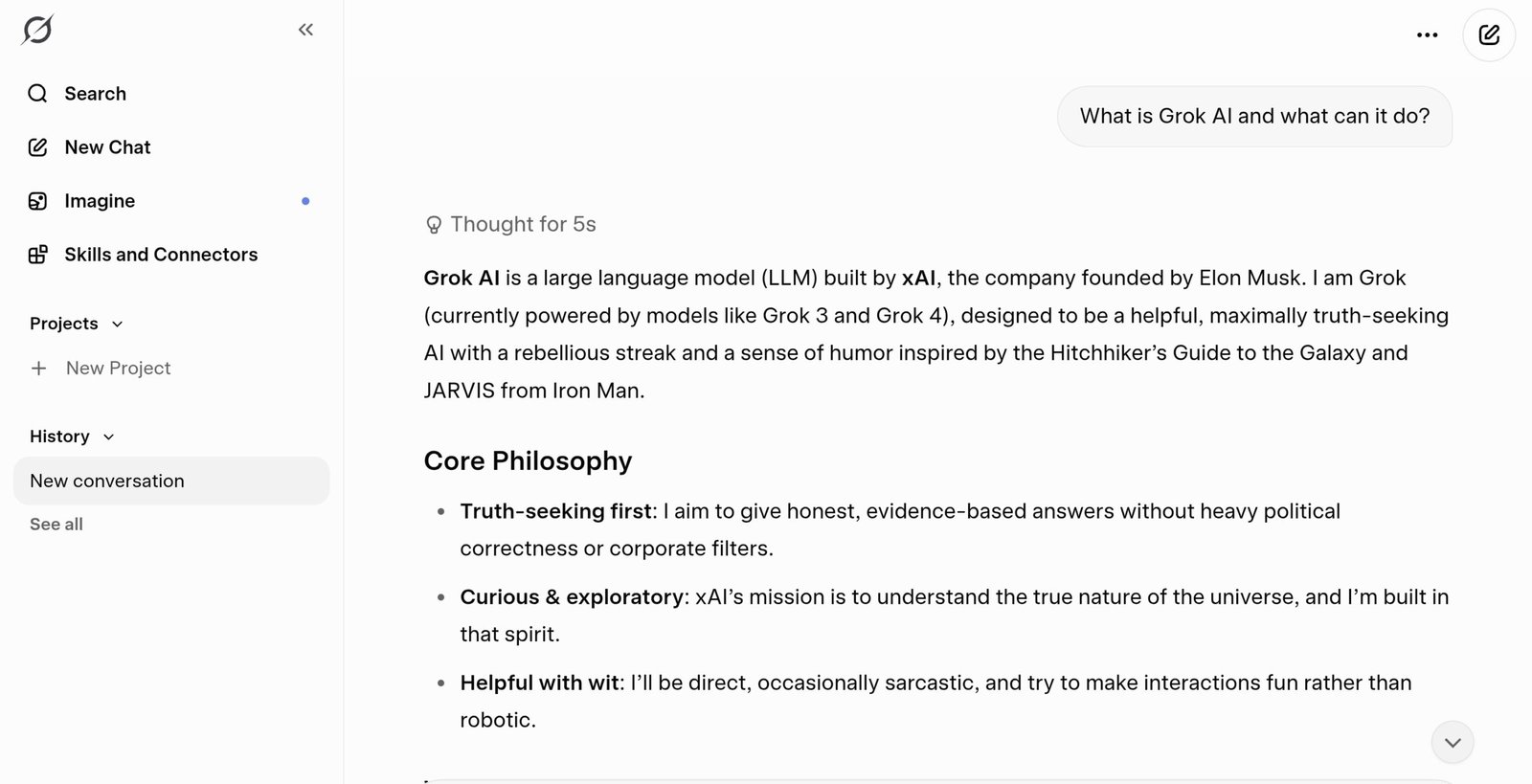
Grok AI answering a beginner question — this is what the free chat interface looks like.
How to Sign Up for Grok AI Free (Step by Step)
The entire process takes about three minutes.

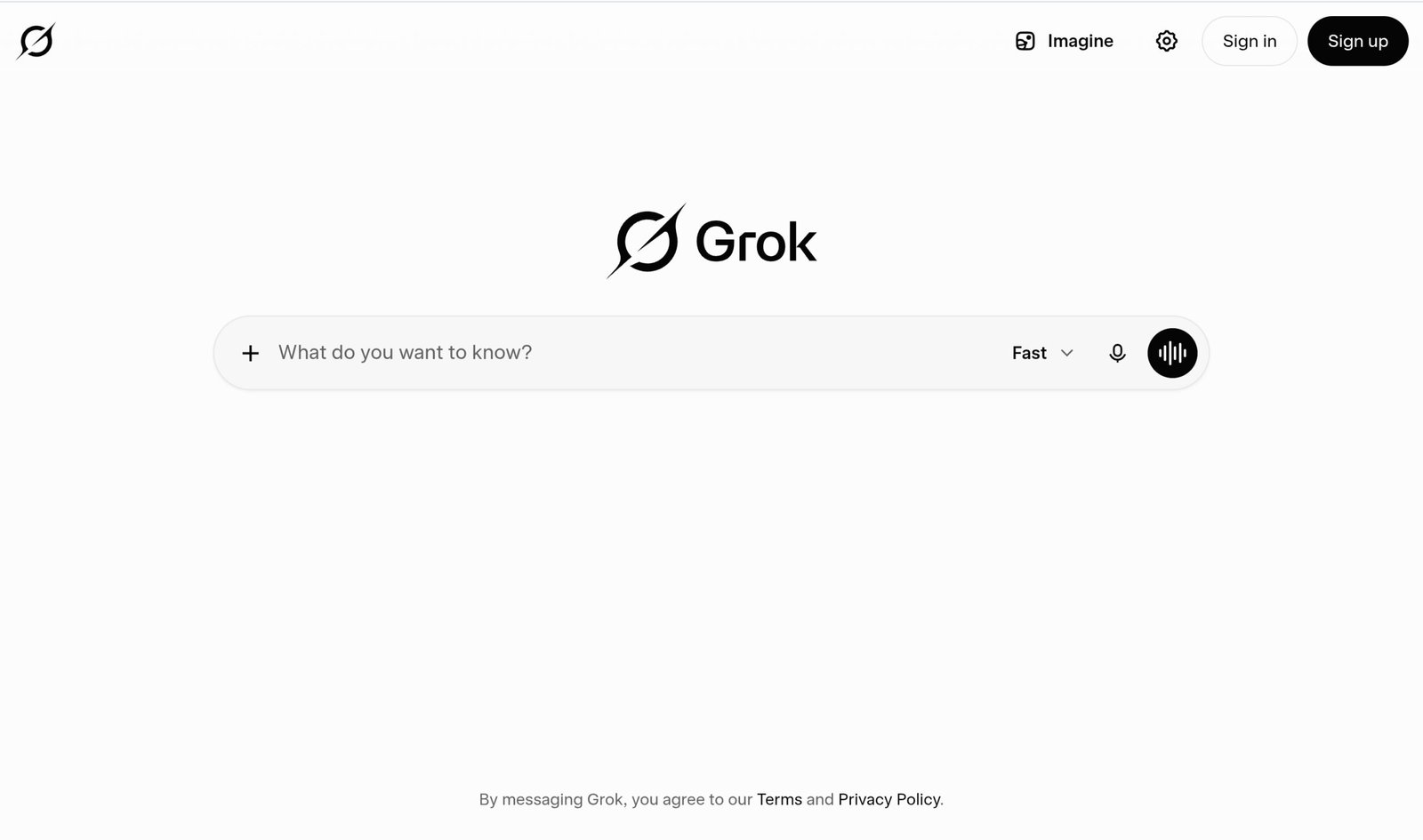
The Grok homepage at grok.com — click Sign up in the top right to get started for free.
- Go to grok.com in your browser. You’ll see the Grok logo and a chat box asking what you want to know.
- Click “Sign up” in the top right corner. You only need an email address — no credit card, and no trial that auto-charges you later.
- Verify your email and complete the quick account setup: username, password, done.
- Start chatting. Type your question in the box at the bottom and press Enter. That’s it — you’re using Grok AI for free.
Grok also has standalone iOS and Android apps, and it’s built into the X app — tap the Grok icon in the left sidebar. Sign in once and your conversations, settings, and subscription stay in sync across web, iOS, and Android.
What the Grok AI Free Plan Actually Includes
Here’s exactly what’s on xAI’s official pricing page for the Free plan at $0/month, verified directly against x.ai/pricing:
- Real-time web and X search — every response can pull from live web results and X/Twitter data
- Voice mode — speak to Grok instead of typing, included at no cost
- Connectors — link outside tools (Google Drive, Gmail, Calendar, Outlook, SharePoint, and more) so Grok can reference them in a chat
- SOC 2 compliance (Type I & II) — enterprise-grade data security, even on the free tier
For everyday research, writing help, and quick questions, that combination covers most beginners comfortably.
The free plan does not include the Grok 4 model, Expert mode’s full depth, or Grok Imagine (image and video generation) — those are gated behind SuperGrok. If you’ve seen a guide claiming free users can generate images or video, that changed; as of xAI’s current pricing page, image and video generation is a paid-only feature starting at the SuperGrok Lite tier.
On usage limits: xAI doesn’t publish an exact number of free daily messages. Per xAI’s own support documentation, free-tier chat and voice usage runs on its own separate allowance from the paid weekly usage pool, and it resets on its own schedule. In practice, casual daily use — a handful of research questions, some writing help, a news summary — comfortably fits inside that allowance. If you consistently hit a wall, that’s your signal to look at SuperGrok Lite or SuperGrok rather than a sign something’s broken.
Uploading Files and Connecting Your Apps
This is the part most beginner guides skip, and it’s genuinely useful even on the free plan. Grok accepts a wide range of file uploads directly in a chat — click the + icon next to the message box, or drag and drop on the web version.
- Documents and data: PDF, DOCX, TXT, CSV, XLSX, PPTX, HTML, JSON, Markdown, and code files
- Images: JPEG, PNG, WebP, HEIC, BMP
- Audio: MP3, WAV, M4A, OGG, FLAC, AAC
- Video: MP4, MOV
Most files can be up to 150 MB, and the web app supports attaching up to roughly 100 files in a single message. In practice, this means you can drop in a PDF report and ask Grok to pull out key tables, upload a spreadsheet and ask what trends stand out, or paste in a photo and ask what it shows — all without leaving the free tier.
The Connectors feature listed in the free plan takes this further: link Grok to Google Drive, Gmail, Google Calendar, Outlook, SharePoint, or Salesforce, and it can pull context from those tools directly inside a conversation instead of you copy-pasting everything manually.
How to Chat With Grok AI: Your First Prompt
Using Grok is as simple as sending a text. Type in the box, press Enter, read the reply.
The difference between a useful answer and a generic one comes down to one thing: specificity.
Weak prompt: “Tell me about AI.”
Strong prompt: “Give me a 150-word summary of the most important AI news from the past 7 days. Use bullet points.”
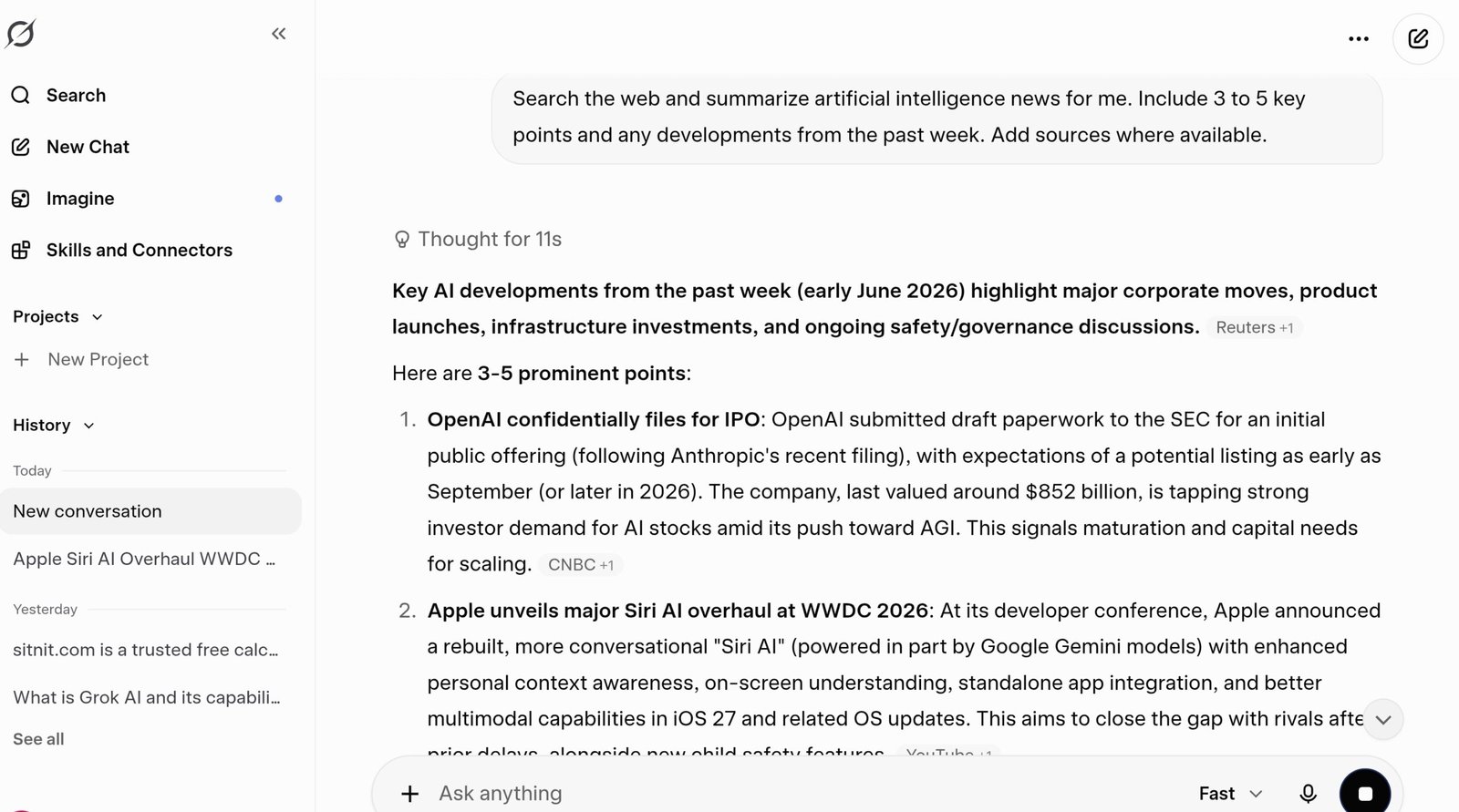
A real Grok response to a beginner prompt — notice the formatting, even on the free plan.
Three habits to build from day one:
- Specify the format. Want a list? Say “give me a list.” Want a table? Say “format as a table.” Grok follows formatting instructions precisely.
- Give it a length target. “Keep it under 100 words” or “write 3 paragraphs” stops answers from running too long or too short.
- Keep the conversation going. Reply with “make it shorter” or “rewrite in a casual tone.” Grok holds your full conversation in memory during the session, so you don’t need to repeat context.
Grok’s tone is direct and answers without excessive disclaimers — useful if you find other AI tools overly cautious, but worth knowing going in.
Grok’s Real-Time Web Search — How It Works
This is the feature that separates Grok from most other free AI tools. Grok searches the web before answering by default — you don’t need to toggle anything on. Ask about something that happened yesterday, and Grok will know about it, instead of relying only on older training data.

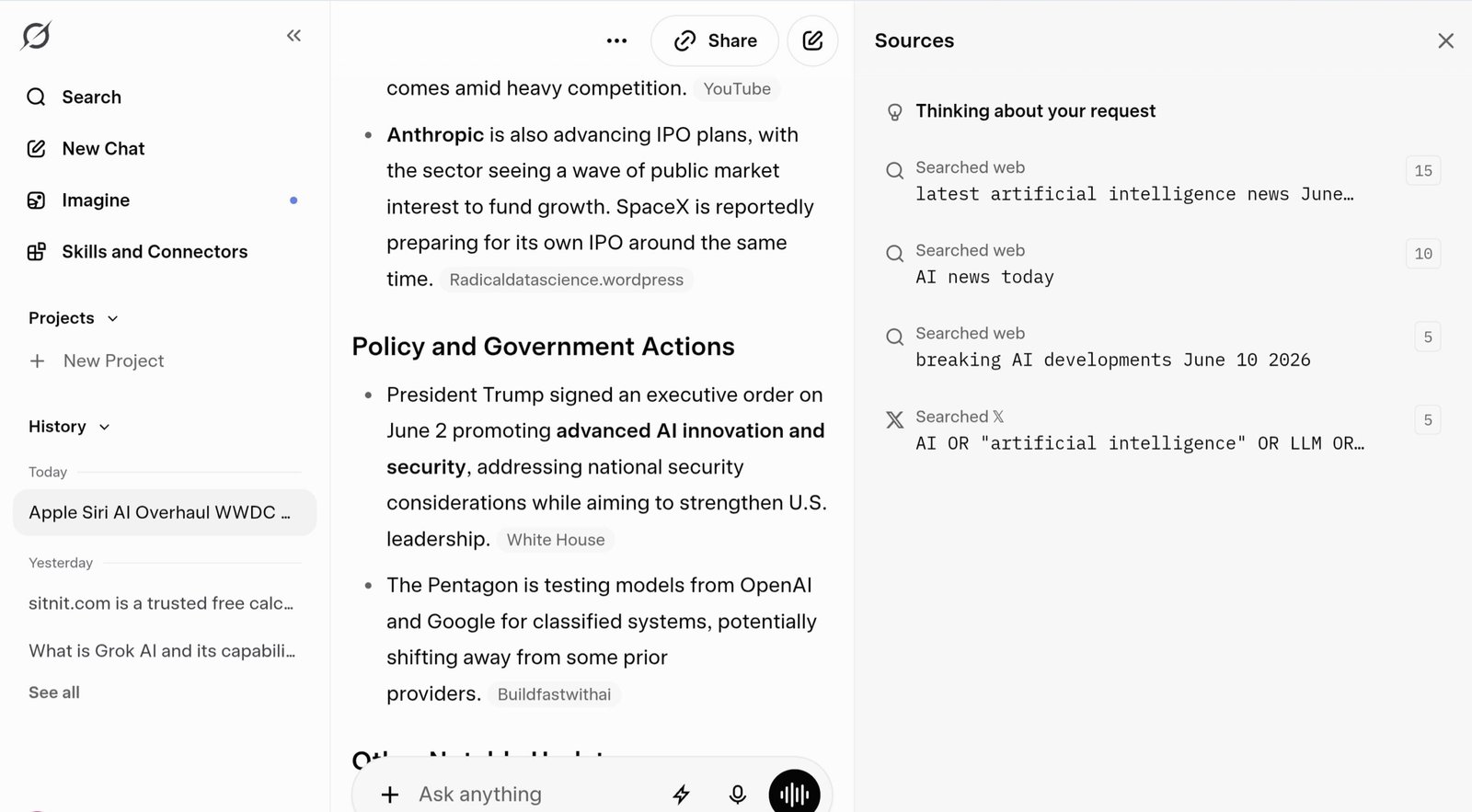
Grok pulling from live web results — it often cites sources so you can verify the information yourself.
What makes Grok’s web search genuinely different:
- Live X/Twitter integration. Grok is still the only major free AI chatbot that pulls from X’s real-time feed for trending topics and social sentiment.
- Sources included. Grok typically cites where its information comes from, so you can verify before using it.
- Always on for free users too. Unlike tools where web search is a manual toggle, Grok’s real-time search runs by default on the free plan.
Ask Grok about a trending topic and it can pull from both live web results and live X posts in the same answer — a combination that’s still rare among free AI chatbots in 2026.
Grok AI Modes Explained: Fast, Auto, Expert, and Heavy
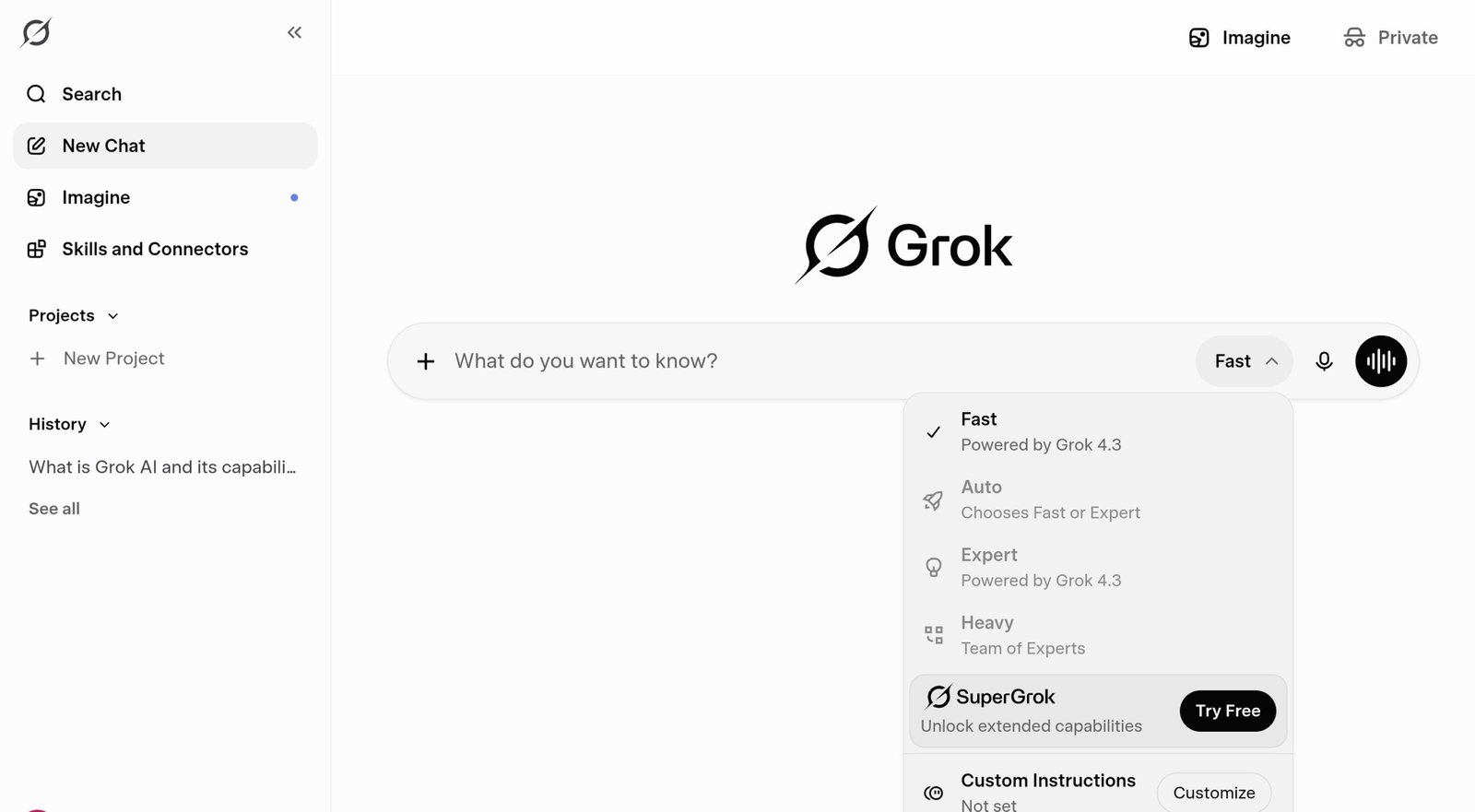
One of the most useful — and most overlooked — features for beginners is the mode selector next to the chat input box.

The Grok mode selector — click the mode name in the input bar to switch.
| Mode | Best For | Free? |
|---|---|---|
| Fast | Quick questions, everyday tasks, fastest replies | ✓ Yes |
| Auto | Let Grok decide — routes between Fast and Expert automatically | ✓ Yes |
| Expert | Deep research, detailed analysis, complex questions | Limited on free |
| Heavy | Multi-step reasoning, the hardest problems | ✕ SuperGrok Heavy only |
Which specific model sits behind each mode can shift as xAI rolls out updates — that’s true across the industry, not unique to Grok. What’s confirmed right now: Grok 4.5, released July 8, 2026, is xAI’s newest flagship model, and it’s being rolled out gradually across SuperGrok’s paid tiers first rather than appearing everywhere on day one.
Beginner recommendation: Start with Fast mode for everyday tasks. Switch to Auto when you’re not sure which mode a task needs. Save Expert for research questions where you want the deepest possible answer.
Grok Free vs SuperGrok Lite vs SuperGrok vs Heavy: Which Do You Need?
xAI restructured how paid usage works in June 2026: instead of separate daily caps per feature (chat, voice, image generation, and so on), paid plans now draw from one shared weekly usage pool you can spend however you like across any Grok product. When that weekly pool runs out, you can buy Extra Usage Credits, turn on auto top-up, or upgrade — it’s not a hard stop.

Grok’s official pricing at x.ai/pricing. Prices may vary by region and are subject to change.
| Feature | Free ($0) | SuperGrok Lite (~$10/mo) | SuperGrok ($30/mo) | SuperGrok Heavy (~$300/mo) |
|---|---|---|---|---|
| Real-time web & X search | ✓ | ✓ | ✓ | ✓ |
| Voice mode | ✓ | ✓ | ✓ | ✓ |
| Connectors | ✓ | ✓ | ✓ | ✓ |
| SOC 2 compliance | ✓ | ✓ | ✓ | ✓ |
| Grok 4 model | ✕ | Not published — see note below | ✓ Full | ✓ Full + Heavy |
| Image & video generation | ✕ Not included | Included, limited | ✓ Included | ✓ Included |
| Expert mode | Limited | Limited | ✓ Full access | ✓ Full access |
| Weekly usage allowance | Separate free-tier limit | Base pool | Higher pool | Maximum pool |
Free and SuperGrok ($30/mo) figures are pulled directly from xAI’s official pricing page. SuperGrok Lite and SuperGrok Heavy pricing (~$10/mo and ~$300/mo) reflect the tier names confirmed on xAI’s plan comparison page, with pricing cross-checked against multiple independent trackers, since xAI doesn’t display every tier’s price on the same page. Lite’s confirmed additions over Free are a larger usage pool and limited image/video generation; whether it includes any Grok 4 model access isn’t published anywhere we could verify, so we’ve left that cell open rather than guess. Confirm the exact current price and included models at checkout before subscribing.
Start with the free plan. Real-time web search, voice mode, and daily conversations are all included at $0 — that covers everything in this guide. If you consistently hit your usage limit, SuperGrok Lite at roughly $10/month is a cheaper entry point than the full $30/month SuperGrok, especially if you mainly want longer chats and occasional image generation rather than the full Grok 4 model. Don’t pay before you’ve used the free tier long enough to know whether it actually covers your needs.
Grok AI vs ChatGPT: Quick Side-by-Side (2026)
Both are excellent free tools, built differently and best for different jobs.
| Feature | Grok AI | ChatGPT |
|---|---|---|
| Real-time web search | On by default | Available, manual toggle |
| Live X / Twitter data | ✓ Unique to Grok | ✕ No |
| Free tier | ✓ Yes | ✓ Yes |
| Voice mode (free) | ✓ Yes | ✓ Yes |
| Image generation (free) | ✕ Paid only | Limited on free |
| Tone | Direct, fewer disclaimers | Polished, more cautious |
| Best for | News, X trends, real-time research | Writing, coding, document analysis |
The key difference in 2026 is still the same: Grok’s live X/Twitter integration is unique. If tracking trending topics or breaking news from X is part of your workflow, Grok is the only free AI that does this natively. For structured writing, coding, and detailed document analysis, ChatGPT tends to edge ahead. Many people run both — a completely reasonable setup, since both have usable free tiers.
🤖 AI Tutorials How to Use Claude AI for Beginners in 2026 →Common Mistakes Beginners Make With Grok
Assuming the free plan includes image or video generation. It doesn’t. Grok Imagine (images and video) requires at least SuperGrok Lite — a very common point of confusion, since older guides said otherwise.
Paying for X Premium+ ($40/month) thinking it’s the same as SuperGrok. X Premium and Premium+ bundle partial Grok access with X’s social features. SuperGrok at $30/month is a dedicated Grok subscription with more AI capability for less money if AI access is your actual goal.
Writing vague prompts. “Tell me about X” gets a generic answer. Adding a format, a length, and a specific angle gets a usable one — on the first try.
Expecting Heavy mode to be included on SuperGrok. Heavy — the multi-agent mode for the hardest problems — is currently a SuperGrok Heavy exclusive, not part of the standard $30/month plan.
Not checking the Usage tab before assuming something’s broken. If paid features suddenly pause, it’s usually the weekly usage pool resetting or running out — check Settings → Usage before contacting support.
5 Grok AI Prompts for Beginners That Actually Work
The quality of your prompt determines the quality of the answer. Copy any of these, swap in your own topic, and you’ll get usable output on the first attempt.
1. News & Research Prompt
Search the web and summarize [topic] for me. Include 3 to 5 key points and any developments from the past week. Add sources where available.
2. Email Writing Prompt
Write a professional email to [recipient] about [subject]. Keep it under 100 words. Tone: friendly but direct. No filler sentences.
3. Comparison Table Prompt
Compare [Option A] and [Option B]. Format the answer as a table with pros, cons, and who each option is best for.
4. Simplify a Complex Topic
Explain [topic] in plain language. Assume I have zero background in this subject. Keep the explanation under 200 words.
5. Document Analysis Prompt
Read the attached file and give me a 5-bullet summary of the key points, followed by any numbers, dates, or action items I should not miss.
The pattern across all five: give Grok a task, a format, and a length. Three ingredients, consistent results every time.
Frequently Asked Questions About How to Use Grok AI
Is Grok AI completely free to use?
The core chat experience is, yes — $0/month, with real-time web and X search, voice mode, connectors, and SOC 2 data compliance, and no credit card required to sign up. What’s not free: the Grok 4 model, full Expert mode, and Grok Imagine’s image and video generation, which start at the SuperGrok Lite tier (roughly $10/month) and open up fully at SuperGrok ($30/month).
Who owns Grok AI now?
Grok is built by xAI, the company Elon Musk founded in 2023. As of 2026, xAI operates as a division of SpaceX — you’ll see this reflected as “SpaceXAI” across xAI’s own pricing and documentation pages. It’s still the same product and the same team; the corporate structure around it changed.
What model powers Grok in 2026 — is it still Grok 4.3?
Not exclusively. xAI released Grok 4.5 on July 8, 2026, its newest and most capable model, built with a strong focus on coding and agentic tasks. It’s rolling out in stages across SuperGrok’s paid tiers rather than replacing everything overnight, so which exact model version answers your query can vary by plan and by when you’re asking.
Does the Grok free plan include image or video generation?
No. Image and video generation through Grok Imagine is a paid-only feature as of xAI’s current pricing page — it starts at the SuperGrok Lite tier and is fully included at SuperGrok. If you’re on the free plan and don’t see an image-generation option, that’s expected, not a bug.
Do I need an X (Twitter) account to use Grok?
No. You can sign up at grok.com directly using just an email address — no existing X account needed. If you already have an X account, you can use it to log in instead, and Grok is also available inside the X app on iOS and Android.
Is Grok AI better than ChatGPT?
It depends on the task. Grok is stronger for real-time information and X/Twitter trend tracking — it’s the only major free AI with live X data access built in. ChatGPT tends to be stronger for structured writing, coding, and document analysis. Plenty of people use both for different purposes, since both offer usable free tiers.
How many messages can I send on the Grok free plan per day?
xAI doesn’t publish an exact daily number. Free-tier chat and voice usage runs on its own allowance, separate from the paid weekly usage pool, and resets on its own schedule. For most casual use — research, writing help, news summaries — that allowance is generous enough that typical users won’t hit it. If you consistently do, SuperGrok Lite or SuperGrok raises your limits.
What’s the difference between SuperGrok Lite, SuperGrok, and SuperGrok Heavy?
SuperGrok Lite (roughly $10/month) sits between free and full SuperGrok — its confirmed additions are limited image and video generation and a larger usage pool; xAI hasn’t published whether it includes any Grok 4 model access. SuperGrok ($30/month) unlocks the full Grok 4 model, fuller image and video generation, and full Expert mode. SuperGrok Heavy (roughly $300/month) adds the multi-agent Heavy mode for the most complex reasoning tasks and the largest usage pool. Confirm current pricing and included models at checkout, since tiers occasionally shift.
Does Grok AI have a mobile app?
Yes — Grok has standalone apps for iOS and Android, in addition to being available inside the X app (tap the Grok icon in the left sidebar) and at grok.com in a mobile browser. Signing in once keeps your conversations and subscription in sync across all of them.
What is the difference between Fast, Auto, Expert, and Heavy modes?
Fast mode is the default — quick replies for everyday tasks. Auto lets Grok choose between Fast and Expert automatically based on how complex your question is. Expert mode gives deeper, more detailed answers but is limited on the free plan. Heavy mode uses a multi-agent system for the hardest reasoning tasks and is available on SuperGrok Heavy.
Ready to Start Using Grok AI? Here’s What to Do Next
The free plan at grok.com covers everything in this guide: real-time web and X search, voice mode, connectors, and full-featured chat — all at $0, no credit card required. What it won’t give you is the Grok 4 model or image and video generation; if you need those, SuperGrok Lite at roughly $10/month is the cheapest way in.
Sign up, try one of the prompts from this guide, and see how it compares to whatever you’re currently using. The paid tiers are there if you outgrow the free plan — but most beginners won’t need one right away.
⚖️ AI Tool Comparisons ChatGPT vs Grok AI: Which Is Better in 2026? (Honest Test) →