Kling AI Free Plan: What You Actually Get and What It Costs to Go Paid
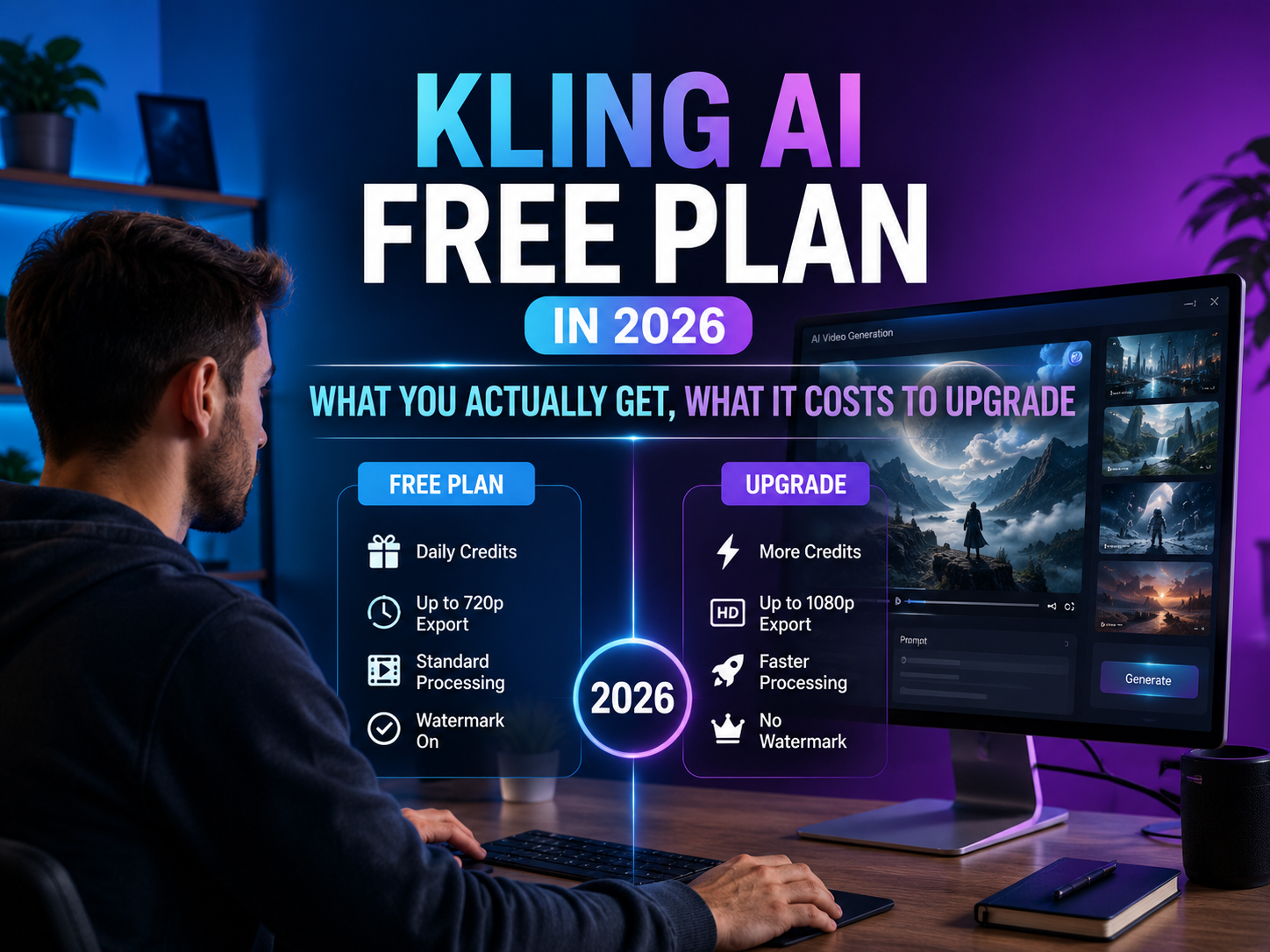
Kling AI has a genuine free plan — 66 credits every 24 hours, no credit card required. That’s enough for a small handful of short clips per day in standard mode. But everything on the free tier carries a Kling watermark, output is capped at 720p, and you cannot use the footage commercially. If you need watermark-free, production-quality video, expect to pay around $10/month for the Standard plan. Here’s exactly how the free plan works, what the credit system looks like in practice, and whether upgrading is worth it for your use case.
What the Kling AI Free Plan Actually Gives You
Kling AI is an AI video generation platform built by Kuaishou Technology, the company behind one of China’s largest short-video apps. It converts text descriptions or still images into short video clips — typically 5 seconds on the free tier — with realistic motion, camera work, and optionally, AI-generated audio. The platform runs entirely in the browser at kling.ai.
The free plan is more functional than most AI tool free tiers, but its limitations are easy to miss on the marketing page. Here’s what you actually get:
- 66 credits per day — resets every 24 hours with no rollover. Unused credits disappear. Worth knowing: Kling has changed this daily allowance before (it was reportedly higher in earlier versions of the free tier), so treat 66 as the current figure, not a permanent one — verify at kling.ai if it’s been a while since you checked.
- Access to Text to Video and Image to Video — the core generation features are both available free.
- Standard quality setting only — Professional mode (higher quality output) is locked behind paid plans.
- Watermarked output — every free-tier video carries a visible Kling watermark. You cannot remove it.
- Personal use only — free-tier content cannot be used for commercial projects under Kling’s terms.
- 720p resolution cap — the free plan outputs at standard resolution; 1080p and above are paid-tier features.
The key benchmark to understand: Kling prices 1 credit at roughly $0.015 (66 credits ≈ $1 of generation capacity, based on the Standard plan’s $10-for-660-credits rate). So the free plan is essentially handing you about a dollar’s worth of generation per day — enough to test whether the platform fits your workflow before committing to a subscription, not enough for regular output.
How Kling AI’s Credit System Works
This is where most new users get confused. Kling charges credits per second of video generated, not per video. The cost per second depends on four variables:
- Model version — Kling 3.0 costs more credits per second than Kling 2.6
- Output resolution — higher resolution costs more (720p is the ceiling on the free plan)
- Video length — a 10-second clip costs roughly double a 5-second clip
- Native audio — AI-generated sound (voice, music, SFX) multiplies credit cost significantly
- 720p, no audio, 5 seconds: roughly 15–30 credits
- 720p, native audio, 5 seconds: roughly 25–45 credits
- 720p, native audio, 10 seconds: roughly double the 5-second cost
On the free plan’s 66 daily credits, that puts you at somewhere between one and four clips a day depending on length and audio — which is why the free tier works best for short, no-audio test clips rather than finished pieces.
Kling AI Pricing — All 5 Tiers
Kling has five pricing tiers. Prices vary by region and change without notice — always verify at kling.ai before subscribing. These figures reflect independent sources as of September 2026:
- Free — $0. 66 credits/day. Watermarked. No commercial use. 720p cap. No Professional mode.
- Standard — ~$10/month. ~660 credits/month. Watermark removed. Commercial use. 1080p. Professional mode.
- Pro — ~$37/month. Higher credit allowance. Same features as Standard. Priority queue.
- Premier — ~$92/month. High-volume production. Annual billing available (~34% discount).
- Ultra — ~$180/month. Highest credit allocation. No annual option.
All paid plans include the same feature set — watermark removal, Professional mode, 1080p, priority queue, commercial rights. The only difference is the monthly credit allowance. Annual billing saves approximately 34% on Standard through Premier. Ultra is month-to-month only.
The upgrade threshold: Standard is the minimum paid tier for anyone producing real content — it removes every meaningful limitation of the free plan for about $10/month. Before upgrading further, run the free plan for a week on your actual use case, track your real credit consumption using the in-app preview, and pick the tier that covers that volume.
How to Use Kling AI Free — Step by Step
1Create your free account
Go to kling.ai and sign up with a Google account or email. No credit card needed. Verify your email to activate the dashboard.
2Check your daily credit balance
Your free credits appear in the top navigation bar once logged in. Note the reset timer — credits expire every 24 hours with no rollover.
3Choose Text to Video or Image to Video
Text to Video generates a clip from a written description. Image to Video animates an existing photo or AI-generated image. For your first free generation, Text to Video is faster to set up and easier to iterate with limited credits.
4Write a specific, detailed prompt
Kling generates better results from specific prompts than vague ones — and on the free plan, wasted generations are costly. Include the main subject, the action, the setting, the camera movement, and the visual style.
Weak prompt: “a woman walking in a city”
Strong prompt: “a woman in a red coat walking through a rainy Tokyo street at night, neon reflections on the wet pavement, slow tracking shot, cinematic wide angle”
5Set duration conservatively and check the credit preview
On the free plan, start with the shortest duration. The real-time credit preview shows exactly what your current settings will cost before you spend anything — a 10-second clip costs roughly double a 5-second clip at the same settings.
6Generate, review, and download
Click Generate. Processing typically takes 2 to 5 minutes. Review the result — if it’s not usable, refine your prompt and regenerate (budget permitting). Download knowing your clip will carry a Kling watermark. For watermark-free output, upgrade to Standard.
Kling AI Video Quality — Realistic Expectations
Kling AI is widely considered one of the strongest AI video generators for realistic human motion and physics simulation. The specific areas where it excels:
- Human figure animation — body movement, facial expressions, and gesture synchronization are more convincing than most competitors
- Physics-based motion — fabric moving in wind, water pouring, objects falling follow realistic trajectories
- Camera movement — tracking shots, pans, and zooms maintain subject framing consistently
- Multi-shot continuity — Kling 3.0 links up to 6 consecutive shots with maintained subject identity
Where it struggles:
- Hand and finger detail — close-ups still produce visible artifacts
- Text within video — readable text in generated clips is unreliable
- Complex multi-character scenes — coherence degrades with many concurrent subjects
- Consistent faces across separate generations — no native character identity maintenance outside the multi-shot feature
Kling AI vs Sora vs Runway — Quick Comparison
The figures below for Sora and Runway are pulled from public pricing pages rather than the same close verification pass given to Kling’s numbers above — confirm current details on each platform directly before relying on them.
Swipe to see all columns
| Feature | Kling AI | Sora (OpenAI) | Runway Gen-4 |
|---|---|---|---|
| Free plan | 66 credits/day | Limited, via ChatGPT | Limited free credits/month |
| Entry paid price | ~$10/month | Via ChatGPT Plus, $20/mo | ~$15/month |
| Physics simulation | Strong | Strong | Good |
| Human motion | Excellent | Excellent | Good |
| Native audio | Available (2.6+) | Not available | Available |
| Max resolution | 4K 60fps (Kling 3.0, paid) | 4K | 1080p |
The practical takeaway: for creators producing a moderate monthly volume, Kling Standard is competitively priced against both alternatives while delivering strong motion quality specifically. Sora’s access is bundled through ChatGPT Plus rather than sold standalone, which changes the comparison if you already pay for that subscription anyway.
Mistakes to Avoid on the Kling AI Free Plan
Enabling native audio without checking the credit cost first
Native audio generation multiplies credit cost. Many first-time users enable it by default and burn most of their daily allocation on a single clip before realizing. Compare the credit preview with and without audio before generating.
Generating 10-second clips during testing
A 10-second clip costs roughly twice as many credits as a 5-second clip at the same settings. Use 5-second clips while you’re still testing a prompt, and move to longer durations only once it’s confirmed working.
Budgeting on the intro price instead of the renewal price
Kling regularly offers discounted first-month pricing. Renewal rates are typically 20–30% higher. Check the standard rate displayed during checkout before subscribing, not just the promotional number.
Is Upgrading from the Free Plan Worth It?
Upgrade to Standard (~$10/month) if you:
- Publish content that requires a clean, watermark-free look
- Produce videos for clients or commercial purposes
- Need consistent 1080p output
- Generate more than a couple of clips per day regularly
- Want access to Professional mode for higher quality
Stay on the free plan if you:
- Are evaluating Kling against other tools before committing
- Produce a small number of personal-use clips per day
- Don’t need commercial rights
- Are new to AI video generation and want to experiment
Use the free plan for a full week on your actual use case before making any upgrade decision. Run the prompts you’d write for real projects and track exactly how many credits you burn per day using the in-app preview. That data tells you whether Standard’s ~660 monthly credits cover your needs or whether you’d hit the ceiling regularly and need Pro.
FAQ
Do Kling AI free credits roll over?
No. Free-tier credits reset every 24 hours and any unused amount is lost — there’s no accumulation. Skip a day and you don’t get double the next day; you’re back to the same daily allowance.
How do I remove the Kling AI watermark?
There’s no free-tier setting for this — it’s tied to the plan, not a toggle you can switch. Upgrading to Standard removes it on every export going forward, but it won’t retroactively clean up clips you already downloaded while on the free plan.
Does Kling AI allow NSFW content?
No. Kling’s terms of service prohibit obscene and pornographic content outright, and that’s enforced at the generation stage itself — text prompts and rendered frames are both checked — across every tier, including API access. There’s no adult mode, and attempting to bypass the filters risks account suspension rather than producing usable output.
Is Kling AI safe to use?
It’s a commercial product from Kuaishou Technology, and signup only asks for a standard email or Google account — nothing unusual. As with any cloud AI tool, treat prompts and uploaded images as visible to the platform, and skip uploading anything you wouldn’t want processed by a third-party service.
Is Kling AI worth it?
The free plan is worth trying just to judge the motion quality, since it costs nothing. Paying makes sense once you need more than a couple of watermark-free clips a week, or any commercial usage rights — Standard at about $10/month clears that bar fast compared to arranging video production another way.
How do I use Kling AI for free?
Sign up at kling.ai with an email or Google account — no card required — and your 66 daily credits are available immediately. Keep to Text to Video, standard mode, 5-second clips with no native audio to stretch them further, and check the credit preview before each generation.
Bottom Line
The Kling AI free plan is one of the more honest free tiers in AI video — real daily credits, no credit card, and genuine access to the platform’s core text-to-video and image-to-video features. What it is not is a free pass to production-quality content. Watermarks, a 720p cap, no Professional mode, and personal-use-only terms make it a testing environment rather than a working tool.
For creators serious about AI video, Standard at ~$10/month is the minimum meaningful entry. It removes every limitation of the free tier at a cost that a single freelance project or sponsored piece of content can recover. The free plan earns its place as the best way to evaluate Kling before spending anything.
Read – Synthesia Review