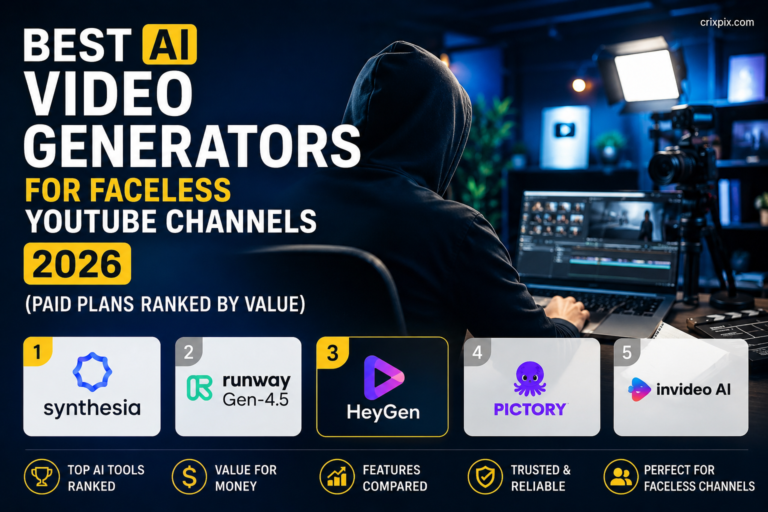
Best Free AI Video Generators 2026 (Tested — No Watermark Options Included)
The best free AI video generators in 2026 can create cinematic clips from a single sentence — no camera, no editing skills, no budget required. But “free” in the AI video world almost never means what you think. Most tools give you a generous preview, slap a watermark on your export, or burn your entire monthly credit on one 5-second test clip. We tested 10 tools on real prompts across every major use case — social media, YouTube, marketing, and creative projects — and ranked them honestly based on what you actually get for free.
In this guide you will find the real free tier limits, the exact watermark policies, and a clear recommendation for every type of creator — whether you are a complete beginner or an experienced video maker looking for the best free AI video tool available right now.
- 🥇 Google Veo 3 — Best overall quality, free via AI Studio, built-in audio
- 🥈 Kling 3.0 — Best free tier credits, no watermark on standard exports
- 🥉 Hailuo AI — Best for social media, fast generation, generous daily quota
- ⭐ Pika AI — Best for video editing + generation, lip-sync free
- ⭐ InVideo AI — Best for beginners, guided workflow, full videos free
🎯 Key Takeaways
- Google Veo 3 produces the highest-quality free AI video in 2026 — with audio generation included
- Kling 3.0 and Hailuo AI offer the most generous free daily credit allowances
- Sora’s free version is limited to 480p, 5-second clips — good for testing, not production
- “Free” rarely means “no watermark” — always check the export policy before choosing a tool
- For YouTube Shorts and Reels, Pika AI and Hailuo support vertical 9:16 format natively on free
- InVideo AI is the only tool that builds complete long-form videos from a text script — free with watermark
- Commercial use on free tiers varies by tool — Kling and InVideo allow it, Sora and Veo restrict it
📋 Table of Contents
The Truth About “Free” AI Video Generators in 2026
The three most common “free” traps in AI video generation are worth knowing before you spend time signing up for tools that will not work for your use case.
Trap 1 — The watermark lock. Many tools generate your video perfectly — then apply a large, permanent watermark that makes the clip unusable for professional or social media purposes. Removing it requires a paid plan. Tools that watermark on free: Sora (partial), InVideo AI, HeyGen, Runway Gen-4.
Trap 2 — The credit burn. You sign up with 50 credits. One 10-second clip costs 40 credits. You have enough for one generation. Tools that burn credits fast on free: Runway Gen-4, Pika (partially), Vidu.
Trap 3 — The resolution cap. The free tier generates video at 480p or 540p — technically usable, but visibly low quality for any serious social media use. Sora’s free version is the primary example: 480p maximum on the free tier.
Full Comparison Table — Best Free AI Video Generators 2026
| Tool | Free Clip Length | Free Credits/Day | Watermark? | Resolution (Free) | Audio? | Best For |
|---|---|---|---|---|---|---|
| 🥇 Google Veo 3 | Up to 8 sec | Limited credits | No | 1080p | ✅ Yes | Best quality overall |
| 🥈 Kling 3.0 | Up to 10 sec | Daily refresh | No (standard) | 1080p | ❌ No | Best free credits |
| 🥉 Hailuo AI | Up to 6 sec | Daily quota | No | 720p | ❌ No | Social media content |
| Pika AI | Up to 5 sec | 150 credits/month | No | 1080p | ⚠️ Limited | Video editing + generation |
| Sora (OpenAI) | Up to 5 sec | ~15 generations/day | No | 480p only | ❌ No | Narrative consistency |
| InVideo AI | Full video | 10 exports/week | Yes — watermark | 1080p | ✅ Yes | Beginners, long videos |
| Runway Gen-4 | Up to 5 sec | 125 credits total | No | 720p | ❌ No | Creative professionals |
| HeyGen | Up to 30 sec | 3 videos/month | Yes — watermark | 720p | ✅ Yes (avatar) | AI avatar / talking head |
| Seedance 2.0 | Up to 5 sec | Limited daily | No | 1080p | ❌ No | Fastest generation |
| Luma Dream Machine | Up to 5 sec | 30 free/month | No | 720p | ❌ No | Smooth realistic motion |
Top 10 Best Free AI Video Generators in 2026 — Full Ranked Reviews
Here are the best free AI video generators in 2026, ranked by the overall value of their free tier — not just their paid capabilities. Each review covers exactly what you get for free, the real watermark policy, and who each tool works best for.
1. Google Veo 3 🥇 Best Overall Quality — Free with Audio
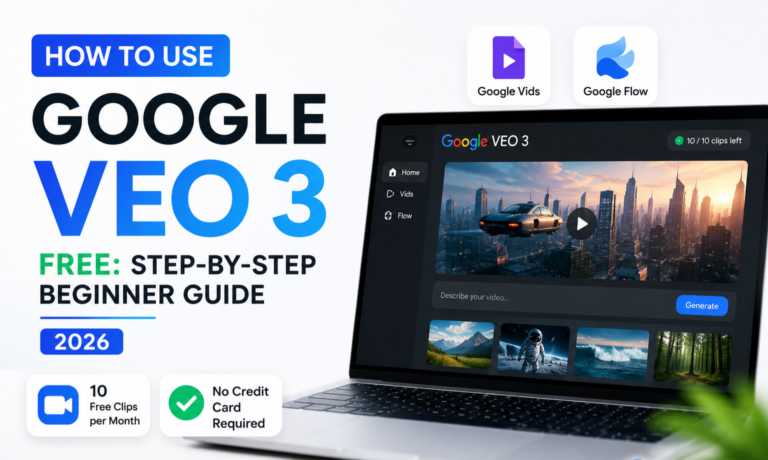
Free via AI Studio No Watermark Built-in Audio Generation 1080p FreeGoogle Veo 3 earns the top spot as the best free AI video generator in 2026 by a clear margin. The output quality is cinematic — accurate physics, natural motion, and a genuine understanding of complex multi-element prompts that competitors struggle with. More importantly, Veo 3 is the only major free AI video generator that includes built-in audio generation — producing matching sound effects, ambient audio, and even dialogue that syncs with the visual content. No other free tool offers this.
Access is available through Google AI Studio on the free tier with a monthly credit allowance. The Gemini app also provides Veo 3 access on select free plans. There is no watermark on standard exports. Resolution reaches 1080p on free generation — a significant advantage over Sora’s 480p free limitation.
✅ Pros
- Highest output quality of any free AI video tool in 2026
- Built-in audio generation — unique among free tools
- 1080p resolution on free tier — no quality cap
- No watermark on standard free exports
- Understands complex, multi-element prompts better than competitors
- Physics and motion accuracy is genuinely cinematic
❌ Cons
- Monthly free credit limit — runs out faster than Kling or Hailuo
- Requires a Google account and AI Studio access
- Commercial use on free tier has restrictions — check terms before client use
- Longer generation time than faster tools like Seedance
Free access: Google AI Studio (free tier) | Paid: Via Google Vertex AI and Gemini plans
2. Kling 3.0 🥈 Best Free Daily Credits — No Watermark
Daily Credit Refresh No Watermark (Standard) Up to 10 Seconds Free 1080pKling 3.0 has the most generous and sustainable free tier of any AI video generator in 2026. Unlike tools that give you a one-time credit bank that depletes in a day, Kling refreshes your free credits daily — meaning you can generate video consistently every day without paying. The output quality is specifically strong for human-centric content: walking, running, dancing, facial expressions, and complex physical interactions like pouring liquids are rendered with physics accuracy that competes with Veo 3 in specific scenarios.
The no-watermark policy on standard free exports is what truly separates Kling from most competitors. You can generate, download, and use Kling clips for social media content without any visible branding from the tool. This makes it the most practically useful free AI video generator for daily social media creators.
✅ Pros
- Daily free credit refresh — sustainable long-term free use
- No watermark on standard resolution free exports
- Best human motion and face consistency of any free tool
- 1080p quality available on free tier
- 10-second clips — longer than most free tools
- Commercial use permitted on free plan
❌ Cons
- Slower generation compared to Seedance or Hailuo
- No built-in audio generation
- High-quality mode (Kling Pro) requires paid credits
Free access: klingai.com — free with account | Paid credits available for higher generation volume
3. Hailuo AI 🥉 Best for Social Media Content
Daily Free Quota No Watermark Fast GenerationHailuo AI has quietly become one of the most used free AI video generators among social media creators in 2026. Its daily free quota is genuinely useful — enough to produce multiple short clips per day for Instagram Reels, TikTok, and YouTube Shorts content. Generation speed is faster than Veo 3 or Kling, which matters when you are producing content on a publishing schedule. The output quality is strong enough for social media, with clean motion and good colour accuracy.
Hailuo supports vertical 9:16 aspect ratio natively — critical for Reels and Shorts creators who need portrait-orientation video. Combined with the daily free quota and no-watermark policy, it is the most practical free tool specifically for social media video production.
✅ Pros
- Fastest generation speed of the top three tools
- Native 9:16 vertical format for Reels and Shorts
- Daily free quota refreshes — sustainable workflow
- No watermarks on free downloads
- Clean, consistent output for social media use cases
❌ Cons
- 720p maximum on free tier — not 1080p like Kling or Veo 3
- Shorter maximum clip length (6 seconds) vs Kling (10 seconds)
- No audio generation
Free access: hailuoai.video — free account required
4. Pika AI Best for Video Editing + AI Generation
150 Credits/Month Free No Watermark Lip-Sync FreePika AI occupies a unique position among the best free AI video generators because it excels at two things most tools ignore: editing existing video with AI, and lip-syncing audio to video automatically. You can start with existing footage and use Pika to extend the video, add objects, remove elements, or restyle the entire visual in seconds. The lip-sync feature — where you upload audio and Pika animates a subject’s mouth to match — is genuinely useful for creators making talking-head content or animated explainers.
The free plan provides 150 monthly credits — enough for roughly 15–20 video generations. No watermark on standard exports. 1080p resolution available. For creators who want AI editing tools alongside generation, Pika is the strongest free option available.
✅ Pros
- Lip-sync feature available on free plan — unique capability
- Edit existing video with AI — not just generation
- Video extension — make clips longer with AI
- 1080p, no watermark on free downloads
- Outpaint feature — extend image borders with AI
❌ Cons
- 150 monthly credits is not a daily quota — runs out mid-month for heavy users
- 5-second clip limit on free is shorter than Kling’s 10 seconds
- No audio generation from scratch
Free access: pika.art — free with account, 150 credits/month
5. OpenAI Sora Best for Narrative & Storytelling Videos
Free via ChatGPT 480p on Free Tier Best Narrative ConsistencyOpenAI Sora is the most famous name in AI video generation — and its free tier, accessible through ChatGPT, is genuinely useful for testing and low-stakes creation despite significant limitations. Sora’s core strength is narrative consistency and emotional depth. It understands complex, story-driven prompts better than most competitors — maintaining character identity across multi-shot sequences and generating video that feels like a directed scene rather than a random clip.
The free tier limitation is significant: 480p maximum resolution and 5-second maximum clip length. This makes Sora’s free version unsuitable for production-quality social media content but excellent for storyboarding, concept testing, and learning how to write AI video prompts before committing to a paid tool.
✅ Pros
- Best narrative consistency of any AI video tool — free or paid
- Accessible through ChatGPT — no new account required
- No watermark even on free tier
- Excellent for storyboarding and concept testing
- Produces ~15 generations per day on free tier
❌ Cons
- 480p resolution only on free — not usable for production
- 5-second maximum clip length
- No audio generation
- Commercial use restrictions on free tier outputs
Free access: Via ChatGPT free account | Paid: ChatGPT Plus $20/month
6. InVideo AI Best for Beginners — Full Videos Free
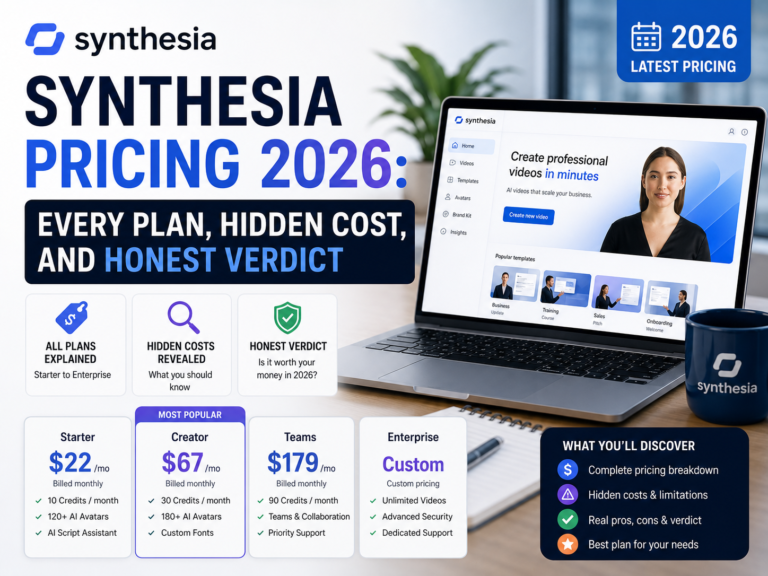
10 Exports/Week Free Watermark on Free Script-to-Full-Video Voiceover + Music IncludedInVideo AI is fundamentally different from every other tool on this list. While tools like Veo 3 and Kling generate 5–10 second clips from a prompt, InVideo takes a full script or topic and builds a complete 2–10 minute video — with stock footage, AI voiceover, background music, subtitles, and transitions assembled automatically. You type “Create a 3-minute explainer video about how to use AI tools for social media” and InVideo builds the entire thing without you touching a timeline.
The free plan generates 10 videos per week with a watermark. For YouTube creators, educators, and marketers who want to publish full-length AI videos without video editing skills, InVideo is the most accessible free path available.
✅ Pros
- Creates complete long-form videos from a text prompt or script
- AI voiceover and background music included on free plan
- No video editing skills required — fully automated
- 10 exports per week is genuinely useful for content creators
- 1080p export quality on free tier
- Stock footage library built in
❌ Cons
- Watermark on all free exports — visible in bottom corner
- Uses stock footage rather than AI-generated visuals — different from Veo/Kling
- Less creative control than prompt-based tools
Free access: invideo.io — free with account, 10 videos/week | Plus from $20/month (no watermark)
7. Runway Gen-4 Best for Creative Professionals
125 Credits Total (One-Time) No Watermark Best Creative ControlRunway Gen-4 is the professional’s choice for creative video production — but its free tier is the least sustainable on this list. You receive 125 one-time credits on signup (not a monthly or daily refresh). Each generation costs approximately 5 credits, giving you roughly 25 generations before you need to pay. No watermark. 720p on free tier.
What Runway offers that no other tool matches is camera control precision — you can specify camera movement (dolly, pan, tilt, orbit), shot composition, and lighting direction with more accuracy than any other consumer AI video tool. For creative directors, filmmakers, and ad agencies who need precise visual control, Runway Gen-4 is the industry standard.
✅ Pros
- Most precise camera movement control of any tool
- No watermark on free credits
- Industry standard for professional video production
- Multi-modal: text-to-video, image-to-video, video-to-video
- Act-One feature for character performance animation
❌ Cons
- Only 125 total free credits — runs out quickly, no refresh
- Paid plans start at $15/month — most expensive on this list
- 720p on free tier — lower than Kling or Veo 3 free
Free access: runwayml.com — 125 free credits on signup | Standard $15/month
8. HeyGen Best Free AI Avatar Video Generator
3 Videos/Month Free Watermark on Free AI Avatar + VoiceoverHeyGen is the leading AI avatar video generator in 2026. You select an AI avatar, type a script, and HeyGen generates a video of that avatar speaking your script with natural lip movement and voice synthesis. This is entirely different from Veo 3 or Kling — HeyGen is for creating presenter-style, talking-head, or explainer videos where a human-looking avatar delivers your message to camera.
The free plan provides 3 videos per month up to 30 seconds each — enough to test the technology seriously. Watermark is present on all free exports. This is the go-to tool for marketers, online course creators, and businesses that want professional-looking spokesperson videos without hiring human talent.
✅ Pros
- Best AI avatar quality — most human-looking presenter videos
- 300+ avatar options, multiple languages and accents
- Voice cloning available — create your own AI voice
- Video translation — translate existing videos into 40+ languages
- Useful free tier for testing (3 videos/month)
❌ Cons
- Watermark on all free exports
- Only 3 videos per month free — very limited
- Avatar videos only — not text-to-video cinematic generation
Free access: heygen.com — 3 free videos/month | Essential $24/month
9. Seedance 2.0 Fastest AI Video Generation
Free Daily Limit No Watermark Fastest Generation SpeedSeedance 2.0 is the fastest high-quality AI video generator available in 2026. Where Veo 3 might take 60–90 seconds to generate a clip, Seedance delivers results in approximately 30 seconds with consistently high quality and fewer generation failures than most competitors. For creators who need to iterate quickly — testing multiple prompt variations in a short session — Seedance’s speed is a genuine productivity advantage.
Output quality is strong — not quite at Veo 3’s cinematic level but ahead of most other free tools for consistency and reliability. No watermark on free exports. The daily free limit is modest but sufficient for regular testing and moderate social media output.
✅ Pros
- Fastest generation speed — ~30 seconds per clip
- High consistency — fewer failed or distorted generations
- No watermark on free downloads
- 1080p quality available
❌ Cons
- Modest daily free limit — not suitable for high-volume production
- Less creative range than Veo 3 or Kling on complex prompts
- No audio generation
Free access: Via Seedance platform | Paid plans available for higher volume
10. Luma Dream Machine 30 Free Videos/Month
30 Videos/Month Free No Watermark Smooth Realistic MotionLuma Dream Machine offers one of the most generous monthly free allowances on this list — 30 video generations per month at no cost. The output specialises in smooth, physically accurate motion — fluid dynamics, fabric movement, and environmental elements like water and fire render with particular realism. No watermark on free exports. 720p resolution on free tier.
Luma does not have the cinematic quality ceiling of Veo 3 or the credit sustainability of Kling, but 30 videos per month is enough to run a consistent social media video schedule entirely for free — making it one of the better volume-focused free options.
✅ Pros
- 30 free videos per month — most generous monthly allowance
- Exceptional fluid and environmental motion realism
- No watermark on free exports
- Image-to-video supported on free plan
❌ Cons
- 720p on free tier — not 1080p
- 5-second clip limit
- Weaker on human faces and complex character scenes
Free access: lumalabs.ai — 30 free generations/month | Plus $29.99/month
How to Write Prompts That Get the Best Results from Free AI Video Generators in 2026
The single biggest difference between creators who get professional results from free AI video tools and those who get generic outputs is prompt quality. Here are the exact prompt structures that work across every tool on this list.
The 5-Element Prompt Formula
Prompt Templates for Common Use Cases
- Social media product shot: “[Product name] rotating slowly on a clean white surface, studio lighting with subtle shadows, 360-degree camera orbit, 4K photorealistic, commercial product photography style”
- Nature/travel content: “Aerial drone shot sweeping over [location], sunrise, golden light breaking through clouds, slow camera pan left, cinematic, IMAX quality”
- Abstract/brand intro: “Abstract flowing liquid metal in [brand colour], swirling slowly, black background, macro close-up, loop-friendly motion, luxury brand aesthetic”
- Character scene: “A [description] person walking through [location], rear tracking shot, [time of day] lighting, [emotion] mood, [film style] aesthetic, smooth camera movement”
Free AI Video Creator Workflow — Professional Results at $0
This is the complete free workflow used by social media creators and YouTube content makers to produce professional AI video content without paying for any tool. Every step uses the best free AI video generators from this guide.
Open ChatGPT free. Prompt: “Write 5 AI video prompts for a [your niche] Instagram Reel about [topic]. Each prompt should include subject, action, setting, camera movement, and visual style. Optimise for a 6-second vertical video format.” Save your best 3 prompts to use in generation.
Paste your best prompt into Kling 3.0 or Hailuo AI using your daily free credits. Generate 2–3 variations of the same scene — slightly different prompt wording for each. Choose the strongest clip. Both tools export watermark-free at no cost. If you need higher cinematic quality, use your Google Veo 3 AI Studio credits for the most important clips.
For YouTube content, pair your AI video with a compelling thumbnail. Use our guide to the best AI tools for YouTube thumbnails to create a matching cover image using free AI image generators like Leonardo AI — which gives you 150 free images per day.
Import your AI video clip into Canva free. Add text overlays, animated captions, and royalty-free background music from Canva’s built-in library. Export at the correct size for your platform — 1080×1920 for Reels and Shorts, 1920×1080 for YouTube. Total additional cost: $0.
Upload the finished video to Buffer’s free plan and schedule it to post at the optimal time suggested by the AI. Write your caption using ChatGPT or Buffer AI Assist. Total weekly time for 3–5 AI video posts across platforms: under 45 minutes using this workflow.
Which Best Free AI Video Generator Is Right for You in 2026?
Use this table to find your exact match from the best free AI video generators in 2026 based on your specific situation:
| Your Situation | Best Free Tool | Why |
|---|---|---|
| I want the absolute best quality — quality over quantity | Google Veo 3 | Highest cinematic quality + audio generation, 1080p, no watermark |
| I want to generate video every day for free, sustainably | Kling 3.0 | Daily credit refresh, no watermark, 10-second clips, commercial use allowed |
| I create Instagram Reels or YouTube Shorts | Hailuo AI | Native 9:16 vertical, fast generation, daily quota, no watermark |
| I want to edit existing videos with AI | Pika AI | Only free tool with lip-sync, video extension, and AI editing built in |
| I am a complete beginner and want full videos automatically | InVideo AI | Script-to-full-video with voice, music, and transitions — no editing skills |
| I need an AI spokesperson or avatar video | HeyGen | Best AI avatar quality, multilingual, voice cloning available |
| I am a filmmaker or creative professional | Runway Gen-4 | Best camera control precision, industry standard, no watermark on free |
| I want the most free videos per month (volume) | Luma Dream Machine | 30 free generations per month — most generous monthly allowance |
| I need the fastest generation speed for rapid iteration | Seedance 2.0 | ~30 second generation time, consistent quality, no watermark |
| I want to test AI video before committing to any tool | Sora (via ChatGPT) | No new account needed, best narrative prompting, concept testing without watermark |
10 Frequently Asked Questions — Best Free AI Video Generators 2026
What is the best free AI video generator in 2026?
Google Veo 3 is the best free AI video generator in 2026 for overall quality — it produces cinematic output with built-in audio generation available through Google AI Studio’s free tier. For the most generous free daily credits, Kling 3.0 and Hailuo AI are the strongest options. For beginners who want complete long-form videos without editing skills, InVideo AI has the most guided and accessible free workflow.
Which free AI video generator has no watermark?
Kling AI, Hailuo AI, Pika AI, Google Veo 3, Sora (free tier), Seedance 2.0, Runway Gen-4 (on free credits), and Luma Dream Machine all offer watermark-free exports on their free plans. InVideo AI and HeyGen apply watermarks to free exports. Always verify the current watermark policy directly on the tool’s website before planning a project, as policies change regularly.
Is Google Veo 3 free to use?
Yes. Google Veo 3 is accessible for free through Google AI Studio with a limited monthly credit allowance and through the Gemini app on select free plans. The free tier generates 1080p clips up to 8 seconds long with no watermark and includes built-in audio generation — a feature not available on any other major free AI video tool in 2026.
Can I use free AI video generators for commercial purposes?
It depends on the specific tool. Kling AI and InVideo AI explicitly allow commercial use on their free plans. Sora and Veo 3 have restrictions on commercial use of free-tier outputs — you must check their current terms of service. Runway Gen-4 free credits permit personal use but restrict commercial use. Always verify the current commercial licensing terms directly on the platform before using AI-generated video in paid advertising, client deliverables, or monetised content.
How long can free AI video generators make videos?
Most free AI video generators in 2026 produce clips between 4 and 10 seconds. Sora’s free version generates up to 5 seconds. Kling 3.0 generates up to 10 seconds on its free tier — the longest of any quality free generator. InVideo AI is the exception: it generates complete videos up to 15 minutes long on the free plan, but these use stock footage rather than AI-generated visuals and include a watermark. Longer pure AI-generated video clips typically require a paid plan on all tools.
What is the easiest free AI video generator for complete beginners?
InVideo AI is the easiest free AI video generator for complete beginners in 2026. You type a topic or paste a script, choose a visual style and voice, and InVideo automatically assembles a full video with stock footage, AI voiceover, background music, captions, and transitions. No prompt engineering knowledge is required. The free plan produces watermarked videos but the guided, automated workflow is the most beginner-accessible of any tool on this list.
Which AI video generator is best for YouTube Shorts and Instagram Reels?
Hailuo AI and Pika AI are the best free AI video generators for YouTube Shorts and Instagram Reels in 2026. Both support vertical 9:16 format natively, generate short clips quickly, and produce smooth motion well-suited for social media content. Hailuo’s daily free quota and fast generation speed make it the better choice for high-volume social media publishing. Pika is stronger when you need to edit or extend existing footage alongside generating new clips.
Does Sora have a free version in 2026?
Yes. Sora has a free tier accessible through the ChatGPT free plan in 2026. The free version generates 480p videos up to 5 seconds long and produces two variations per prompt. No watermark is applied to free exports. The 480p resolution makes free Sora output unsuitable for professional social media content but excellent for storyboarding, concept testing, and learning AI video prompting techniques before committing to a paid upgrade.
Can free AI video tools generate audio as well as visuals?
Yes — but very few free tools include audio generation. Google Veo 3 is the standout free tool for AI video with built-in audio, producing both visuals and matching sound effects or ambient audio in one generation. InVideo AI includes AI voiceover and background music on its free plan, but uses stock footage rather than AI-generated visuals. HeyGen’s free tier includes AI avatar speech synthesis. Most other free video generators — Kling, Hailuo, Pika, Runway, Sora — produce silent clips that require separately added audio.
How do I write a good prompt for a free AI video generator?
A strong AI video prompt includes five elements: subject (what or who is in the video), action (what movement is happening), setting (location, time of day, weather), camera (shot type and movement — wide shot, dolly, static, handheld), and style (cinematic, photorealistic, anime, 3D render). Example of a strong prompt: “A young woman walking through a rainy Tokyo alley at night, cherry blossoms falling, slow-motion rear tracking shot, cinematic wide frame, neon reflections on wet pavement, photorealistic.” The more specific each element, the more consistent and professional the output. Vague prompts produce generic, unremarkable clips regardless of which tool you use.
Final Verdict — Which Best Free AI Video Generator Should You Start With Today?
The best free AI video generators in 2026 have genuinely closed the gap with professional video production tools. A creator using Kling 3.0 daily plus Google Veo 3 for premium clips can produce social media video content that would have required a professional videographer two years ago — at zero cost.
The key is choosing the right tool for the right use case rather than committing to one tool for everything. This guide gives you exactly that — a clear map of what each free tool does best, so every credit you spend produces usable, professional output.
🚀 Start Creating Free AI Videos Today
Sign up for Kling 3.0 free → test your first prompt in under 5 minutes → add Google AI Studio for your highest-quality clips.
Bookmark CrixPix.com — we test and rank every new AI video tool the week it launches, so you always know which best free AI video generators are worth your time in 2026. 🎬