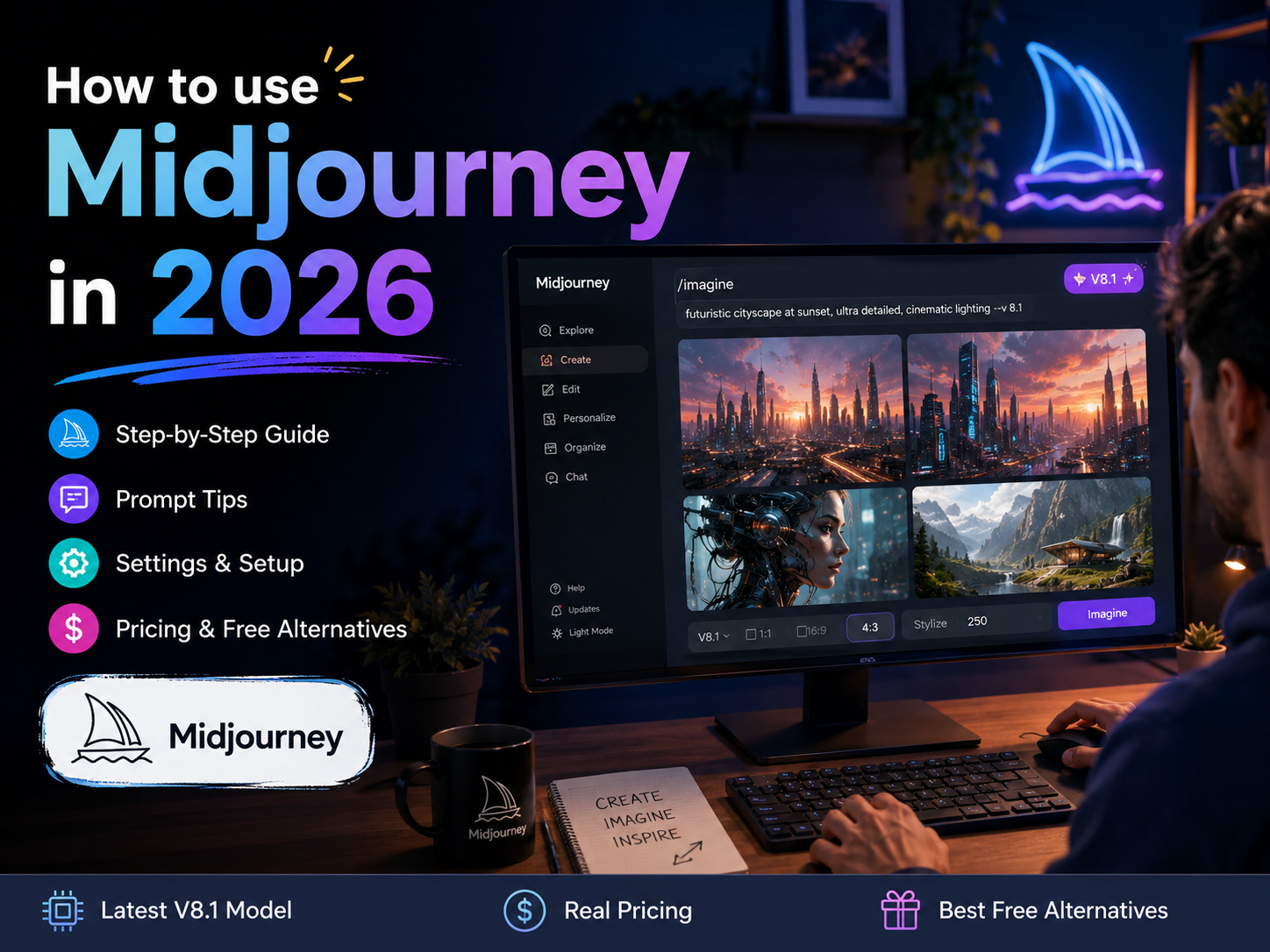
Most “how to use Midjourney” guides open by telling you to grab a free trial. Midjourney hasn’t had one since 2023 — so that advice wastes your first five minutes. A newer myth has replaced it: that Meta AI secretly runs on Midjourney’s engine, so you can get Midjourney quality for free through Meta AI. That claim shows up in a lot of 2026 tutorials. It’s more complicated than either “true” or “false” — we’ll walk through exactly what happened below, before it costs you time chasing something that no longer exists.
This guide on how to use Midjourney in 2026 skips both myths and gives you what actually works right now: what Midjourney costs, which genuinely free tools exist as alternatives, and a real step-by-step walkthrough of setup, your first image, and prompt writing — verified against Midjourney’s own documentation and live interface.
⚡ Quick Answer
How to use Midjourney in 2026: Go to midjourney.com, sign up with Google or Discord, choose a paid plan (from $10/month — there’s no free trial), and type a prompt to generate your first image. The current default model is V8.2, which became the default on July 24, 2026. If you want to test AI image quality for free first, use Leonardo AI’s free tier or Google Gemini’s free image generator before paying for Midjourney — Meta AI’s free tool (Muse Image) is now a separate, in-house Meta model, not Midjourney’s technology, though Meta AI briefly did run on licensed Midjourney tech before that changed in July 2026.
📋 Table of Contents
- What Is Midjourney?
- Is Midjourney Free in 2026? (And the Meta AI Myth, Explained)
- Midjourney Pricing 2026 — Which Plan to Choose
- How to Set Up Midjourney Step by Step
- Creating Your First Image
- Midjourney V8.2 Explained — Which Version to Use
- How to Write Midjourney Prompts That Work
- Key Parameters Beginners Should Know
- Can Midjourney Make Videos?
- 5 Pro Tips for Beginners
- Midjourney vs Free Alternatives
- Does Midjourney Have a Mobile App?
- FAQ
- Conclusion
What Is Midjourney?
Midjourney is a text-to-image AI generator. You type a description — “a samurai standing in a neon-lit Tokyo alley at night, cinematic” — and within seconds Midjourney turns those words into a set of original images. It’s built and run independently by a small, self-funded research lab (no outside investors), and it’s widely regarded as one of the strongest tools available for artistic and photorealistic image quality.
The current default model, V8.2, became Midjourney’s standard version on July 24, 2026, replacing V8.1 (which had itself only been default since June 10). V8.2 is described by Midjourney as focused on aesthetics, image quality, and personalization — images trend more creative, bold, and sophisticated by default — and it introduced a new unified Edit Model that replaces three separate V8.1/V7 tools: Omni Reference, Character Reference, and the Retexture tool. We cover exactly what that means in the V8.2 section below.
Is Midjourney Free in 2026? (And the Meta AI Myth, Explained)
Short answer: no. Midjourney removed its free trial in 2023 after the servers were overwhelmed by unlimited free signups, and it hasn’t brought one back. The cheapest way in is the $10/month Basic plan.
Here’s the myth, and the more accurate version of it: a lot of 2026 articles claim that Meta AI (at meta.ai) gives you unlimited free Midjourney-quality images because “Meta AI runs on Midjourney’s technology.” That claim was actually true for a while — Meta previously licensed and used Midjourney’s (and Black Forest Labs’) models to power image generation inside the Meta AI app. That changed on July 7, 2026, when Meta Superintelligence Labs launched Muse Image, its own in-house image model, and Meta ended its use of third-party models including Midjourney for this purpose. So as of today, Meta AI’s free image generator runs on Meta’s own model, not Midjourney’s — the myth is now false, but it wasn’t always false, which is why so many still-circulating guides get this mixed up.
If you want to test AI image generation without paying for Midjourney, these free options are genuinely free today:
- Leonardo AI (free tier) — 150 tokens per day, resetting every 24 hours. Since a standard image typically costs 4–8 tokens, that works out to roughly 20–30 images per day, not a flat “150 images” as some guides claim. Free-tier images are public and Leonardo retains rights to reuse them.
- Google Gemini’s free image tool (“Nano Banana”) — around 100 images per day through the Gemini app, at solid resolution.
- Meta AI (Muse Image) — free, effectively unlimited generations inside the Meta AI app, Instagram, and meta.ai. Good for quick social content; it is Meta’s own in-house model as of July 2026, not a substitute for Midjourney’s specific aesthetic.
💡 Recommended approach: Spend 20–30 minutes on Leonardo AI or Gemini first to see if AI-generated images fit your workflow at all. If you specifically want Midjourney’s distinctive cinematic look and you’re generating regularly, the $10/month Basic plan is the next step — see the full breakdown below.
Midjourney Pricing 2026 — Which Plan Should You Choose?
Midjourney sells GPU compute time, not a fixed image count, which is the part that trips up most new subscribers. Here’s exactly what each of the four tiers includes, verified against Midjourney’s official plan comparison:
| Plan | Monthly | Annual (effective) | Fast GPU Hours | Relax Mode | Stealth Mode | Best For |
|---|---|---|---|---|---|---|
| Basic | $10 | $8/mo | 3.3 hrs | ❌ No | ❌ No | Testing the tool for the first time |
| Standard | $30 | $24/mo | 15 hrs | ✅ Unlimited | ❌ No | Regular creators and bloggers |
| Pro | $60 | $48/mo | 30 hrs | ✅ Unlimited | ✅ Yes | Agencies and client work needing privacy |
| Mega | $120 | $96/mo | 60 hrs | ✅ Unlimited | ✅ Yes | High-volume production, large teams |
The honest recommendation: start with Basic for your first month to learn the interface and your prompting style. If you’re generating regularly, Standard’s unlimited Relax Mode (slower but free image generation once your fast hours run out) makes it the better long-term value for most beginners.
⚠️ Four things every beginner should know before subscribing (verified against Midjourney’s official plan comparison page):
- The Basic plan has no Relax Mode. Once its 3.3 fast GPU hours are used up each month, you can’t generate more images until the next billing cycle unless you upgrade — there’s no slower free fallback like the other plans have.
- Standard’s “unlimited Relax Mode” covers images only, not video. Unlimited SD video generation in Relax Mode is exclusive to Pro and Mega — on Standard, video generation always draws from your fast hours.
- Video resolution is plan-gated too. Basic only renders video in SD. Standard, Pro, and Mega all support HD video.
- You can buy extra Fast GPU time for $4/hour on any plan if you run out before your next billing cycle — useful to know before you’re stuck mid-project on Basic.
Commercial use also has a revenue cap worth flagging separately: all paid plans let you use your images and videos commercially, but if your company makes more than $1 million in annual gross revenue, Midjourney’s terms require Pro or Mega — Basic and Standard’s commercial terms only cover organizations below that threshold.
How to Use Midjourney Step by Step
Midjourney’s web interface has replaced Discord as the primary way most people use the tool, so you don’t need to touch Discord unless you want the community features.
- Go to midjourney.com and sign up. Click Sign Up and choose Google or Discord to authenticate — Google is faster if you don’t already use Discord.
- Browse the Explore page before paying. Once signed in, the Explore tab shows a gallery of community-generated images. Click any image you like to see its exact prompt — this is the fastest way to learn what’s possible before spending anything.
- Choose a subscription plan. Click Subscribe and pick a tier. For most beginners, Basic at $10/month is the right starting point. Try monthly billing first; switch to annual once you’ve confirmed the tool fits your workflow.
- Accept the Terms of Service. On your first generation, Midjourney will prompt you to accept its ToS, which covers commercial usage rights for your plan tier.
- You’re ready to create. The prompt bar sits at the top of the web interface. Type a description and press Enter — Midjourney will generate a grid of four image variations within roughly 20–60 seconds in Fast Mode.
Creating Your First Image in Midjourney
Once your account is set up, generating an image takes under a minute:
- Click the prompt bar at the top of the Midjourney dashboard.
- Type a description of the image you want.
- Press Enter to submit.
- Wait roughly 20–60 seconds — Midjourney returns four variations.
- Pick your favorite and click Upscale for a higher-resolution version, or click Vary to generate similar-but-different takes on it.
- Click Download to save the final image.
💡 Use the Vary (Subtle) option when one result is close to right but needs small adjustments — it keeps the composition while generating minor variations, which is far more efficient than rewriting your whole prompt.
Midjourney V8.2 Explained — Which Version Should You Use?
If you’ve read other 2026 guides, you may have seen them reference “V7” or “V8.1” as Midjourney’s current model. Here’s the actual version timeline, based on Midjourney’s own release notes:
- V6.1 — default from July 2024 to June 2025.
- V7 — became default in June 2025. Introduced Draft Mode (roughly 10x faster, lower-cost generation for exploring ideas) and Omni Reference, which let you upload a reference image to keep a character, object, or style consistent across multiple generations.
- V8.1 — became default on June 10, 2026, and held that spot for about six weeks. Rendered significantly faster than V7, read detailed prompts more accurately, and supported native HD images at up to 2K resolution without a separate upscale step.
- V8.2 — became the current default on July 24, 2026. It’s centered on aesthetics, image quality, and Personalization, with output described by Midjourney as more creative, bold, and sophisticated by default. Its biggest structural change: a new unified Edit Model replaces V8.1/V7’s separate Omni Reference, Character Reference, and Retexture tools with one consistent editing workflow.
Unless you have a specific reason to use an older version — V7 is still available if you rely heavily on the original Omni Reference workflow and haven’t migrated to the new Edit Model yet — stick with the default (V8.2). It’s the strongest general-purpose option for beginners in 2026.
How to Write Midjourney Prompts That Actually Work
Output quality tracks prompt quality closely. Vague prompts produce average results; specific, structured prompts produce dramatically better ones.
The 4-Part Prompt Formula
Every strong Midjourney prompt covers four things: [Subject] + [Style] + [Lighting] + [Composition]
❌ Weak prompt: a woman in a city at night
✅ Strong prompt using the formula: a young woman walking through a rainy Tokyo alley at night, cherry blossoms falling, cinematic portrait photography, neon reflections on wet pavement, shallow depth of field, photorealistic, 85mm lens
Ready-to-Use Prompt Templates
- 🖼️ Blog / featured image: flat lay of a modern laptop with coffee on a clean white wooden desk, soft morning light, minimal design aesthetic, top-down shot, professional photography, pastel tones
- 📱 Social media graphic: bold motivational quote background, deep blue gradient with gold geometric shapes, luxury design, clean typography space, abstract professional wallpaper, 1080×1080 square format
- 🛒 Product mock-up: white ceramic coffee mug on a rustic wooden table, morning sunlight, soft bokeh background, product photography, commercial grade, clean shadows, photorealistic
- 🎨 Artistic / creative: ancient Japanese temple surrounded by autumn maple trees, misty morning fog, traditional watercolour painting style, warm orange and red tones
Key Parameters Beginners Should Know
Parameters are short codes added after your main prompt to control technical output. They go at the end, after two dashes:
- –ar 16:9 — widescreen aspect ratio (YouTube thumbnails, banners)
- –ar 9:16 — vertical format (Instagram Stories, TikTok)
- –ar 1:1 — square format (default, good for Instagram posts)
- –style raw — reduces Midjourney’s artistic interpretation for more literal, photographic results
- –no [element] — excludes something, e.g.
--no text, watermarks - –sref [image URL] — applies a reference image’s style to your generation, more precise than describing a style in words
- –stylize — controls how much artistic interpretation Midjourney adds (higher = more stylized)
On V8.2, character and object consistency across generations — what used to be Omni Reference — now runs through the unified Edit Model interface instead of a standalone parameter. If a tutorial you’re following still references “Omni Reference” as a V8.2 feature, check the date; it’s describing the older V8.1/V7 workflow.
✅ Prompt with parameters: aerial drone shot of a coastal city at sunset, golden hour, cinematic, photorealistic, dramatic sky –ar 16:9 –style raw
Can Midjourney Make Videos?
Yes — Midjourney’s video model turns a still image (one you generated or uploaded) into a short animated clip. Videos start at 5 seconds and can be extended in stages up to 21 seconds total. Video access is plan-gated in a way that’s easy to miss:
- Basic — video generation only, in SD resolution, and it always draws from your fast GPU hours (no Relax Mode at all on Basic).
- Standard — adds HD video, but video still always uses fast hours — Standard’s unlimited Relax Mode covers images only, not video.
- Pro and Mega — the only tiers with unlimited SD video through Relax Mode, which makes them the practical minimum if you plan to use video regularly. HD video still draws from fast hours on every plan.
If your goal is longer-form video, multi-shot sequences, or synced audio and dialogue, Midjourney’s video tool is still primarily built around animating a single image rather than full text-to-video production — a dedicated AI video generator is usually a better fit for that.
5 Pro Tips for Beginners
- Study the Explore page like a textbook. Every image shows its exact prompt — click one you like, copy the prompt, and modify it. Faster than any tutorial.
- Use style references instead of describing style in words. Upload a reference image with
--sref [image URL]instead of trying to type out “Studio Ghibli style” — you’ll get more consistent, accurate results. - Generate in batches, not one at a time. On Standard and above, use Relax Mode to explore 20–30 variations, then spend your fast hours only on the final upscales of your favorites.
- Keep a prompt library. Save prompts that worked well in a doc or notes app — a good product photography prompt is reusable across hundreds of different products.
- Be specific about what you don’t want. Use
--noto exclude recurring problems — e.g.--no plastic skin, airbrushedfor portraits, or--no clouds, overcastfor landscapes.
Midjourney vs Free Alternatives
| Feature | Midjourney (Paid) | Leonardo AI (Free tier) | Meta AI / Muse Image (Free) |
|---|---|---|---|
| Image quality | Best-in-class, cinematic | Very good | Good, social-optimized |
| Daily free limit | None — paid only | ~20–30 images (150 tokens) | Effectively unlimited |
| Prompt control | Full (parameters, refs) | Full | Limited |
| Commercial use | Yes (paid plans) | Yes, non-exclusive license | Yes |
| Cost | $10–$120/month | Free (daily reset) | Free |
The honest verdict: if you need images occasionally and don’t need Midjourney’s specific aesthetic, start with Leonardo AI’s free tier — it costs nothing and covers most casual and social use cases. Midjourney earns its cost when you specifically need its artistic quality and are generating regularly enough that $10–$30/month is worth it. For a full head-to-head, see our Midjourney vs Leonardo AI comparison.
Does Midjourney Have a Mobile App?
Not a standalone one for the main tool. Midjourney’s web interface at midjourney.com is mobile-responsive, so you can generate and browse from a phone browser without installing anything. The one official mobile app Midjourney offers is Niji Journey (iOS and Android), built in partnership with Spellbrush and focused specifically on anime-style generation — it still requires a paid Midjourney subscription to use. If you see other “Midjourney app” listings in app stores, they’re unofficial third-party wrappers, not made by Midjourney.
FAQ — Questions Beginners Ask About Midjourney
Is Midjourney free to use in 2026?
No. Midjourney removed its free trial in 2023 and hasn’t reinstated it. A paid subscription starting at $10/month (Basic) is required to generate images. Genuinely free alternatives for testing AI image generation include Leonardo AI’s free tier and Google Gemini’s free image tool — Meta AI’s free generator (Muse Image) is now a separate, Meta-built model, though it did briefly run on licensed Midjourney technology before Meta replaced it in July 2026.
How much does Midjourney cost?
Four plans: Basic $10/month, Standard $30/month, Pro $60/month, and Mega $120/month, each with 20% off if billed annually. Pricing is based on GPU compute time (measured in “fast hours”), not a fixed number of images.
Is Midjourney worth it for beginners?
It depends on your use case. It’s worth paying for if you need custom visuals regularly and want the strongest artistic quality available. If you only need occasional images, a free tool like Leonardo AI is likely enough before you commit to a subscription.
Do I need Discord to use Midjourney?
No. Midjourney’s web interface at midjourney.com handles sign-up, subscriptions, and image generation without Discord. Discord remains available and some experienced users still prefer it for the community features, but it isn’t required.
Which Midjourney plan is best for beginners?
Basic ($10/month) is the right starting point to learn the interface and your prompting style. If you generate more than roughly 50–100 images a month, Standard ($30/month) is worth the upgrade for its unlimited Relax Mode.
Can I use Midjourney images commercially?
Yes, on all paid plans, provided your company’s annual gross revenue is under $1 million — above that threshold, Midjourney’s terms require the Pro or Mega plan for commercial use.
What happened to Omni Reference in Midjourney?
Omni Reference was introduced in V7 and let you upload a reference image to keep a specific character, object, or style consistent across generations. On V8.2 (the current default, since July 24, 2026), it’s been replaced by a unified Edit Model that combines what used to be three separate tools — Omni Reference, Character Reference, and Retexture — into one workflow. V7 is still selectable if you specifically need the original standalone tool.
How long does it take Midjourney to generate an image?
In Fast Mode, typically 20–60 seconds for a four-image grid, depending on prompt complexity and server load. Relax Mode (Standard and above) is slower — often several minutes — but doesn’t use your fast GPU hours.
Conclusion — Is Midjourney Worth It for Beginners in 2026?
Learning how to use Midjourney in 2026 is still one of the more valuable skills a content creator can pick up — the image quality remains a genuine differentiator, and the web interface means you don’t need to understand Discord to get started. The honest takeaway: test a free tool like Leonardo AI first to confirm AI-generated images fit your workflow, then treat the $10/month Basic plan as a low-risk way to try Midjourney specifically before deciding whether to upgrade to Standard for regular use.
🚀 Start Creating with Midjourney Today
Test a free tool like Leonardo AI first to see if AI image generation fits your workflow → then try Midjourney’s $10/month Basic plan when you’re ready for its specific style.
📚 Read Next on CrixPix
Most “how to use Midjourney” guides open by telling you to grab a free trial. Midjourney hasn’t had one since 2023 — so that advice wastes your first five minutes. A newer myth has replaced it: that Meta AI’s free image generator runs on Midjourney’s engine today, so you can get Midjourney quality for free through Meta AI. That claim has some real history behind it, but it’s out of date — we’ll walk through exactly what changed below, before it costs you time chasing something that no longer exists.
This guide on how to use Midjourney in 2026 skips both myths and gives you what actually works right now: what Midjourney costs, which genuinely free tools exist as alternatives, and a real step-by-step walkthrough of setup, your first image, and prompt writing — verified against Midjourney’s own documentation and live interface.
⚡ Quick Answer
How to use Midjourney in 2026: Go to midjourney.com, sign up with Google or Discord, choose a paid plan (from $10/month — there’s no free trial), and type a prompt to generate your first image. The current default model is V8.1. If you want to test AI image quality for free first, use Leonardo AI’s free tier or Google Gemini’s free image generator before paying for Midjourney — Meta AI’s current free tool, Muse Image, is Meta’s own in-house model, not Midjourney’s technology.
📋 Table of Contents
- What Is Midjourney?
- Is Midjourney Free in 2026? (And the Meta AI Myth, Explained)
- Midjourney Pricing 2026 — Which Plan to Choose
- How to Set Up Midjourney Step by Step
- Creating Your First Image
- Midjourney V8.1 Explained — Which Version to Use
- How to Write Midjourney Prompts That Work
- Key Parameters Beginners Should Know
- Can Midjourney Make Videos?
- 5 Pro Tips for Beginners
- Midjourney vs Free Alternatives
- Does Midjourney Have a Mobile App?
- FAQ
- Conclusion
What Is Midjourney?
Midjourney is a text-to-image AI generator. You type a description — “a samurai standing in a neon-lit Tokyo alley at night, cinematic” — and within seconds Midjourney turns those words into a set of original images. It’s built and run independently by a small, self-funded research lab (no outside investors), and it’s widely regarded as one of the strongest tools available for artistic and photorealistic image quality.
The current default model, V8.1, became Midjourney’s standard version on June 10, 2026. It renders noticeably faster than earlier versions and supports native HD output at up to 2K resolution without a separate upscaling step. We cover exactly what changed in the V8.1 section below.
Is Midjourney Free in 2026? (And the Meta AI Myth, Explained)
Short answer: no. Midjourney removed its free trial in 2023 after the servers were overwhelmed by unlimited free signups, and it hasn’t brought one back. The cheapest way in is the $10/month Basic plan.
Here’s the myth, and the real story behind it: a lot of 2026 articles claim that Meta AI (at meta.ai) gives you unlimited free Midjourney-quality images because “Meta AI runs on Midjourney’s technology.” That claim was actually true for a while — it’s just no longer true today. In August 2025, Meta announced a licensing partnership with Midjourney, and for roughly the following year Meta genuinely did use licensed Midjourney (and Black Forest Labs) technology to power some image and video generation features inside the Meta AI app, Instagram, and Facebook. That changed on July 7, 2026, when Meta launched Muse Image — a new model built entirely in-house by Meta Superintelligence Labs — specifically to replace Meta’s reliance on Midjourney and Black Forest Labs. So as of today, Meta’s free image generator runs on Meta’s own model, not Midjourney’s. Guides describing Meta AI as “Midjourney-powered” aren’t fabricating something that never happened — they’re just describing an arrangement that’s since been replaced. Treat any 2026 guide that still makes that claim as outdated rather than current.
If you want to test AI image generation without paying for Midjourney, these free options are genuinely free today:
- Leonardo AI (free tier) — 150 tokens per day, resetting every 24 hours. Since a standard image typically costs 4–8 tokens, that works out to roughly 20–30 images per day, not a flat “150 images” as some guides claim. Free-tier images are public and Leonardo retains rights to reuse them.
- Google Gemini’s free image tool (“Nano Banana”) — around 100 images per day through the Gemini app, at solid resolution.
- Meta AI (Muse Image) — free, effectively unlimited generations inside the Meta AI app, Instagram, and meta.ai, with heavier usage gated behind Meta’s paid Meta One plans. Good for quick social content; it is Meta’s own model, not a substitute for Midjourney’s specific aesthetic.
💡 Recommended approach: Spend 20–30 minutes on Leonardo AI or Gemini first to see if AI-generated images fit your workflow at all. If you specifically want Midjourney’s distinctive cinematic look and you’re generating regularly, the $10/month Basic plan is the next step — see the full breakdown below.
Midjourney Pricing 2026 — Which Plan Should You Choose?
Midjourney sells GPU compute time, not a fixed image count, which is the part that trips up most new subscribers. Here’s exactly what each of the four tiers includes, verified against Midjourney’s official plan comparison:
| Plan | Monthly | Annual (effective) | Fast GPU Hours | Relax Mode | Stealth Mode | Best For |
|---|---|---|---|---|---|---|
| Basic | $10 | $8/mo | 3.3 hrs | ❌ No | ❌ No | Testing the tool for the first time |
| Standard | $30 | $24/mo | 15 hrs | ✅ Unlimited | ❌ No | Regular creators and bloggers |
| Pro | $60 | $48/mo | 30 hrs | ✅ Unlimited | ✅ Yes | Agencies and client work needing privacy |
| Mega | $120 | $96/mo | 60 hrs | ✅ Unlimited | ✅ Yes | High-volume production, large teams |
The honest recommendation: start with Basic for your first month to learn the interface and your prompting style. If you’re generating regularly, Standard’s unlimited Relax Mode (slower but free image generation once your fast hours run out) makes it the better long-term value for most beginners.
⚠️ Four things every beginner should know before subscribing (verified against Midjourney’s official plan comparison page):
- The Basic plan has no Relax Mode. Once its 3.3 fast GPU hours are used up each month, you can’t generate more images until the next billing cycle unless you upgrade — there’s no slower free fallback like the other plans have.
- Standard’s “unlimited Relax Mode” covers images only, not video. Unlimited SD video generation in Relax Mode is exclusive to Pro and Mega — on Standard, video generation always draws from your fast hours.
- Video resolution is plan-gated too. Basic only renders video in SD. Standard, Pro, and Mega all support HD video.
- You can buy extra Fast GPU time for $4/hour on any plan if you run out before your next billing cycle — useful to know before you’re stuck mid-project on Basic.
Commercial use also has a revenue cap worth flagging separately: all paid plans let you use your images and videos commercially, but if your company makes more than $1 million in annual gross revenue, Midjourney’s terms require Pro or Mega — Basic and Standard’s commercial terms only cover organizations below that threshold.
How to Use Midjourney Step by Step
Midjourney’s web interface has replaced Discord as the primary way most people use the tool, so you don’t need to touch Discord unless you want the community features.
- Go to midjourney.com and sign up. Click Sign Up and choose Google or Discord to authenticate — Google is faster if you don’t already use Discord.
- Browse the Explore page before paying. Once signed in, the Explore tab shows a gallery of community-generated images. Click any image you like to see its exact prompt — this is the fastest way to learn what’s possible before spending anything.
- Choose a subscription plan. Click Subscribe and pick a tier. For most beginners, Basic at $10/month is the right starting point. Try monthly billing first; switch to annual once you’ve confirmed the tool fits your workflow.
- Accept the Terms of Service. On your first generation, Midjourney will prompt you to accept its ToS, which covers commercial usage rights for your plan tier.
- You’re ready to create. The prompt bar sits at the top of the web interface. Type a description and press Enter — Midjourney will generate a grid of four image variations within roughly 20–60 seconds in Fast Mode.
Creating Your First Image in Midjourney
Once your account is set up, generating an image takes under a minute:
- Click the prompt bar at the top of the Midjourney dashboard.
- Type a description of the image you want.
- Press Enter to submit.
- Wait roughly 20–60 seconds — Midjourney returns four variations.
- Pick your favorite and click Upscale for a higher-resolution version, or click Vary to generate similar-but-different takes on it.
- Click Download to save the final image.
💡 Use the Vary (Subtle) option when one result is close to right but needs small adjustments — it keeps the composition while generating minor variations, which is far more efficient than rewriting your whole prompt.
Midjourney V8.1 Explained — Which Version Should You Use?
If you’ve read other 2026 guides, you may have seen them reference “V6.1” or “V7” as Midjourney’s current model. Here’s the actual version timeline, based on Midjourney’s own documentation:
- V6.1 — default from July 2024 to June 2025.
- V7 — became default in June 2025. Introduced Draft Mode (roughly 10x faster, lower-cost generation for exploring ideas) and Omni Reference, which lets you upload a reference image to keep a character, object, or style consistent across multiple generations.
- V8.1 — became the default on June 10, 2026. It renders significantly faster than V7, reads detailed prompts more accurately, and supports native HD images at up to 2K resolution without a separate upscale step. It keeps V7’s Style References, Moodboards, and Personalization profiles, so prompts you’ve already learned carry over directly.
Unless you have a specific reason to use an older version for its particular aesthetic, stick with the default (V8.1) — it’s the strongest general-purpose option for beginners in 2026.
How to Write Midjourney Prompts That Actually Work
Output quality tracks prompt quality closely. Vague prompts produce average results; specific, structured prompts produce dramatically better ones.
The 4-Part Prompt Formula
Every strong Midjourney prompt covers four things: [Subject] + [Style] + [Lighting] + [Composition]
❌ Weak prompt: a woman in a city at night
✅ Strong prompt using the formula: a young woman walking through a rainy Tokyo alley at night, cherry blossoms falling, cinematic portrait photography, neon reflections on wet pavement, shallow depth of field, photorealistic, 85mm lens
Ready-to-Use Prompt Templates
- 🖼️ Blog / featured image: flat lay of a modern laptop with coffee on a clean white wooden desk, soft morning light, minimal design aesthetic, top-down shot, professional photography, pastel tones
- 📱 Social media graphic: bold motivational quote background, deep blue gradient with gold geometric shapes, luxury design, clean typography space, abstract professional wallpaper, 1080×1080 square format
- 🛒 Product mock-up: white ceramic coffee mug on a rustic wooden table, morning sunlight, soft bokeh background, product photography, commercial grade, clean shadows, photorealistic
- 🎨 Artistic / creative: ancient Japanese temple surrounded by autumn maple trees, misty morning fog, traditional watercolour painting style, warm orange and red tones
Key Parameters Beginners Should Know
Parameters are short codes added after your main prompt to control technical output. They go at the end, after two dashes:
- –ar 16:9 — widescreen aspect ratio (YouTube thumbnails, banners)
- –ar 9:16 — vertical format (Instagram Stories, TikTok)
- –ar 1:1 — square format (default, good for Instagram posts)
- –style raw — reduces Midjourney’s artistic interpretation for more literal, photographic results
- –no [element] — excludes something, e.g.
--no text, watermarks - –sref [image URL] — applies a reference image’s style to your generation, more precise than describing a style in words
- –stylize — controls how much artistic interpretation Midjourney adds (higher = more stylized)
✅ Prompt with parameters: aerial drone shot of a coastal city at sunset, golden hour, cinematic, photorealistic, dramatic sky –ar 16:9 –style raw
Can Midjourney Make Videos?
Yes — Midjourney’s video model turns a still image (one you generated or uploaded) into a short animated clip. Videos start at 5 seconds and can be extended in stages up to 21 seconds total. Video access is plan-gated in a way that’s easy to miss:
- Basic — video generation only, in SD resolution, and it always draws from your fast GPU hours (no Relax Mode at all on Basic).
- Standard — adds HD video, but video still always uses fast hours — Standard’s unlimited Relax Mode covers images only, not video.
- Pro and Mega — the only tiers with unlimited SD video through Relax Mode, which makes them the practical minimum if you plan to use video regularly. HD video still draws from fast hours on every plan.
If your goal is longer-form video, multi-shot sequences, or synced audio and dialogue, Midjourney’s video tool is still primarily built around animating a single image rather than full text-to-video production — a dedicated AI video generator is usually a better fit for that.
5 Pro Tips for Beginners
- Study the Explore page like a textbook. Every image shows its exact prompt — click one you like, copy the prompt, and modify it. Faster than any tutorial.
- Use style references instead of describing style in words. Upload a reference image with
--sref [image URL]instead of trying to type out “Studio Ghibli style” — you’ll get more consistent, accurate results. - Generate in batches, not one at a time. On Standard and above, use Relax Mode to explore 20–30 variations, then spend your fast hours only on the final upscales of your favorites.
- Keep a prompt library. Save prompts that worked well in a doc or notes app — a good product photography prompt is reusable across hundreds of different products.
- Be specific about what you don’t want. Use
--noto exclude recurring problems — e.g.--no plastic skin, airbrushedfor portraits, or--no clouds, overcastfor landscapes.
Midjourney vs Free Alternatives
| Feature | Midjourney (Paid) | Leonardo AI (Free tier) | Meta AI / Muse Image (Free) |
|---|---|---|---|
| Image quality | Best-in-class, cinematic | Very good | Good, social-optimized |
| Daily free limit | None — paid only | ~20–30 images (150 tokens) | Effectively unlimited |
| Prompt control | Full (parameters, refs) | Full | Limited |
| Commercial use | Yes (paid plans) | Yes, non-exclusive license | Yes |
| Cost | $10–$120/month | Free (daily reset) | Free |
The honest verdict: if you need images occasionally and don’t need Midjourney’s specific aesthetic, start with Leonardo AI’s free tier — it costs nothing and covers most casual and social use cases. Midjourney earns its cost when you specifically need its artistic quality and are generating regularly enough that $10–$30/month is worth it. For a full head-to-head, see our Midjourney vs Leonardo AI comparison.
Does Midjourney Have a Mobile App?
Not a standalone one for the main tool. Midjourney’s web interface at midjourney.com is mobile-responsive, so you can generate and browse from a phone browser without installing anything. The one official mobile app Midjourney offers is Niji Journey (iOS and Android), built in partnership with Spellbrush and focused specifically on anime-style generation — it still requires a paid Midjourney subscription to use. If you see other “Midjourney app” listings in app stores, they’re unofficial third-party wrappers, not made by Midjourney.
FAQ — Questions Beginners Ask About Midjourney
Is Midjourney free to use in 2026?
No. Midjourney removed its free trial in 2023 and hasn’t reinstated it. A paid subscription starting at $10/month (Basic) is required to generate images. Genuinely free alternatives for testing AI image generation include Leonardo AI’s free tier and Google Gemini’s free image tool — Meta AI’s current free generator, Muse Image, is a separate Meta-built model, not Midjourney’s technology.
How much does Midjourney cost?
Four plans: Basic $10/month, Standard $30/month, Pro $60/month, and Mega $120/month, each with 20% off if billed annually. Pricing is based on GPU compute time (measured in “fast hours”), not a fixed number of images.
Is Midjourney worth it for beginners?
It depends on your use case. It’s worth paying for if you need custom visuals regularly and want the strongest artistic quality available. If you only need occasional images, a free tool like Leonardo AI is likely enough before you commit to a subscription.
Do I need Discord to use Midjourney?
No. Midjourney’s web interface at midjourney.com handles sign-up, subscriptions, and image generation without Discord. Discord remains available and some experienced users still prefer it for the community features, but it isn’t required.
Which Midjourney plan is best for beginners?
Basic ($10/month) is the right starting point to learn the interface and your prompting style. If you generate more than roughly 50–100 images a month, Standard ($30/month) is worth the upgrade for its unlimited Relax Mode.
Can I use Midjourney images commercially?
Yes, on all paid plans, provided your company’s annual gross revenue is under $1 million — above that threshold, Midjourney’s terms require the Pro or Mega plan for commercial use.
What is Omni Reference in Midjourney?
A feature introduced in V7 (and carried into V8.1) that lets you upload a reference image to keep a specific character, object, or style consistent across multiple different generations — useful for things like a recurring brand mascot or a consistent character across a series of images.
How long does it take Midjourney to generate an image?
In Fast Mode, typically 20–60 seconds for a four-image grid, depending on prompt complexity and server load. Relax Mode (Standard and above) is slower — often several minutes — but doesn’t use your fast GPU hours.
Conclusion — Is Midjourney Worth It for Beginners in 2026?
Learning how to use Midjourney in 2026 is still one of the more valuable skills a content creator can pick up — the image quality remains a genuine differentiator, and the web interface means you don’t need to understand Discord to get started. The honest takeaway: test a free tool like Leonardo AI first to confirm AI-generated images fit your workflow, then treat the $10/month Basic plan as a low-risk way to try Midjourney specifically before deciding whether to upgrade to Standard for regular use.
🚀 Start Creating with Midjourney Today
Test a free tool like Leonardo AI first to see if AI image generation fits your workflow → then try Midjourney’s $10/month Basic plan when you’re ready for its specific style.
📚 Read Next on CrixPix